
GPT Image 2AI 提示词
ChatGPT Image Prompt Guide — Infographic Generator
Generate a clean, corporate infographic outlining best practices for writing and refining AI image generation prompts, complete with icons and step-by-step tips.
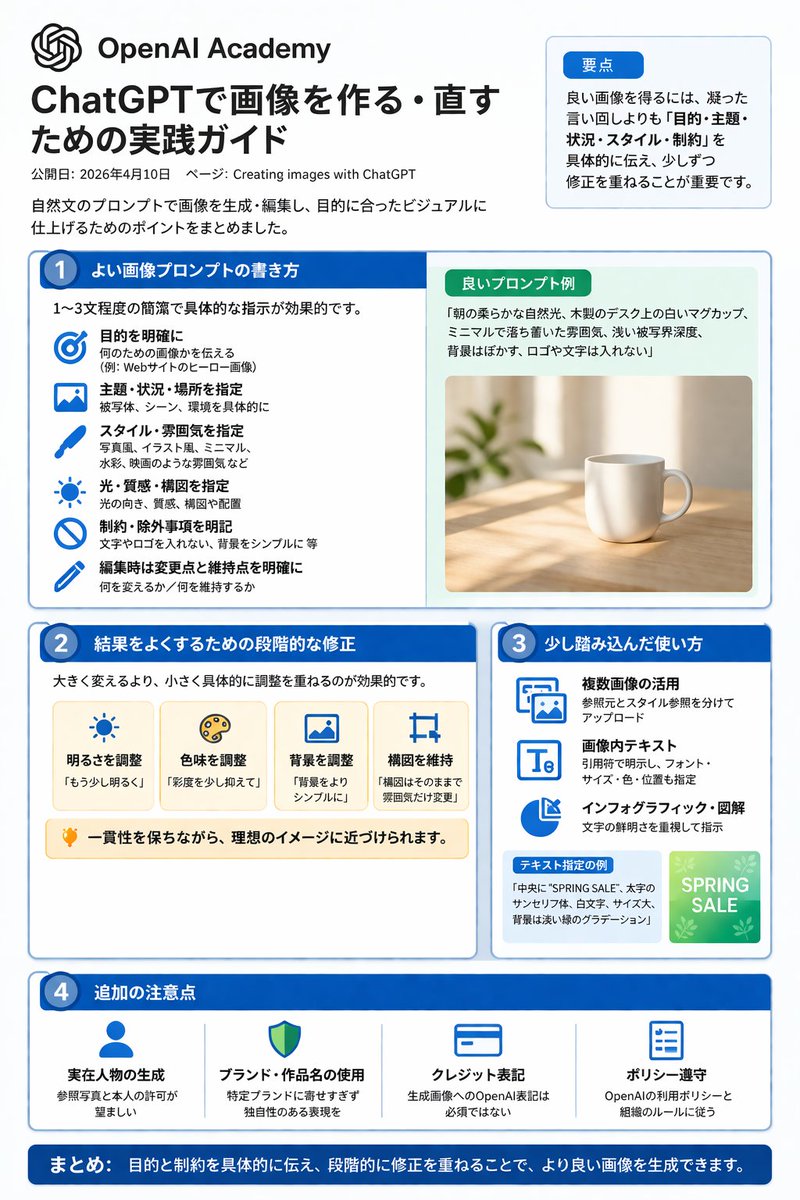
提示词 · EN
type
infographicstyle
clean, corporate, flat design, pastel accents, dark blue primary colorheader
logo
swirl iconacademy_name
{argument name="academy name" default="OpenAI Academy"}main_title
{argument name="main title" default="ChatGPTで画像を作る・直すための実践ガイド"}metadata
date and page infosummary_box
title
要点content
paragraph about key pointslayout
sections
item 1
number
1title
{argument name="section 1 title" default="よい画像プロンプトの書き方"}layout
two columnsleft_column
count
6items
item 1
icon
targetlabel
目的を明確にitem 2
icon
landscapelabel
主題・状況・場所を指定item 3
icon
brushlabel
スタイル・雰囲気を指定item 4
icon
sunlabel
光・質感・構図を指定item 5
icon
prohibitionlabel
制約・除外事項を明記item 6
icon
pencillabel
編集時は変更点と維持点を明確にright_column
box_title
良いプロンプト例image
{argument name="example image subject" default="white mug on a wooden desk"}item 2
number
2title
結果をよくするための段階的な修正cards
count
4items
item 1
icon
sunlabel
明るさを調整item 2
icon
palettelabel
色味を調整item 3
icon
landscapelabel
背景を調整item 4
icon
croplabel
構図を維持bottom_banner
lightbulb icon with textitem 3
number
3title
少し踏み込んだ使い方list
count
3items
item 1
icon
multiple imageslabel
複数画像の活用item 2
icon
text 'Te'label
画像内テキストitem 3
icon
pie chartlabel
インフォグラフィック・図解example_box
title
テキスト指定の例graphic
green box with 'SPRING SALE'item 4
number
4title
追加の注意点items
count
4items
item 1
icon
personlabel
実在人物の生成item 2
icon
shieldlabel
ブランド・作品名の使用item 3
icon
id cardlabel
クレジット表記item 4
icon
checklistlabel
ポリシー遵守footer
style
dark blue bannertext
{argument name="footer summary" default="まとめ: 目的と制約を具体的に伝え、段階的に修正を重ねることで、より良い画像を生成できます。"}关于这个提示词
Generate a clean, corporate infographic outlining best practices for writing and refining AI image generation prompts, complete with icons and step-by-step tips. 它更适合作为 GPT Image 2 的概念艺术起点:先保留画面结构、主体关系和风格约束,再替换成你的品牌、人物或场景。
这条提示词使用结构化 JSON 组织信息,包含 type、style、header、layout 等字段。保留这种层级能让模型更清楚地区分画面主题、布局、界面元素和细节约束。
使用时建议先小幅修改主体、场景、镜头和色调,再生成多个版本对比构图与细节。这样页面内容对用户有实际帮助,也避免把模型名或标签机械堆在正文里。
如何使用这个提示词
- Copy the prompt text from the page. 2. Choose an AI model like Sora 2 that supports detailed visual generation. 3. Customize variables like 'academy name', 'main title', and 'example image subject' to match your needs. 4. Generate the image to create your tailored infographic guide.


