
GPT Image 2AI 提示词
Cinema Lens & Aperture Infographic — Sora 2 Prompt
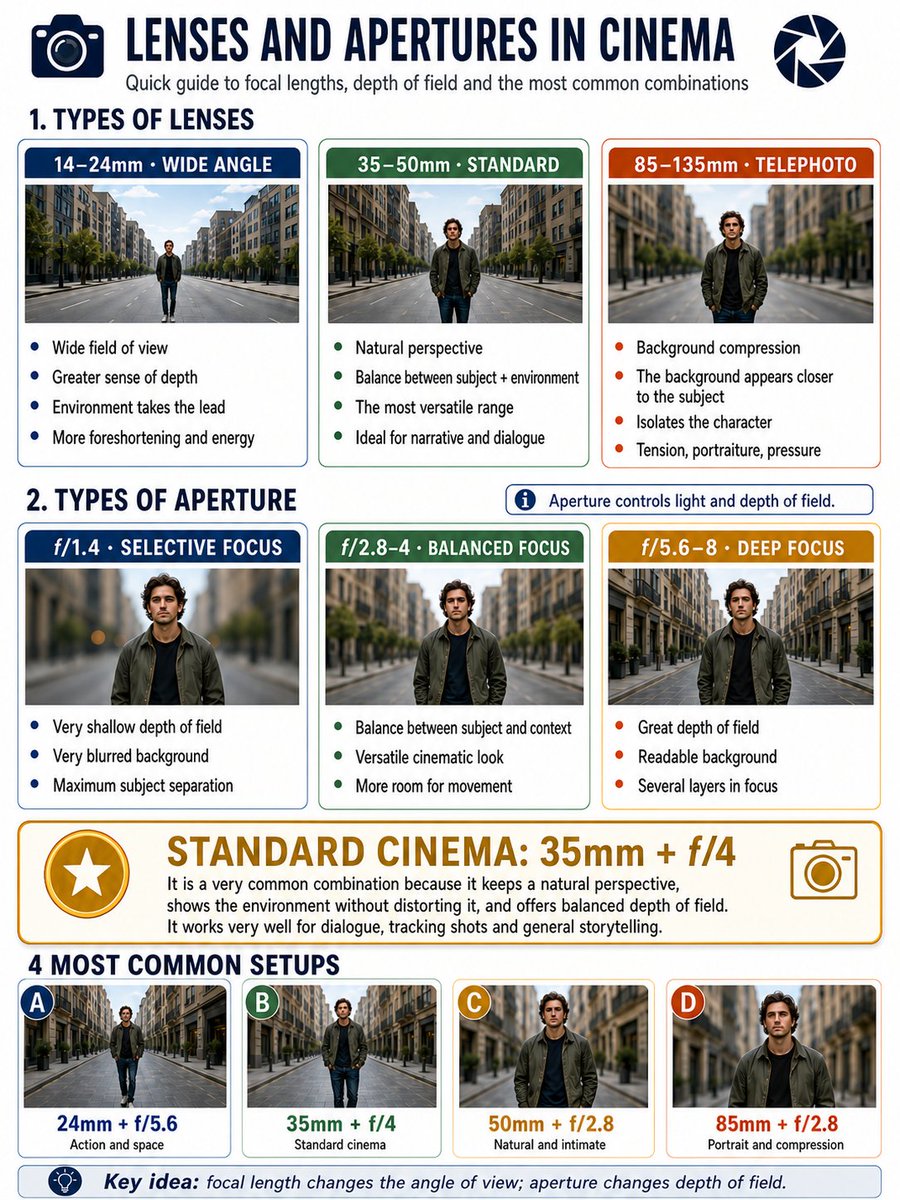
Generate a detailed 3:4 infographic comparing lens focal lengths, aperture settings, and cinematic blur examples with visual side-by-side references.
提示词 · EN
Make a 3:4 format infographic about argtopic: camera lenses and apertures in cinema. I want an area with classifications of lenses: argfocal lengths: 14–24, 35–50mm, 85–135 (3 categories). And then another area with apertures: argaperture values: 1.4, 2.8–4, and 5.6–8 (3 categories). Put below each type of aperture an example to see the background blur, and below each type of lens an example to see the perspective. They would be: 3 types of lenses, three types of focal lengths + golden standard in cinema (most common used setup). And at the very bottom, examples of the 4 most used configurations.
关于这个提示词
Generate a detailed 3:4 infographic comparing lens focal lengths, aperture settings, and cinematic blur examples with visual side-by-side references. 它更适合作为 GPT Image 2 的概念艺术起点:先保留画面结构、主体关系和风格约束,再替换成你的品牌、人物或场景。
使用时优先替换 topic、focal lengths、aperture values 等占位符,并保持镜头、构图和材质描述的顺序不变。这样更容易获得稳定的画面结果,也方便继续做多版本对比。
如何使用这个提示词
- Copy the full prompt and paste it into your preferred AI image generator (e.g. Sora 2, DALL·E, Midjourney).
- Edit the
{topic}variable if you want a different subject beyond camera lenses and apertures. - Adjust the
{focal lengths}and{aperture values}variables to match your preferred range or gear. - Generate the image and review—tweak prompt wording or variable values for improved layout or clarity.
- Export or upscale the final infographic for use in presentations, blogs, or social media.


