
GPT Image 2AI 提示词
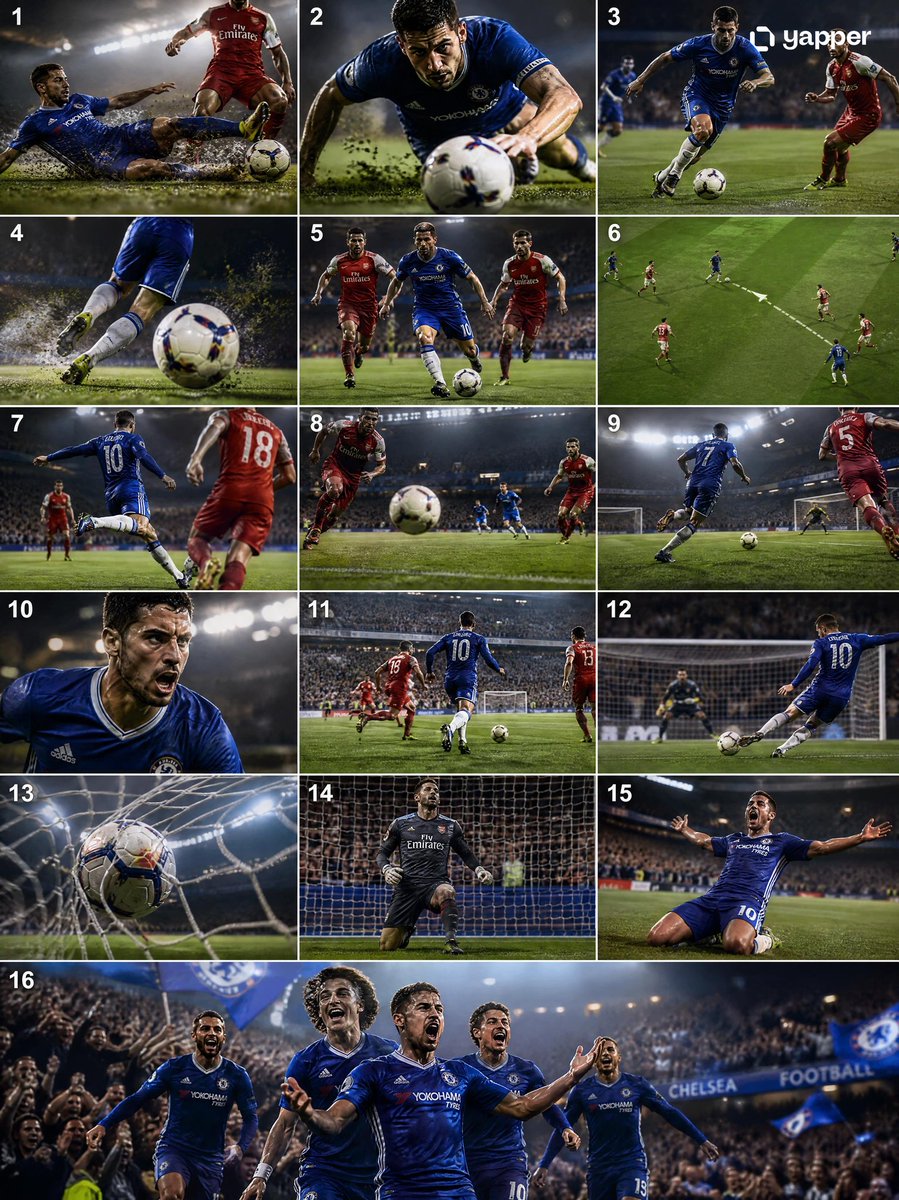
Cinematic Soccer Goal Storyboard — Tackle to Celebration
Generate a professional 4K sports broadcast sequence: dynamic tackles, fast counterattacks, and dramatic goal celebrations with cinematic camera work.
提示词 · EN
Create a high-quality 4K cinematic argsport: football (soccer) storyboard showing a full sequence from argstart action: tackle to argend action: goal, using dynamic lighting, dramatic stadium atmosphere, and professional sports broadcast style. The scene begins with an intense midfield moment where a defender performs a strong sliding tackle, grass and dirt particles flying in slow motion as the ball is cleanly won. Transition immediately into a fast counterattack: the player recovers, pushes the ball forward, and accelerates past opponents with quick footwork. Show close-ups of boots striking the ball, sweat, and focused expressions, mixed with wide shots of the field opening up. Add a key pass moment where the ball is threaded through defenders, followed by a sprint toward goal with the crowd rising in anticipation. Build tension with a slow-motion approach to the penalty box, then a powerful shot on goal—either a clean strike or a curled finish. Show the ball hitting the net with dramatic impact, net rippling, and goalkeeper reaction. End with an emotional celebration: the scorer running, sliding, or raising arms as teammates join, stadium lights glowing and crowd erupting. Use varied camera angles (wide, tracking, close-up, POV, slow motion), strong motion blur, and realistic physics (ball spin, turf impact).
关于这个提示词
Generate a professional 4K sports broadcast sequence: dynamic tackles, fast counterattacks, and dramatic goal celebrations with cinematic camera work. 它更适合作为 GPT Image 2 的概念艺术起点:先保留画面结构、主体关系和风格约束,再替换成你的品牌、人物或场景。
使用时优先替换 sport、start action、end action 等占位符,并保持镜头、构图和材质描述的顺序不变。这样更容易获得稳定的画面结果,也方便继续做多版本对比。
如何使用这个提示词
- Copy the full prompt from this page.
- Choose a high-capability video generation model (e.g., Sora 2, Kling, or Runway Gen-3).
- Replace the default sport, start action, and end action values with your preferred scenario if desired.
- Paste the customized prompt into the model's text-to-video interface.
- Generate and review the output; adjust lighting or camera angle keywords for refinements.


