
GPT Image 2AI 提示词
Spacecraft Window View of Moon & Earth — Sora 2 Prompt
Create hyper-realistic 8K cinematic shots from inside a spacecraft, with customizable celestial bodies, astronauts, and immersive sci-fi lighting.
提示词 · EN
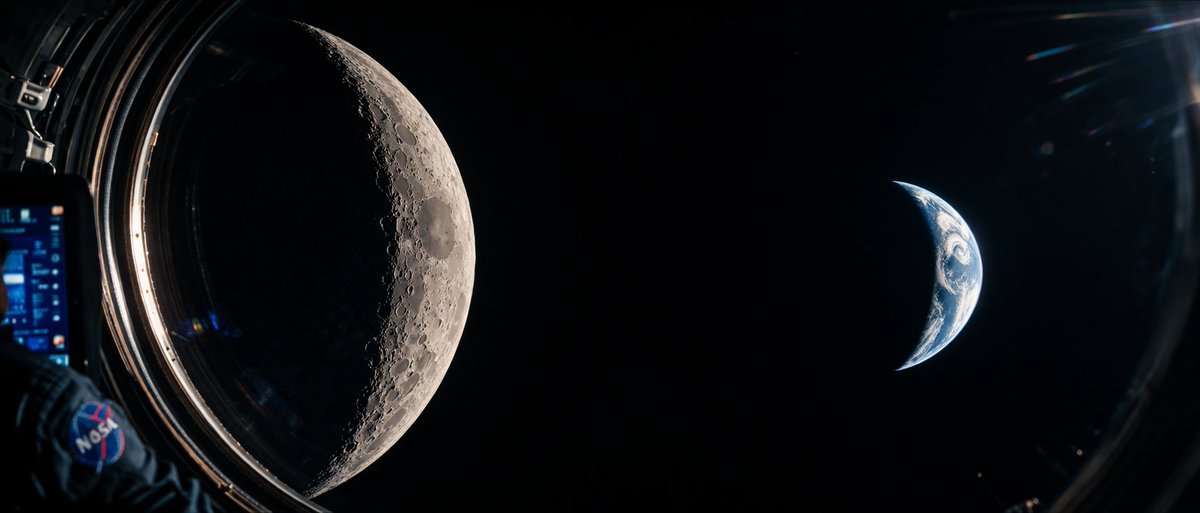
A cinematic, photorealistic wide-angle shot from inside a spacecraft looking out a circular window into the deep blackness of space. On the left side of the frame, a argcelestial body left: massive, highly detailed crescent Moon dominates the view, showcasing intricate craters and rugged terrain illuminated by harsh sunlight. On the right side, a smaller argcelestial body right: crescent Earth glows with blue oceans and white atmospheric clouds. In the immediate foreground on the far left, an argforeground element: astronaut's arm wearing a dark blue spacesuit is visible, featuring a prominent argpatch logo: NASA patch on the shoulder. The astronaut is holding a digital tablet with a glowing blue, complex user interface. The edge of the spacecraft window frames the scene, with subtle lens flares and reflections on the glass adding to the immersive, sci-fi documentary aesthetic. High contrast, hyper-realistic textures, 8k resolution.
关于这个提示词
Create hyper-realistic 8K cinematic shots from inside a spacecraft, with customizable celestial bodies, astronauts, and immersive sci-fi lighting. 它更适合作为 GPT Image 2 的概念艺术起点:先保留画面结构、主体关系和风格约束,再替换成你的品牌、人物或场景。
常见用途包括 gptimage2api prompts、gptimage2api、en。这些标签只作为创作方向参考,实际生成时仍应以提示词结构和预览图为准。
使用时优先替换 celestial body left、celestial body right、foreground element、patch logo 等占位符,并保持镜头、构图和材质描述的顺序不变。这样更容易获得稳定的画面结果,也方便继续做多版本对比。
如何使用这个提示词
- Copy the full prompt text into your AI video or image generator of choice.
- Select a capable model like Sora 2, Kling 2, or Runway Gen-3 for best photorealism.
- Customize the variables in curly braces—swap the celestial bodies, foreground element, or patch logo to match your vision.
- Generate the output and upscale or re-iterate if needed for sharper 8K detail.


