
GPT Image 2AI 提示词
AI Model Comparison Infographic — ChatGPT Image Analysis
Creates a professional 3-column presentation slide analyzing ChatGPT image model features with 10 distinct sections and embedded comparison visuals.
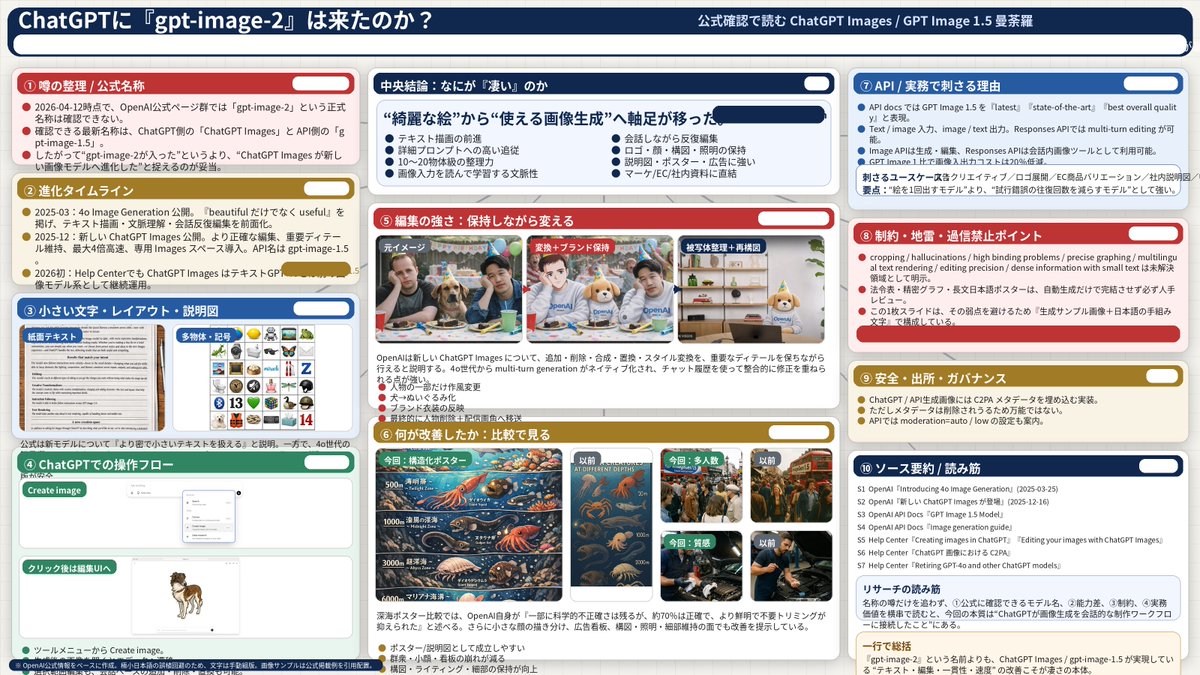
提示词 · EN
type
infographic dashboardstyle
corporate presentation slide, dense information layout, flat designheader
left_title
{argument name="main title" default="ChatGPTに『gpt-image-2』は来たのか?"}right_subtitle
{argument name="subtitle" default="公式確認で読む ChatGPT Images / GPT Image 2 曼荼羅"}background_color
{argument name="theme color 1" default="dark blue"}layout
columns
3sections
item 1
id
1title
① 噂の整理 / 公式名称color
{argument name="theme color 2" default="red"}content_type
3 bullet pointsitem 2
id
2title
② 進化タイムラインcolor
goldcontent_type
3 timeline bullet pointsitem 3
id
3title
③ 小さい文字・レイアウト・説明図color
bluecontent_type
2 embedded images showing text document and icon griditem 4
id
4title
④ ChatGPTでの操作フローcolor
greencontent_type
UI mockups showing chat interface and dog imageitem 5
id
centraltitle
中央結論:なにが『凄い』のかcolor
dark bluesubtitle
{argument name="central conclusion" default="“綺麗な絵”から“使える画像生成”へ軸足が移った"}content_type
2 columns of 4 bullet points eachitem 6
id
5title
⑤ 編集の強さ:保持しながら変えるcolor
redcontent_type
3 sequential images showing photo editing progressionitem 7
id
6title
⑥ 何が改善したか:比較で見るcolor
goldcontent_type
6 comparison images (This time vs Before) for posters, crowds, texturesitem 8
id
7title
⑦ API / 実務で刺さる理由color
bluecontent_type
3 bullet pointsitem 9
id
8title
⑧ 制約・地雷・過信禁止ポイントcolor
redcontent_type
3 bullet pointsitem 10
id
9title
⑨ 安全・出所・ガバナンスcolor
goldcontent_type
3 bullet pointsitem 11
id
10title
⑩ ソース要約 / 読み筋color
dark bluecontent_type
list of 7 sources and a summary box关于这个提示词
Creates a professional 3-column presentation slide analyzing ChatGPT image model features with 10 distinct sections and embedded comparison visuals. 它更适合作为 GPT Image 2 的概念艺术起点:先保留画面结构、主体关系和风格约束,再替换成你的品牌、人物或场景。
这条提示词使用结构化 JSON 组织信息,包含 type、style、header、layout 等字段。保留这种层级能让模型更清楚地区分画面主题、布局、界面元素和细节约束。
使用时建议先小幅修改主体、场景、镜头和色调,再生成多个版本对比构图与细节。这样页面内容对用户有实际帮助,也避免把模型名或标签机械堆在正文里。
如何使用这个提示词
- Copy the full JSON prompt object into your AI generator.
- Choose a model that supports structured or infographic-style image output.
- Customize the argument variables (main title, theme colors, central conclusion) to match your topic.
- Generate the image and review the dense layout for clarity and readability.


