
GPT Image 2AI 提示词
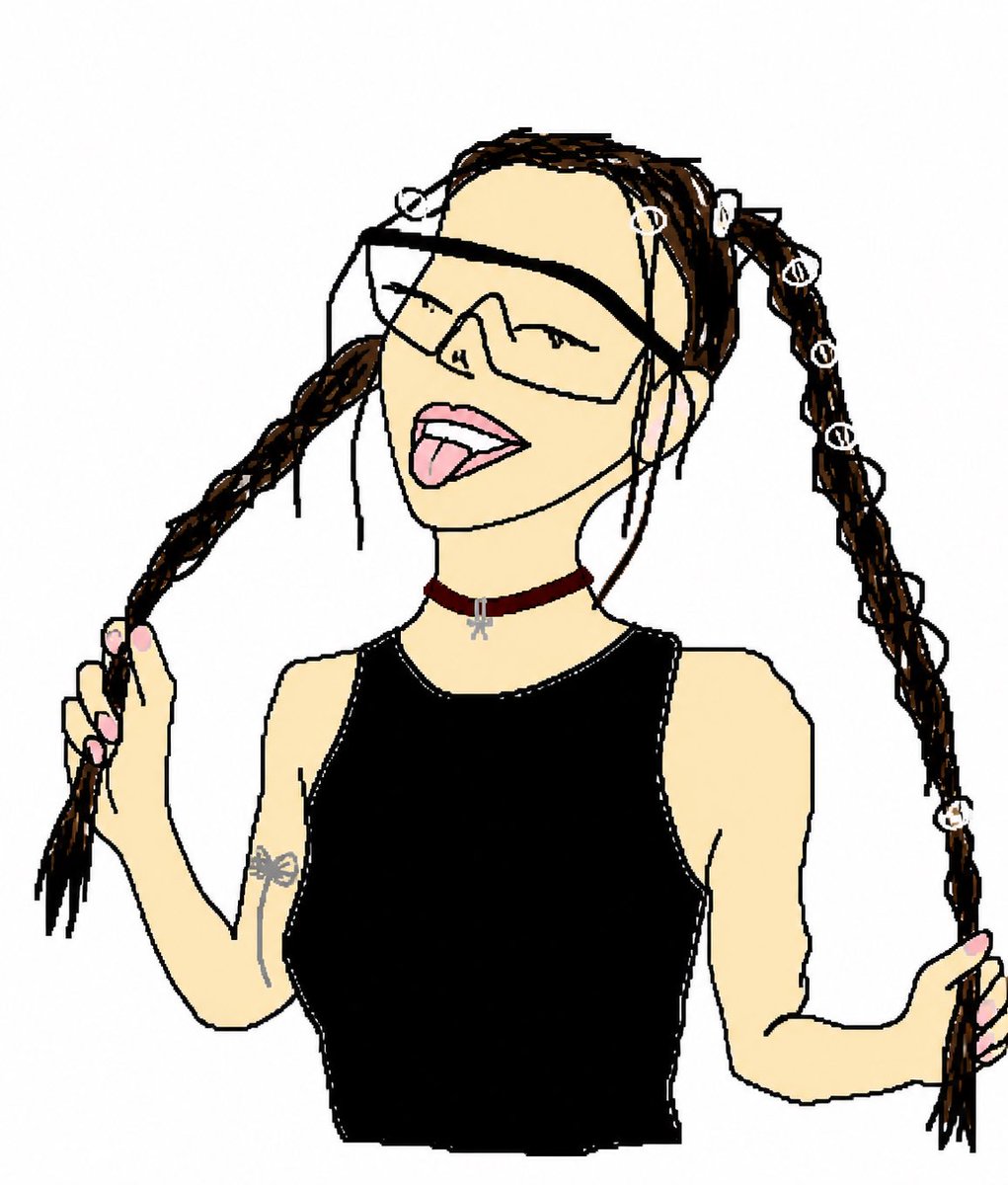
Crude MS Paint Doodle Transform — Photo to Cartoon
Turn any reference photo into a funny, intentionally imperfect hand-drawn doodle with thick lines, flat colors, and a playful cartoon face.
提示词 · EN
Using REFERENCE_0 as the subject and pose reference, transform the photo into an intentionally crude hand-drawn digital doodle, like a simple MS Paint/cartoon trace made with thick uneven black lines, flat colors, minimal shading, and a plain white background. Preserve the same upper-body framing, twin braided pigtail pose with both hands holding the braids, black sleeveless top, burgundy choker with small silver charm, arm tattoo, pink nails, and the seven visible white loop hair accessories: top-left loop, forehead loop, right-top loop, and four loops down the right braid. Replace the obscured face with a playful cartoon face: oversized angular wraparound sunglasses, closed smiling eyes, open mouth, and tongue sticking out. Remove the concrete wall and street background completely. Make the result look deliberately imperfect, loose, funny, and hand-drawn rather than polished.
关于这个提示词
Turn any reference photo into a funny, intentionally imperfect hand-drawn doodle with thick lines, flat colors, and a playful cartoon face. 它更适合作为 GPT Image 2 的概念艺术起点:先保留画面结构、主体关系和风格约束,再替换成你的品牌、人物或场景。
使用时建议先小幅修改主体、场景、镜头和色调,再生成多个版本对比构图与细节。这样页面内容对用户有实际帮助,也避免把模型名或标签机械堆在正文里。
如何使用这个提示词
- Copy the full prompt from this page.
- Paste it into your preferred AI image generator (e.g., Sora, DALL·E, or similar).
- Upload your reference photo when prompted for REFERENCE_0.
- Tweak the cartoon face expression or outfit details if desired.
- Generate and enjoy your deliberately lo-fi, hand-drawn result!


