
GPT Image 2AI 提示词
Crumpled Flyer Front & Back — Realistic Paper Texture Prompt
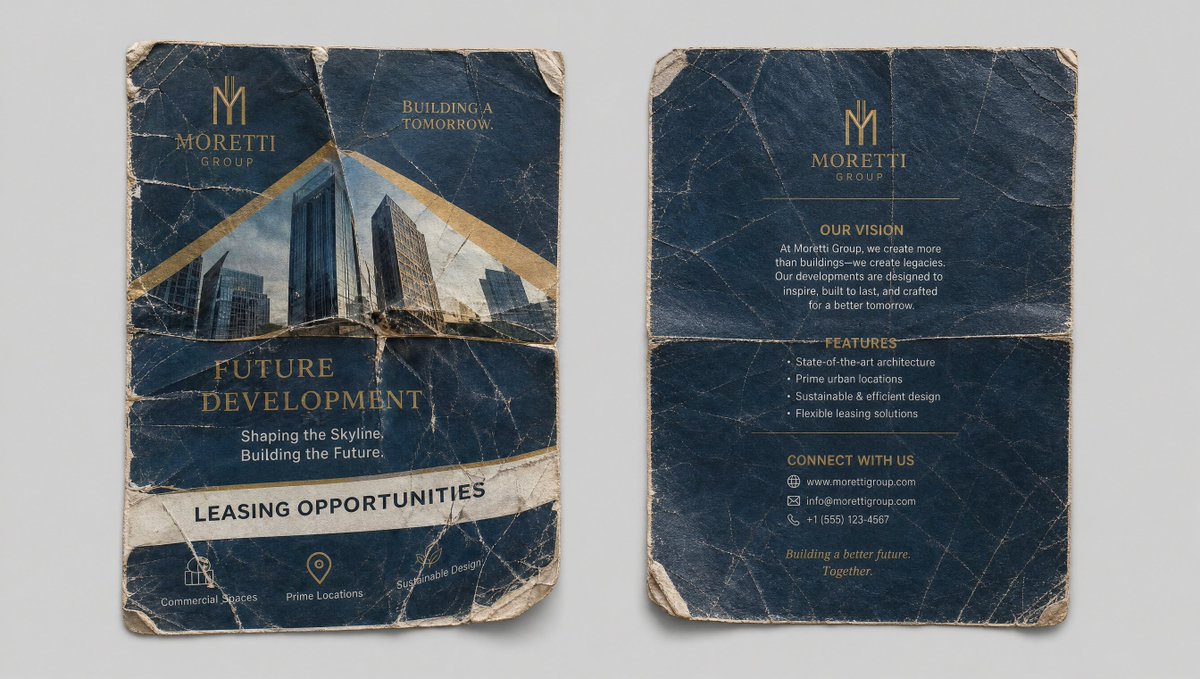
Create a photorealistic reference sheet of a crumpled, aged flyer with detailed front and back panels, perfect for design assets.
提示词 · EN
Clean reference sheet, two panels side by side on a neutral light gray background. Left panel: Front of the crumpled, well-worn "argflyer title: Future Development" flyer. Highly detailed texture with creases, tears, and wear. Visible text: "argcompany name: Moretti Group", "Future Development", "Shaping the Skyline. Building the Future.", "Leasing Opportunities", with images of modern buildings. Right panel: Back of the same crumpled flyer, showing any reverse side details, creases, and texture. Photorealistic, high detail on paper texture, folds, and wear. Same quality and lighting as the uploaded flyer image. Clean, organized layout perfect for use as a reference element. --ar 16:9
关于这个提示词
Create a photorealistic reference sheet of a crumpled, aged flyer with detailed front and back panels, perfect for design assets. 它更适合作为 GPT Image 2 的概念艺术起点:先保留画面结构、主体关系和风格约束,再替换成你的品牌、人物或场景。
使用时优先替换 flyer title、company name 等占位符,并保持镜头、构图和材质描述的顺序不变。这样更容易获得稳定的画面结果,也方便继续做多版本对比。
如何使用这个提示词
- Copy the full prompt text, including the
--ar 16:9ratio. - Paste it into your chosen AI image generator (e.g., Midjourney, DALL-E 3, Stable Diffusion).
- Replace the variables in curly braces
{}(like{flyer title}and{company name}) with your own text. - Generate the image and review the texture quality and layout.
- Use the output as a visual reference for paper wear effects in your designs.


