GPT Image 2AI 提示词
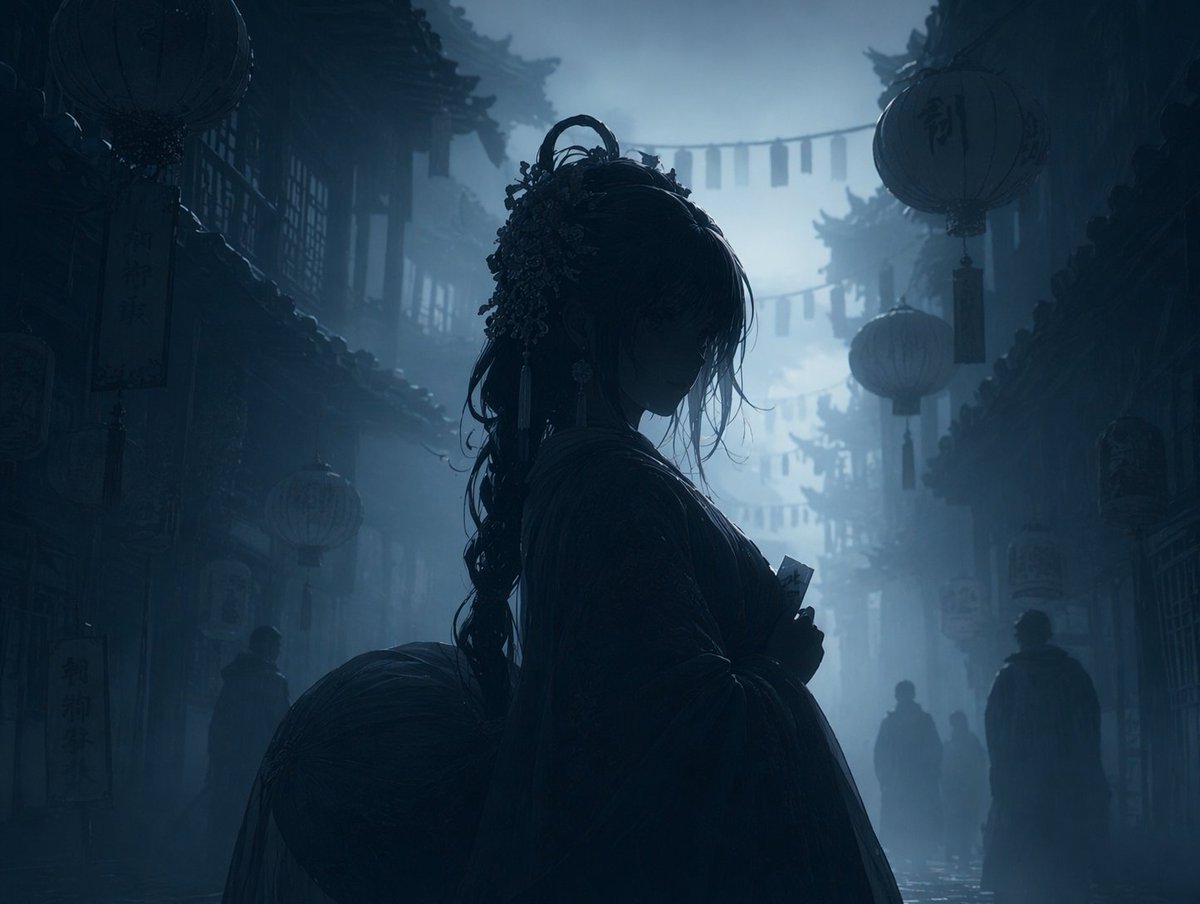
Dark Foggy Silhouette Scene — Sora 2 Prompt
Turn any reference image into a haunting, moody night scene with silhouetted figures and a misty, monochromatic atmosphere while preserving the original layout.
提示词 · EN
Using REFERENCE_0, transform the image into a argatmosphere: dark, moody, and foggy night scene. Apply a argcolor palette: monochromatic dark blue and grey color grading. Render the main character, lanterns, and foreground elements as arglighting style: dark silhouettes against the misty background. Preserve the exact original composition, character pose, and background architecture.
关于这个提示词
Turn any reference image into a haunting, moody night scene with silhouetted figures and a misty, monochromatic atmosphere while preserving the original layout. 它更适合作为 GPT Image 2 的概念艺术起点:先保留画面结构、主体关系和风格约束,再替换成你的品牌、人物或场景。
常见用途包括 gptimage2api prompts、gptimage2api、en。这些标签只作为创作方向参考,实际生成时仍应以提示词结构和预览图为准。
使用时优先替换 atmosphere、color palette、lighting style 等占位符,并保持镜头、构图和材质描述的顺序不变。这样更容易获得稳定的画面结果,也方便继续做多版本对比。
如何使用这个提示词
- Copy the prompt text from the page.
- Paste it into your chosen AI image generator (e.g., Sora 2, Runway).
- Replace the default variable values (like atmosphere, color palette) with your own creative preferences.
- Upload your reference image as the
REFERENCE_0input. - Generate and refine as needed.