
GPT Image 2AI 提示词
Dense vs MoE Infographic — AI Model Comparison Diagram
Generate a clean, side-by-side infographic comparing Dense and Mixture of Experts neural networks with custom labels, diagrams, and bullet points.
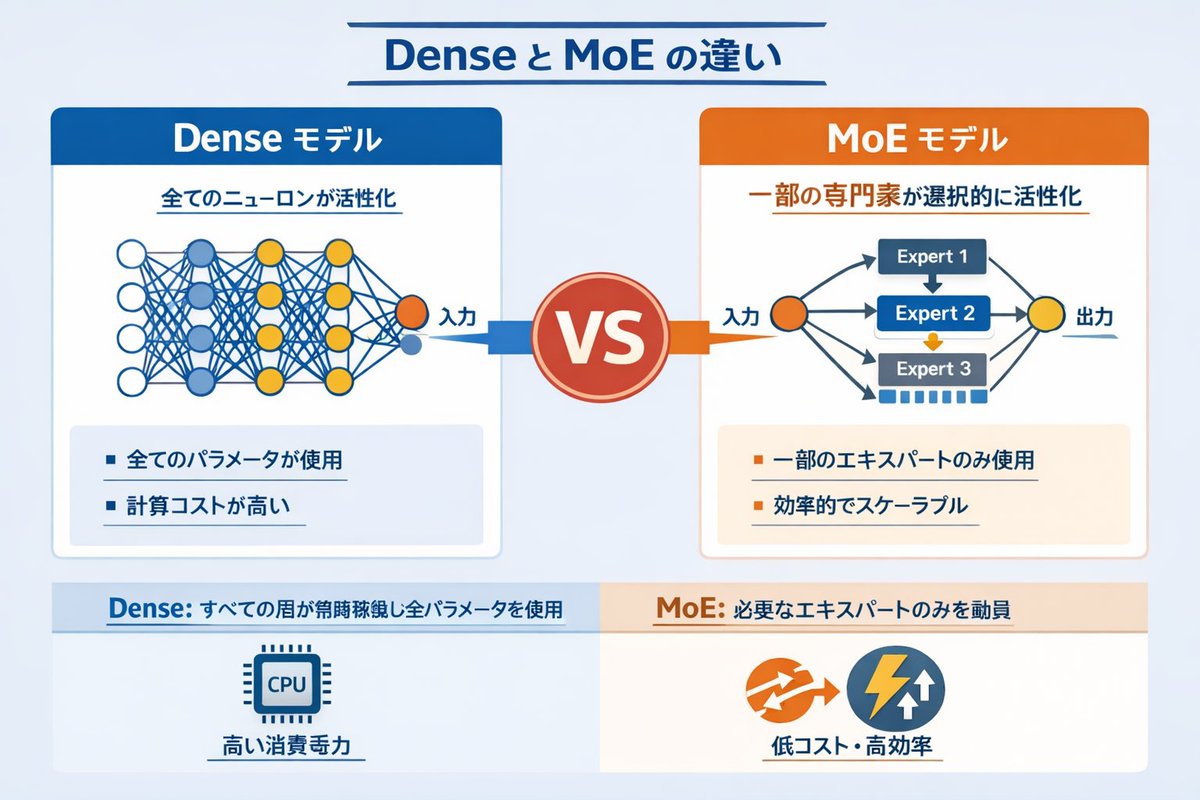
提示词 · EN
type
infographic comparison diagramheader
title
{argument name="main title" default="Dense と MoE の違い"}layout
structure
two main columns separated by a central VS badge, with a split footer at the bottomsections
item 1
position
left columntheme_color
blueheader
{argument name="left model name" default="Dense モデル"}subtitle
全てのニューロンが活性化diagram
type
fully connected neural networkelements
item 1
1 orange input node labeled 入力item 2
4 hidden layers with 4, 5, 4, and 2 nodes respectivelyitem 3
nodes colored white, blue, and yellowitem 4
dense intersecting connection lines between all adjacent nodesbullet_points
count
2items
item 1
{argument name="left bullet point" default="全てのパラメータが使用"}item 2
計算コストが高いitem 2
position
right columntheme_color
orangeheader
{argument name="right model name" default="MoE モデル"}subtitle
一部の専門家が選択的に活性化diagram
type
mixture of experts networkelements
item 1
1 orange input node labeled 入力item 2
3 rectangular blocks labeled Expert 1, Expert 2, Expert 3item 3
1 yellow output node labeled 出力item 4
branching arrows connecting input to experts, and experts to outputbullet_points
count
2items
item 1
{argument name="right bullet point" default="一部のエキスパートのみ使用"}item 2
効率的でスケーラブルitem 3
position
centerelement
red circular badge with text VSconnections
blue arrow pointing left, orange arrow pointing rightitem 4
position
footer leftbackground
light bluetext
Dense: すべての層が常時稼働し全パラメータを使用icon
1 CPU chip graphiclabel
高い消費電力item 5
position
footer rightbackground
light orangetext
MoE: 必要なエキスパートのみを動員icons
2 circular graphics (orange arrows, blue lightning bolt)label
低コスト・高効率关于这个提示词
Generate a clean, side-by-side infographic comparing Dense and Mixture of Experts neural networks with custom labels, diagrams, and bullet points. 它更适合作为 GPT Image 2 的概念艺术起点:先保留画面结构、主体关系和风格约束,再替换成你的品牌、人物或场景。
这条提示词使用结构化 JSON 组织信息,包含 type、header、layout 等字段。保留这种层级能让模型更清楚地区分画面主题、布局、界面元素和细节约束。
使用时建议先小幅修改主体、场景、镜头和色调,再生成多个版本对比构图与细节。这样页面内容对用户有实际帮助,也避免把模型名或标签机械堆在正文里。
如何使用这个提示词
- Copy the full JSON prompt object into your AI image generator (e.g. Sora, GPT-4o, or DALL·E).
- Choose a model that supports structured layouts or infographics for best results.
- Customize the variables like
main title,left model name,right model name, and bullet points to fit your topic. - Adjust colors, expert count, or layer structure if you need a different architecture visual.
- Generate the image and review — iterate on wording or layout variables as needed.


