
GPT Image 2AI 提示词
Editorial Portrait 2x2 Grid — Sora 2 Prompt
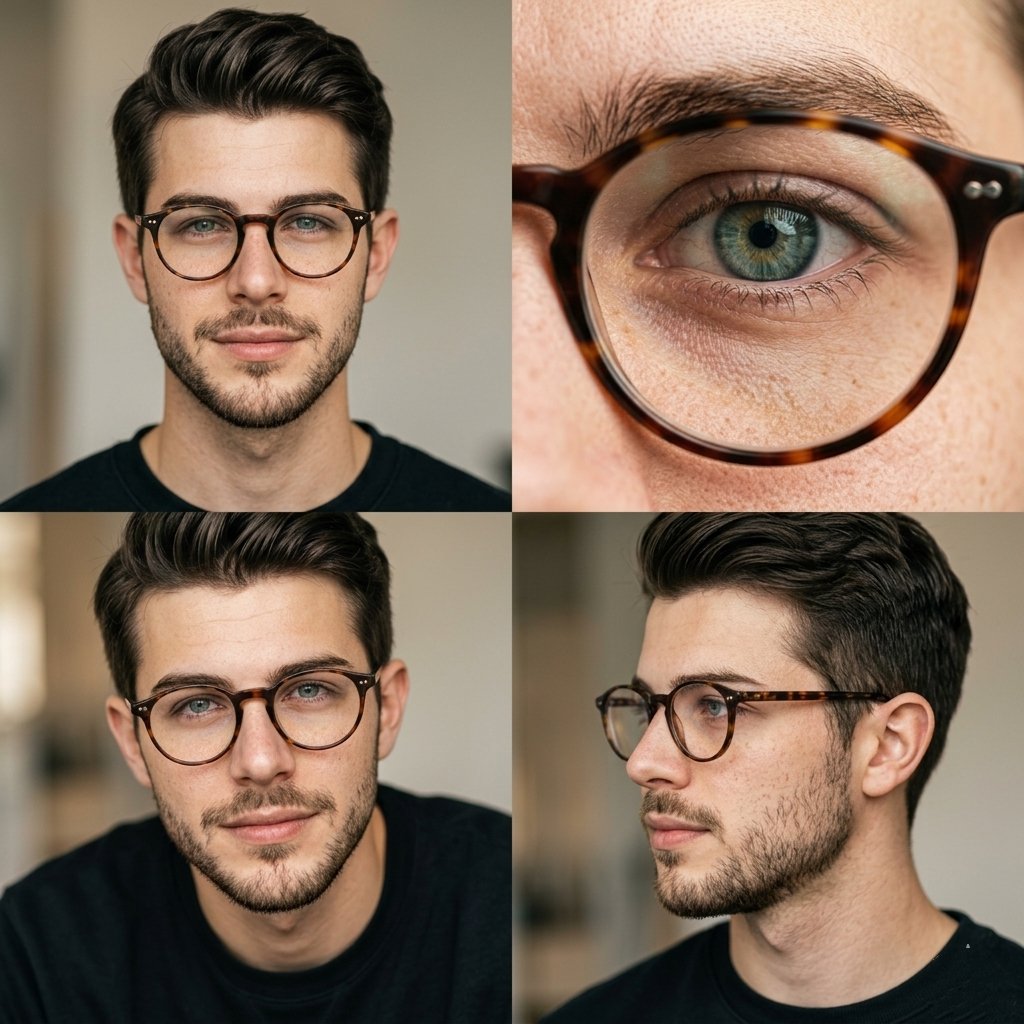
Create a stunning 2x2 portrait grid with macro eye detail, multiple angles, and ultra-realistic skin for professional editorial results.
提示词 · EN
Editorial portrait photography arranged in a 2x2 grid layout featuring the same argsubject: man with argaccessory: round tortoiseshell glasses, natural look, light beard, argbackground: soft neutral background.
Top-left: front-facing portrait with direct eye contact, calm expression.
Top-right: extreme macro close-up of eye behind glasses, ultra-detailed iris and skin texture.
Bottom-left: slightly lower angle portrait, subtle expression, soft shadows.
Bottom-right: side profile portrait, natural pose, looking away.
Soft diffused natural lighting, warm neutral tones, shallow depth of field, ultra-realistic skin texture with visible pores and freckles, minimal retouching, 85mm lens, high-end editorial photography style, clean composition, 4K
关于这个提示词
Create a stunning 2x2 portrait grid with macro eye detail, multiple angles, and ultra-realistic skin for professional editorial results. 它更适合作为 GPT Image 2 的概念艺术起点:先保留画面结构、主体关系和风格约束,再替换成你的品牌、人物或场景。
常见用途包括 gptimage2api prompts、gptimage2api、zh。这些标签只作为创作方向参考,实际生成时仍应以提示词结构和预览图为准。
使用时优先替换 subject、accessory、background 等占位符,并保持镜头、构图和材质描述的顺序不变。这样更容易获得稳定的画面结果,也方便继续做多版本对比。
如何使用这个提示词
- Copy the entire prompt text from the page.
- Open your preferred AI image generator (Sora 2, Midjourney, DALL·E, etc.).
- Paste the prompt and customize variables like
{subject},{accessory}, and{background}to match your vision. - Generate the image and review the grid output.
- Adjust lighting or angle keywords if needed and regenerate for variations.


