
GPT Image 2AI 提示词
Elegant Wuxia Noblewoman Portrait — Sora 2 Prompt
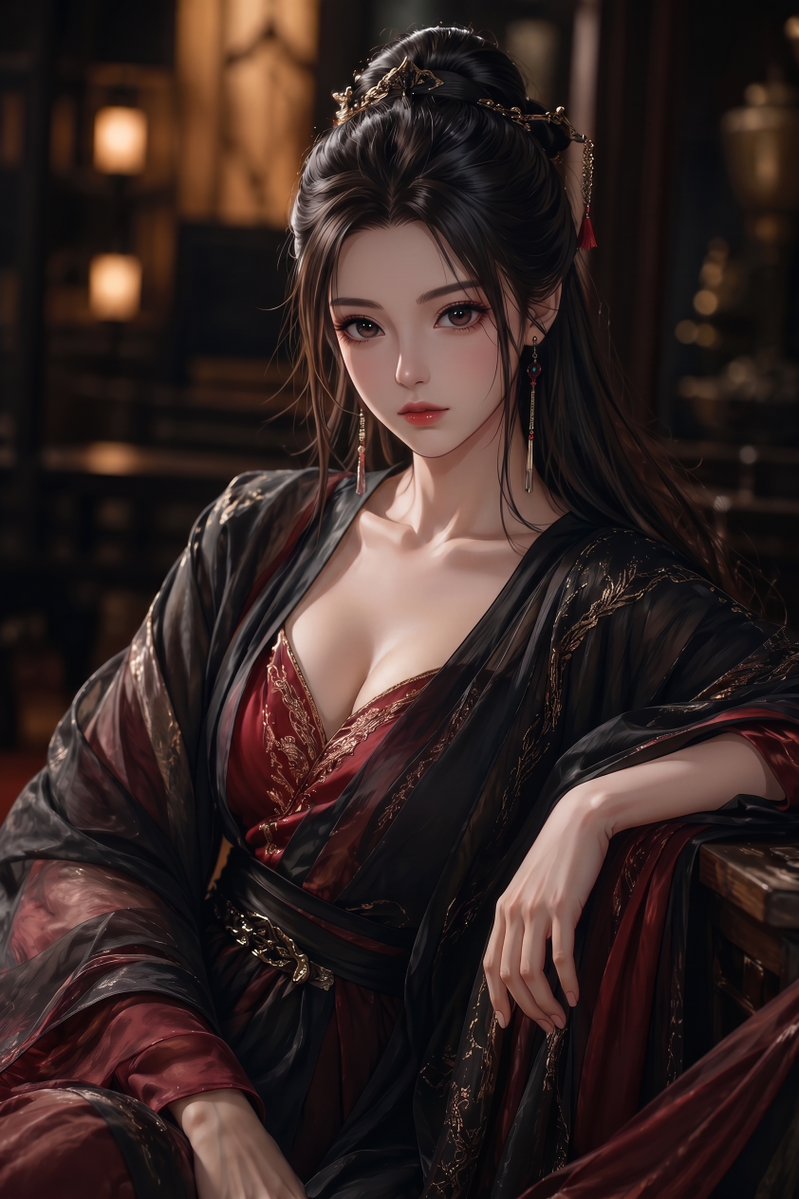
Creates a cinematic, semi-realistic digital portrait of a richly dressed ancient Chinese noblewoman with an obscured face for stylized character illustration.
提示词 · EN
Create a vertical semi-realistic digital illustration of argcharacter type: an elegant adult East Asian fantasy noblewoman seated indoors in a dim, luxurious ancient Chinese-inspired study or palace room. She wears a deep argmain robe color: burgundy red low-cut silk dress with ornate gold embroidery, layered under a sheer glossy black outer robe with flowing translucent sleeves and black sash, giving a refined wuxia/xianxia courtesan or noble consort aesthetic. Her long arghair color: black hair is styled half-up with elaborate gold hairpins, delicate chains, small red tassels, and long dangling earrings. Compose her from mid-thigh to head in a relaxed seated pose, one arm resting on a wooden armrest and the other hand draped gracefully over her lap, with soft skin highlights, detailed fabric folds, and polished hands. The face should be completely obscured by a centered opaque argface cover color: muted brown square censor block, while the hair, ears, neck, collarbones, and clothing remain visible. Use warm cinematic lantern lighting, shallow depth of field, dark wooden furniture, blurred shelves and glowing lamps in the background, rich shadows, high-detail painterly realism, glossy silk texture, gold accents, sensual but elegant mood, portrait orientation, 2:3 aspect ratio.
关于这个提示词
Creates a cinematic, semi-realistic digital portrait of a richly dressed ancient Chinese noblewoman with an obscured face for stylized character illustration. 它更适合作为 GPT Image 2 的概念艺术起点:先保留画面结构、主体关系和风格约束,再替换成你的品牌、人物或场景。
使用时优先替换 character type、main robe color、hair color、face cover color 等占位符,并保持镜头、构图和材质描述的顺序不变。这样更容易获得稳定的画面结果,也方便继续做多版本对比。
如何使用这个提示词
- Copy the prompt text above.
- Select a compatible AI image generation model (e.g., Sora 2).
- Customize the variable arguments (like
{argument name="main robe color" default="burgundy red"}) with your preferred values. - Paste the modified prompt into the model's text input field.
- Generate the image and review the output.


