
GPT Image 2AI 提示词
Epic Fantasy Double Exposure Silhouette — Sora 2 Prompt
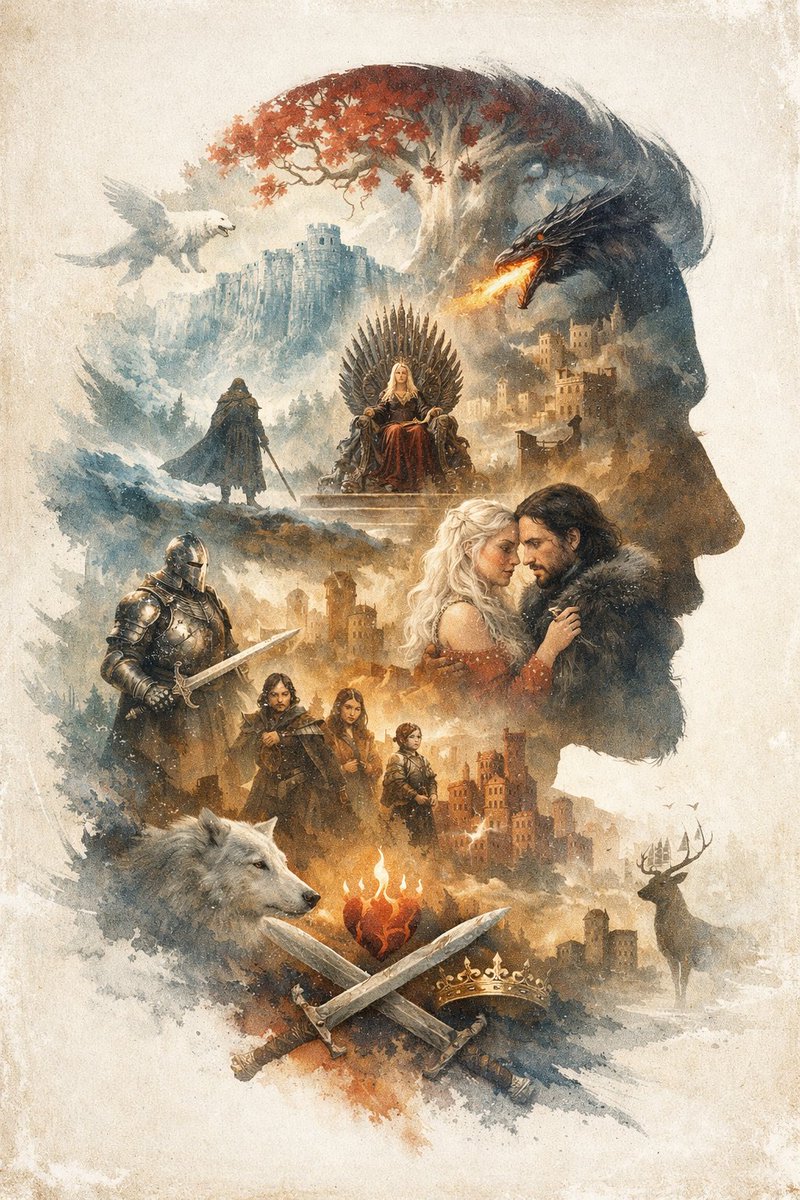
Generate a breathtaking double-exposure illustration of a man's profile filled with intricate fantasy scenes, castles, and mythical creatures.
提示词 · EN
An argoverall theme: epic fantasy illustration utilizing a argart style: watercolor and ink wash double exposure technique on a vintage parchment background. The overall composition forms the argmain silhouette subject: right-facing profile of a man's head. Inside this silhouette is a complex montage of scenes and characters. At the top, a white tree with red leaves stands near a cliffside castle, with a white winged creature flying on the left and a black dragon breathing fire on the right. Below this, a blonde woman sits on a throne made of swords, while a cloaked figure stands on a hill nearby. In the center right, a romantic couple consisting of a blonde woman and a dark-haired man in a fur collar gaze at each other. To their left stands a knight in full plate armor holding a sword. Below them is a group of 3 figures: a man, a young woman, and a child. At the bottom, a large white wolf head is on the left, and a stag stands near a castle on the right. In the bottom center, a flaming heart hovers above 2 crossed swords and 1 golden crown. The argdominant color palette: muted earthy tones with splashes of red and orange creates a dramatic, legendary atmosphere.
关于这个提示词
Generate a breathtaking double-exposure illustration of a man's profile filled with intricate fantasy scenes, castles, and mythical creatures. 它更适合作为 GPT Image 2 的概念艺术起点:先保留画面结构、主体关系和风格约束,再替换成你的品牌、人物或场景。
常见用途包括 gptimage2api prompts、gptimage2api、en。这些标签只作为创作方向参考,实际生成时仍应以提示词结构和预览图为准。
使用时优先替换 overall theme、art style、main silhouette subject、dominant color palette 等占位符,并保持镜头、构图和材质描述的顺序不变。这样更容易获得稳定的画面结果,也方便继续做多版本对比。
如何使用这个提示词
- Copy the prompt text exactly as shown.
- Select your preferred AI image generation model (e.g., Sora 2, DALL-E 3).
- Customize the
{argument}variables like 'overall theme' and 'dominant color palette' to match your vision. - Paste the prompt into the model's input field and generate the image.


