
GPT Image 2AI 提示词
Mountain Ramen Bowl Temple — Epic Fantasy Prompt
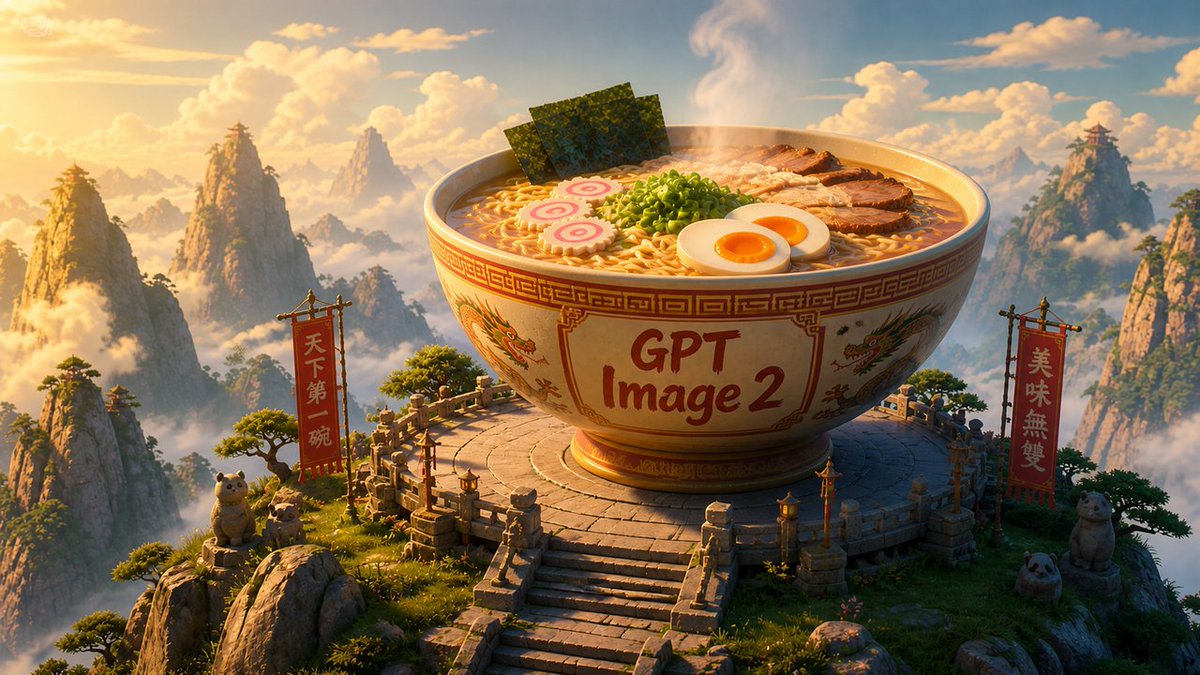
Generate a cinematic 3D fantasy sunrise scene with a giant, ornate ramen bowl on a mystical mountain temple, perfect for epic product reveals or playful announcements.
提示词 · EN
Create a cinematic 3D fantasy landscape at golden-hour sunrise: an enormous ornate ramen bowl sits on a circular stone temple platform high among misty Chinese mountain peaks, with warm volumetric sunlight, drifting clouds, pine trees, carved railings, lanterns, and a grand stairway leading up to the bowl. The bowl is cream ceramic with red-and-gold geometric borders and dragon illustrations, and the front has large hand-painted text reading argbowl label: GPT Image 2. The steaming ramen should look appetizing and detailed, with exactly 6 visible topping groups: curly noodles, 3 upright sheets of nori seaweed, a mound of chopped green onions, about 7 slices of roasted pork, 2 soft-boiled egg halves with orange yolks, and 2 pink-and-white narutomaki fish cakes. Add exactly 2 tall red vertical banners on wooden frames, one on each side of the platform, with gold lettering; the left banner reads argleft banner text: 天下第一碗 and the right banner reads argright banner text: 美味無雙. Include exactly 4 cute stone or plush guardian animals around the platform: 2 small tanuki-like figures on the left rocks, 1 round panda head near the lower right, and 1 seated bear-like figure beside the right banner. Use a wide 16:9 composition, highly polished Pixar-like / Unreal Engine realism, intricate materials, soft atmospheric haze, epic scale, sharp foreground detail, glowing rim light, and a whimsical monumental food-adventure mood.
关于这个提示词
Generate a cinematic 3D fantasy sunrise scene with a giant, ornate ramen bowl on a mystical mountain temple, perfect for epic product reveals or playful announcements. 它更适合作为 GPT Image 2 的概念艺术起点:先保留画面结构、主体关系和风格约束,再替换成你的品牌、人物或场景。
使用时优先替换 bowl label、left banner text、right banner text 等占位符,并保持镜头、构图和材质描述的顺序不变。这样更容易获得稳定的画面结果,也方便继续做多版本对比。
如何使用这个提示词
- Copy the full prompt text from the page. 2. Select a compatible AI model like Sora 2 or other video/image generator. 3. Customize the text variables in the curly braces
{}to match your brand or message. 4. Paste the prompt into your chosen model's input field. 5. Generate and refine the output as needed.


