
GPT Image 2AI 提示词
Photorealistic Subway Clone — Sora 2 Prompt
Create a pixel-perfect, indistinguishable replica of a reference photo of a woman in a subway car, preserving every composition detail and lighting nuance.
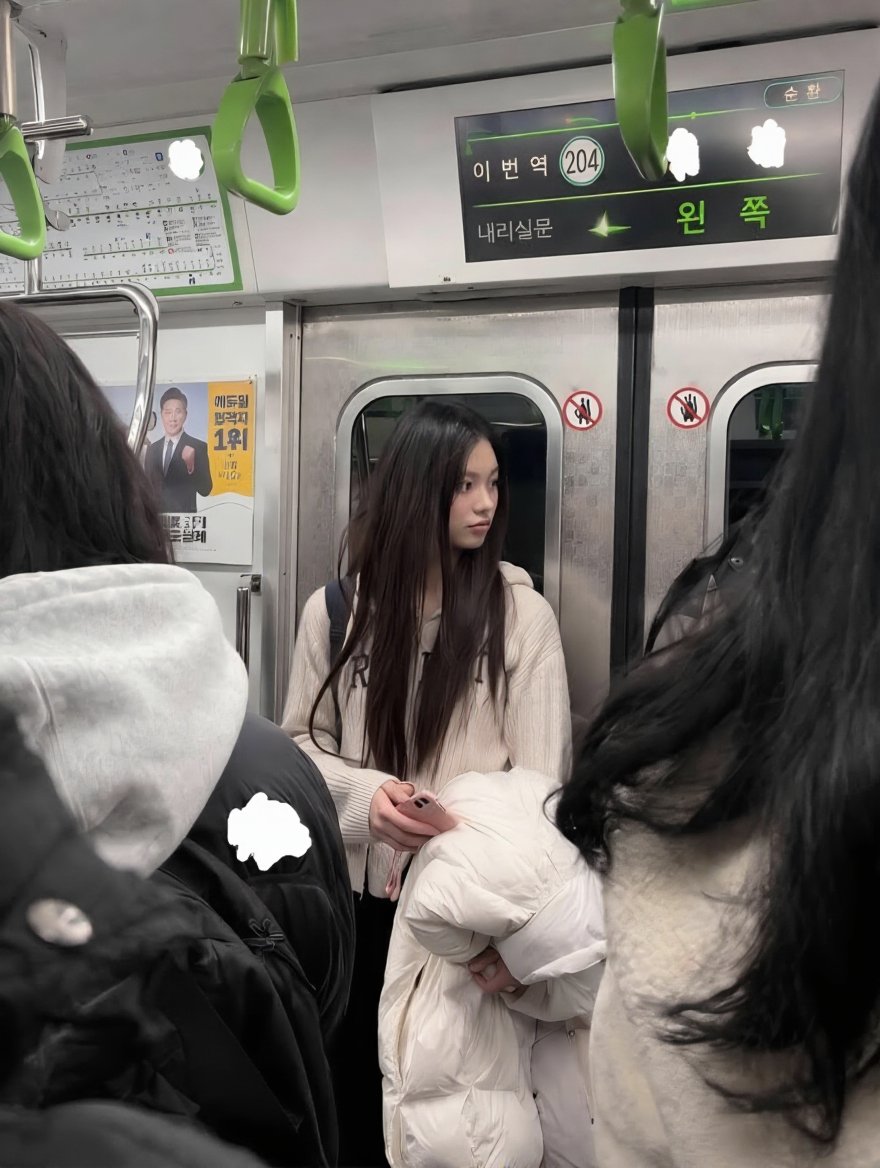
提示词 · EN
Using REFERENCE_0, generate an argreproduction style: exact photorealistic replica of the entire scene. Preserve the composition completely unchanged, including the central young woman with long dark hair holding a white jacket and pink phone, the 2 foreground passengers obscuring the view, the subway car interior, the 3 green hanging handles, and the digital display board. Maintain the exact same lighting, colors, and perspective to make it indistinguishable from the original photograph.
关于这个提示词
Create a pixel-perfect, indistinguishable replica of a reference photo of a woman in a subway car, preserving every composition detail and lighting nuance. 它更适合作为 GPT Image 2 的概念艺术起点:先保留画面结构、主体关系和风格约束,再替换成你的品牌、人物或场景。
常见用途包括 gptimage2api prompts、gptimage2api、en。这些标签只作为创作方向参考,实际生成时仍应以提示词结构和预览图为准。
使用时优先替换 reproduction style 等占位符,并保持镜头、构图和材质描述的顺序不变。这样更容易获得稳定的画面结果,也方便继续做多版本对比。
如何使用这个提示词
- Copy the prompt text into the Sora 2 interface. 2. Upload your reference image (REFERENCE_0). 3. Adjust the 'reproduction style' variable if needed (e.g., to 'hyperrealistic'). 4. Generate the image. 5. Compare the output to your original to verify the exact replication.


