
GPT Image 2AI 提示词
Photorealistic FACS Expression Grid — AI Prompt
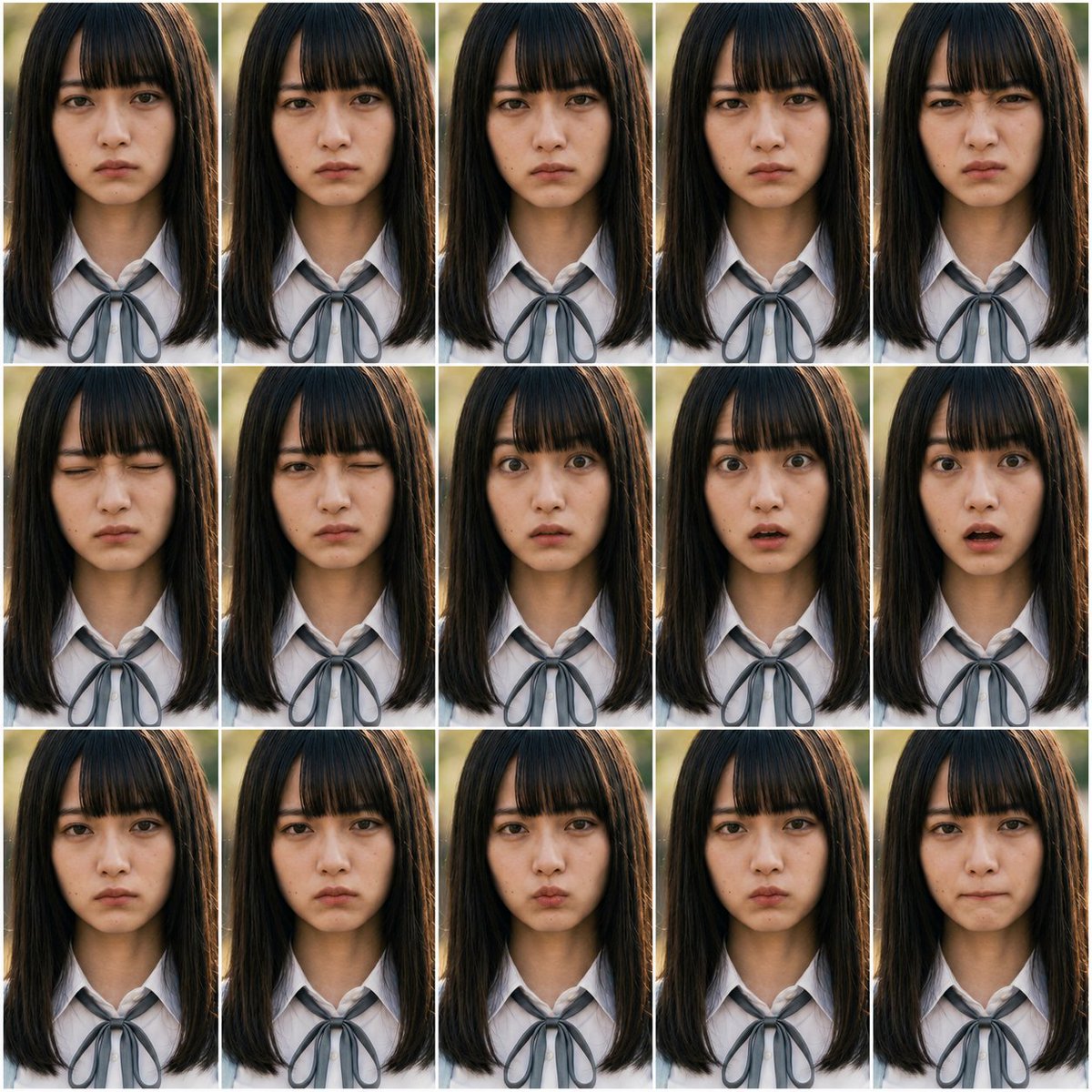
Generate a 15-panel photorealistic portrait grid with controlled facial action unit variations for expression testing and consistency benchmarking.
提示词 · EN
以 REFERENCE_0 和 REFERENCE_1 作为 FACS 动作单元指南,创建一个照片级真实感的表情控制测试表,而非插画图表。生成 arggrid layout: 3 行 5 列的 15 个画面网格,在每个画面中重复展示相同的 argsubject: 写实的年轻女学生,并保持构图、光照、发型和 argoutfit: 带有灰色丝带领结的白色校服衬衫 完全一致。基于这些 argFACS action units: AU1, AU2, AU4, AU5, AU6, AU7, AU9, AU10, AU12, AU15, AU17, AU20, AU23, AU24, AU25,为每个画面应用不同的细微面部表情变化,同时保持人物身份的一致性,并将变化限制在面部区域。使用从上胸部到头顶的正面特写肖像剪裁,采用自然户外背光、浅景深效果,并在画面之间添加细白分割线。不要包含任何图表标题、标签、AU 文字、说明或日语文本。
关于这个提示词
Generate a 15-panel photorealistic portrait grid with controlled facial action unit variations for expression testing and consistency benchmarking. 它更适合作为 GPT Image 2 的概念艺术起点:先保留画面结构、主体关系和风格约束,再替换成你的品牌、人物或场景。
使用时优先替换 grid layout、subject、outfit、FACS action units 等占位符,并保持镜头、构图和材质描述的顺序不变。这样更容易获得稳定的画面结果,也方便继续做多版本对比。
如何使用这个提示词
- Copy the full prompt text and paste it into your preferred AI image generator.
- Select a high-quality photorealistic model like Sora 2 or Midjourney v6 for best results.
- Customize the variables: adjust grid layout (e.g., 4x4), change subject description, outfit, or swap FACS action units.
- Generate the image and review expression consistency across all panels.
- Iterate by refining AU intensity or lighting details for cleaner results.


