
GPT Image 2AI 提示词
Urban Fashion Editorial with Cartoon Fusion — Sora 2 Prompt
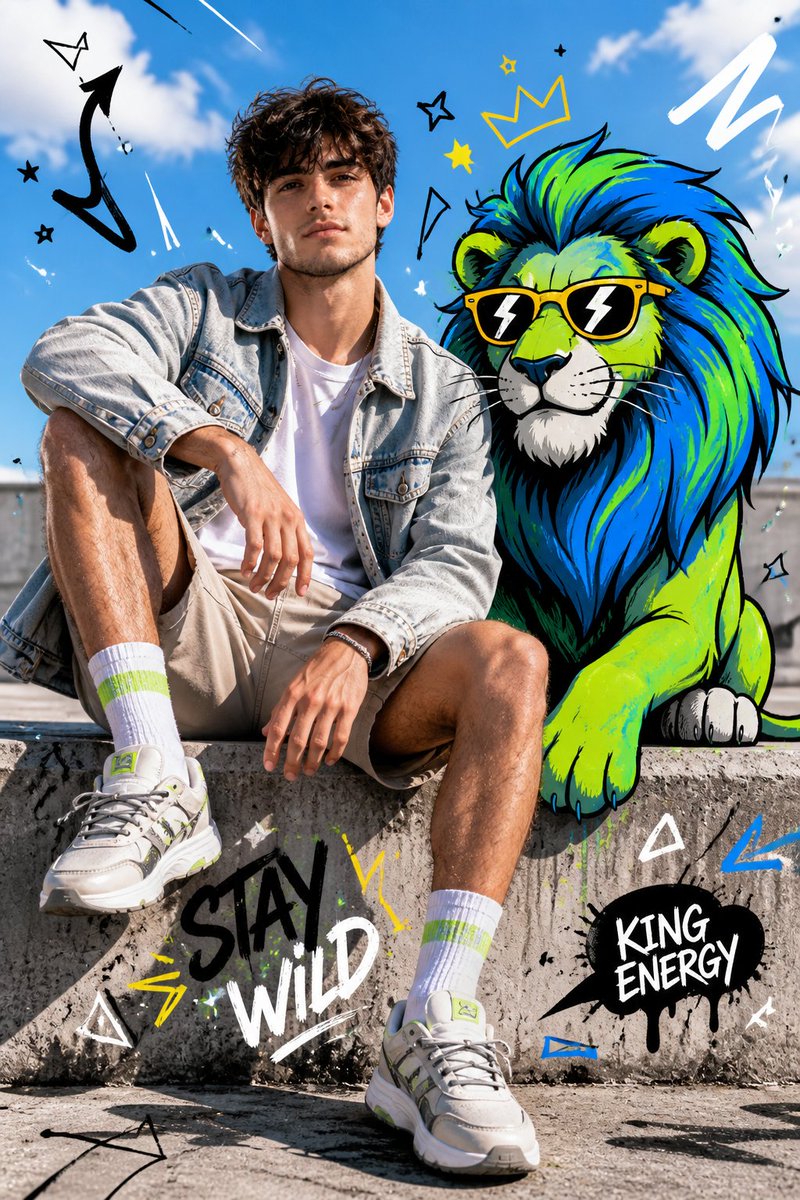
Create a surreal mixed-media fashion editorial blending hyper-realistic portraiture with vibrant cartoon characters, graphic overlays, and HDR urban lighting.
提示词 · EN
Full-body fashion editorial shot of a confident young person model sitting casually on a concrete ledge, legs slightly apart, one arm resting on knee, the other relaxed, looking straight at camera with a calm dominant expression. Wearing a light denim jacket over a plain white t-shirt, neutral shorts, bright socks, and modern sneakers. Clean styling, natural pose, wind slightly moving hair and fabric.
Beside and partially interacting with a stylized cartoon arganimal: lion, positioned naturally as if sharing the same space. The arganimal: lion is illustrated in bold cartoon style with thick black outlines, vibrant neon color palette (blue, green, yellow accents), exaggerated proportions, expressive features, playful yet powerful presence.
Bg: bright outdoor urban setting with clear blue sky, soft clouds, sunlit concrete textures, strong natural daylight, crisp shadows. Fusion of hyper-realistic photography and graphic illustration, seamless integration between subject and cartoon. Add graphic overlay elements: doodle arrows, scribbles, abstract shapes, comic-style symbols, dynamic motion lines. High contrast, HDR lighting, sharp focus, fashion editorial composition, surreal mixed-media aesthetic, ultra-detailed.
关于这个提示词
Create a surreal mixed-media fashion editorial blending hyper-realistic portraiture with vibrant cartoon characters, graphic overlays, and HDR urban lighting. 它更适合作为 GPT Image 2 的概念艺术起点:先保留画面结构、主体关系和风格约束,再替换成你的品牌、人物或场景。
常见用途包括 gptimage2api prompts、gptimage2api、ja。这些标签只作为创作方向参考,实际生成时仍应以提示词结构和预览图为准。
使用时优先替换 animal 等占位符,并保持镜头、构图和材质描述的顺序不变。这样更容易获得稳定的画面结果,也方便继续做多版本对比。
如何使用这个提示词
- Copy the full prompt text and paste it into your Sora 2 or compatible AI video/image generation tool.
- Replace the
{animal}variable with any cartoon creature you prefer (e.g., dragon, bear, fox) or leave the default lion. - Adjust the clothing, color palette, or background details to match your creative vision.
- Generate the output and experiment with multiple renders to explore variations in pose, lighting, and cartoon placement.


