
GPT Image 2AI 提示词
3D Surreal Google Portrait — Sora 2 Prompt
Create a glossy 3D poster featuring a masked business portrait inside a floating playing card frame, surrounded by Google service icons on a clean white background.
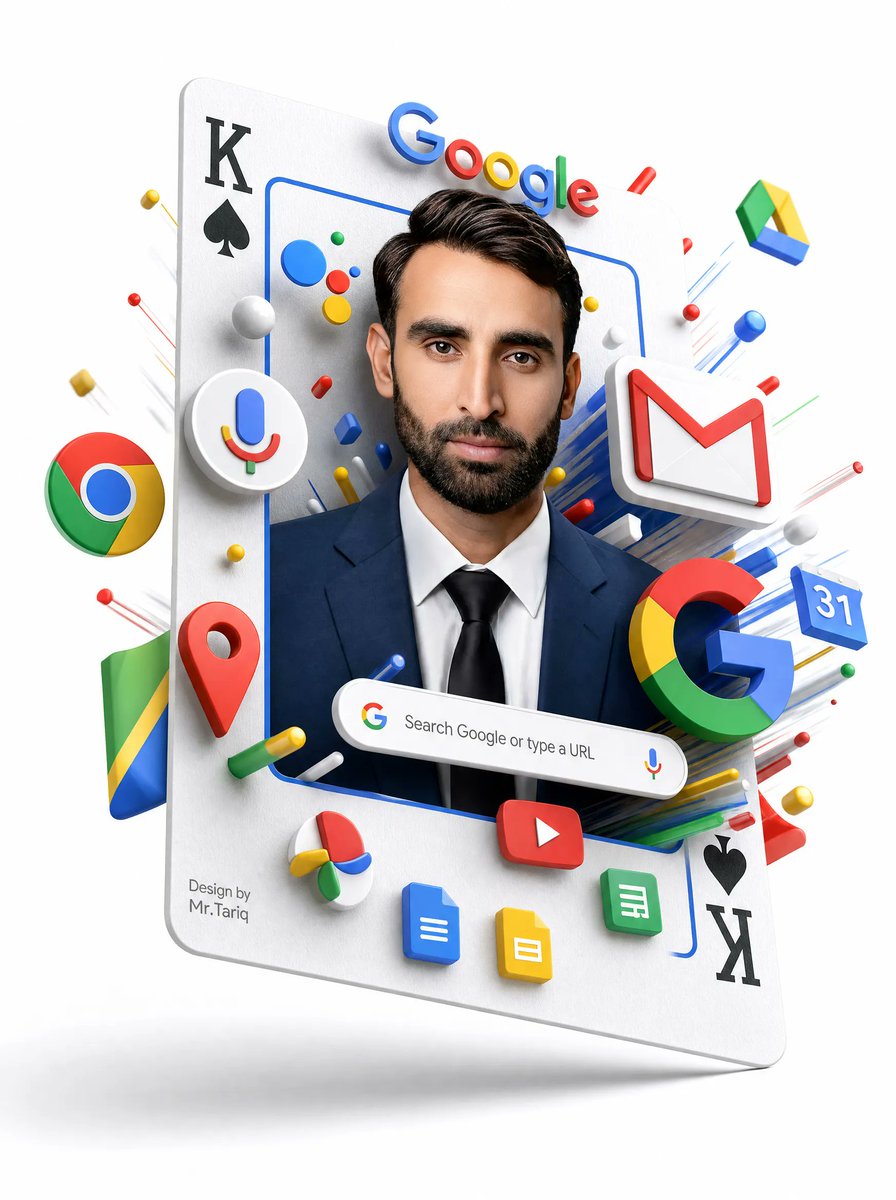
提示词 · EN
type
3D surreal Google services portrait posterstyle
clean white-background commercial 3D render, glossy plastic icons, realistic studio lighting, soft shadows, floating depth, high-detail advertising compositionmain_subject
description
a floating oversized playing card tilted slightly backward, used as a vertical portrait framecard_details
top_left
black K with black spade symbolbottom_right
black spade symbol with black K, rotated upside downsurface
matte white paper texture with rounded corners and subtle thicknessportrait
person
front-facing professional man from chest up wearing a navy business suit, white shirt, and black tieface
covered by a centered opaque rectangular blur/mask in medium warm brown, hiding all facial featureshair
dark neatly styled hair visible above the maskframe
thin rounded blue rectangular outline around the portraitvisible_text
google_wordmark
Googlesearch_bar
Search Google or type a URLsignature
Design by
Mr.Tariqcustom_parameters
headline brand text
{argument name="headline brand text" default="Google"}search bar text
{argument name="search bar text" default="Search Google or type a URL"}signature text
{argument name="signature text" default="Design by Mr.Tariq"}suit color
{argument name="suit color" default="navy blue"}face mask color
{argument name="face mask color" default="medium warm brown"}layout
centerpiece
portrait framed inside the playing card, occupying the central vertical areatop
large colorful Google wordmark floating above the person's head, casting small shadowsmiddle
Google ecosystem icons burst outward around the portrait in layered 3D perspectivebottom
rounded Google search bar floating across the chest area, with small Google G icon on the left and microphone icon on the rightbackground
pure white empty studio background with faint floor shadow below the floating carddiscrete_elements_count
major_google_service_icons
11major_google_service_icons_list
item 1
Chrome logo sphere on the leftitem 2
Google Assistant microphone icon inside a white circular badge on the leftitem 3
Gmail white envelope with red M on the upper rightitem 4
Google Drive triangular icon floating upper rightitem 5
Google Maps red location pin lower leftitem 6
large multicolor Google G lower rightitem 7
Google Calendar blue tile showing 31 on the rightitem 8
YouTube red rounded rectangle play button near bottom centeritem 9
Google Docs blue document icon at bottomitem 10
Google Slides yellow document icon at bottomitem 11
Google Sheets green document icon at bottom rightplaying_card_corner_markings
4playing_card_corner_markings_list
item 1
top-left Kitem 2
top-left spadeitem 3
bottom-right spadeitem 4
bottom-right Ksearch_bar_components
3search_bar_components_list
item 1
Google G iconitem 2
search textitem 3
microphone iconsmall_decorative_objects
many small red, blue, yellow, green and white spheres, capsules, rods, and streak lines radiating outward; do not make them readable labelscomposition_instructions
Create a polished, high-resolution vertical poster. Make the card appear to hover with a soft gray shadow beneath it. Use strong depth layering so icons protrude from the card and surround the portrait. Keep all logos crisp, colorful, and toy-like with beveled edges. Preserve the central face-obscuring rectangle exactly, while keeping hair, ears, suit, and tie visible. Avoid cluttering the background; all action should be concentrated around the floating card.关于这个提示词
Create a glossy 3D poster featuring a masked business portrait inside a floating playing card frame, surrounded by Google service icons on a clean white background. 它更适合作为 GPT Image 2 的概念艺术起点:先保留画面结构、主体关系和风格约束,再替换成你的品牌、人物或场景。
这条提示词使用结构化 JSON 组织信息,包含 type、style、main subject、visible text、custom parameters、layout、discrete elements count 等字段。保留这种层级能让模型更清楚地区分画面主题、布局、界面元素和细节约束。
使用时建议先小幅修改主体、场景、镜头和色调,再生成多个版本对比构图与细节。这样页面内容对用户有实际帮助,也避免把模型名或标签机械堆在正文里。
如何使用这个提示词
- Copy the entire prompt JSON below.
- Open your preferred AI image generator (e.g., Sora, Midjourney).
- Paste the prompt into the input field.
- Adjust the custom variables like
suit colororface mask colorto match your brand. - Generate the image and refine as needed.


