
GPT Image 2AI 提示词
Glossy Anime Rendering — Sora 2 Prompt
Transform flat-colored characters into stunning, high-detail anime art with dramatic lighting, metallic sheen, and a solid black background for instant portfolio impact.
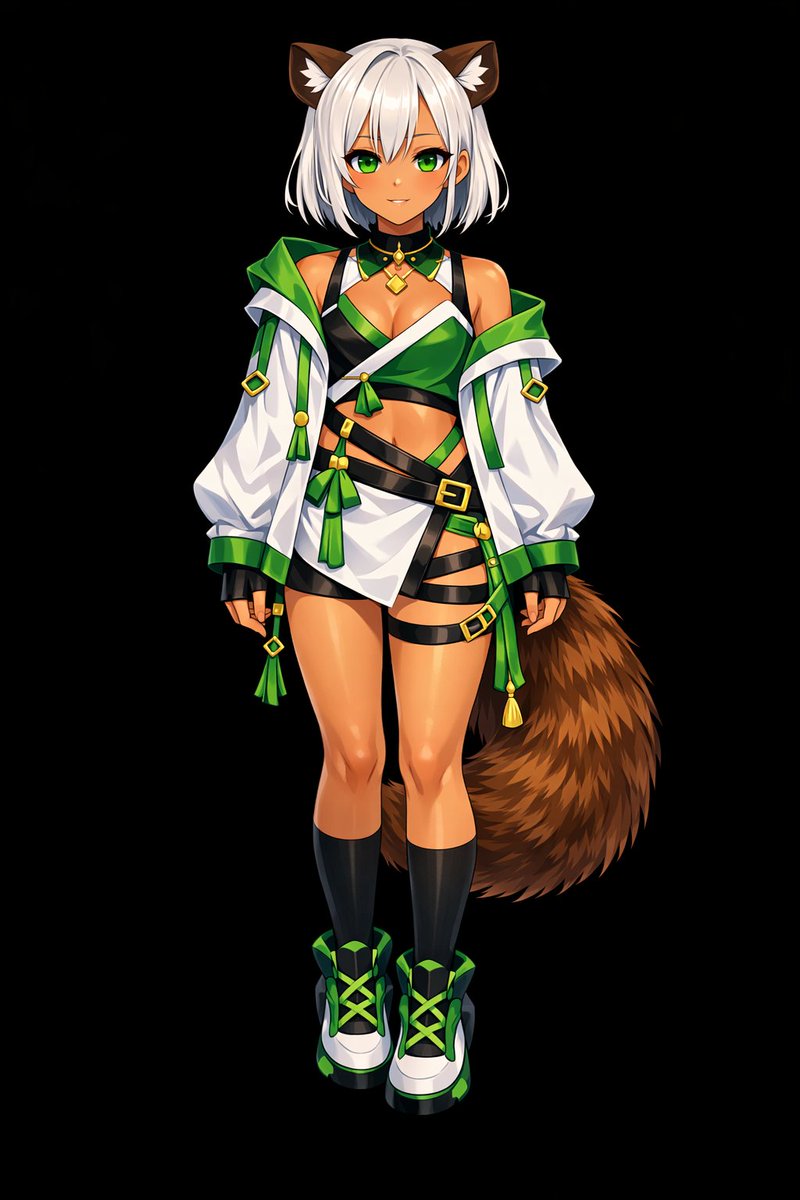
提示词 · EN
Using REFERENCE_0 as the base, transform the flat coloring into a argrendering style: highly detailed, glossy anime illustration style. Apply deep shading, dramatic lighting, and bright specular highlights, particularly on the character's skin, hair, and tail. Enhance the clothing folds and give metallic accents a realistic sheen. Change the background to argbackground color: solid black.
关于这个提示词
Transform flat-colored characters into stunning, high-detail anime art with dramatic lighting, metallic sheen, and a solid black background for instant portfolio impact. 它更适合作为 GPT Image 2 的概念艺术起点:先保留画面结构、主体关系和风格约束,再替换成你的品牌、人物或场景。
常见用途包括 gptimage2api prompts、gptimage2api、en。这些标签只作为创作方向参考,实际生成时仍应以提示词结构和预览图为准。
使用时优先替换 rendering style、background color 等占位符,并保持镜头、构图和材质描述的顺序不变。这样更容易获得稳定的画面结果,也方便继续做多版本对比。
如何使用这个提示词
- Copy the entire prompt text into your AI model's input field.
- Select a compatible image generation model (e.g., Sora 2 or Stable Diffusion).
- Customize the "rendering style" and "background color" variables to match your vision.
- Upload your flat-colored character reference as REFERENCE_0.
- Generate the image and download your high-shine, professionally shaded creation.


