
GPT Image 2AI 提示词
Google Search Results Page — Realistic AI Screenshot Prompt
Create lifelike Google search screenshots with tailored queries, results, and interface details — perfect for demos, mockups, and presentations.
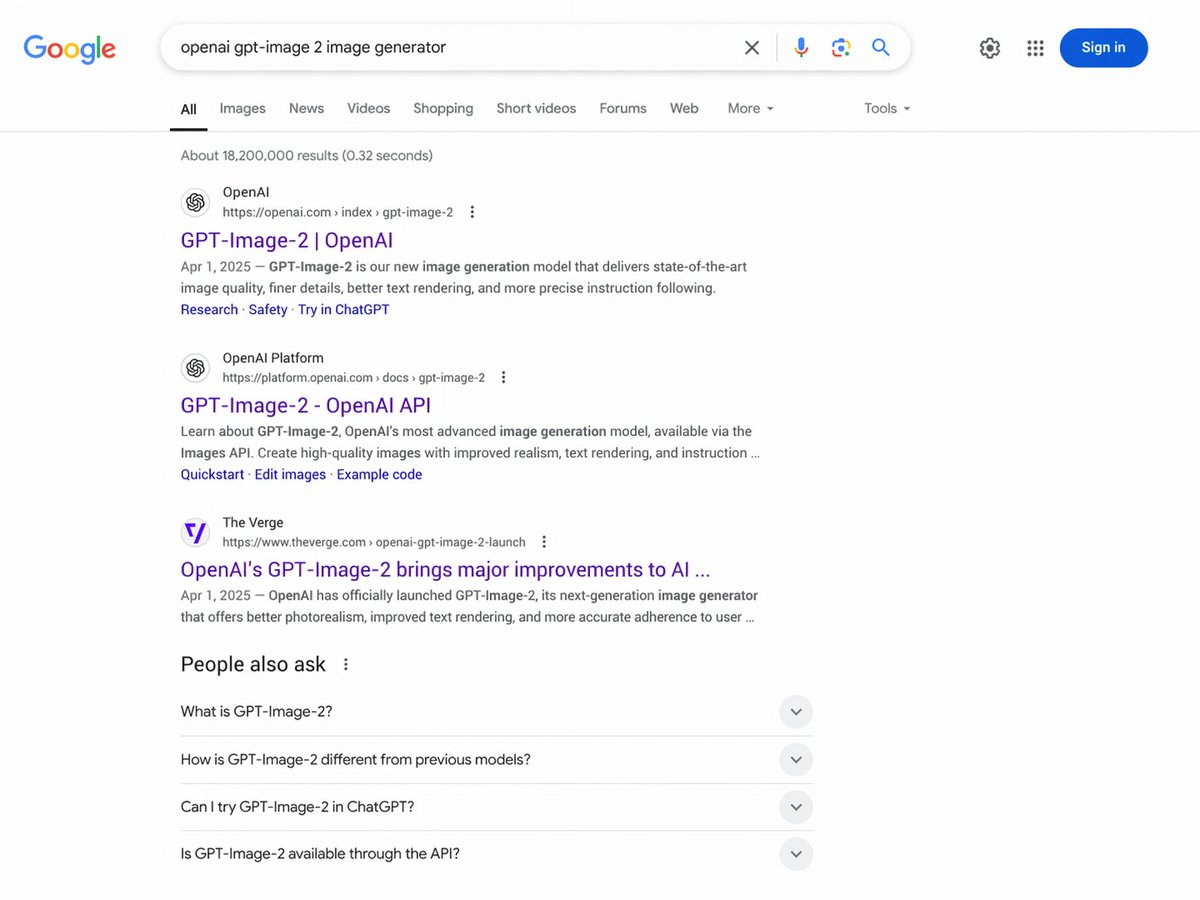
提示词 · EN
type
网页浏览器截图interface
Google 搜索结果页面header
logo
Googlesearch_bar
query
{argument name="search query" default="openai gpt-image 2 image generator"}icons
item 1
清除item 2
麦克风item 3
相机item 4
搜索right_actions
item 1
设置齿轮item 2
应用网格item 3
蓝色登录按钮navigation_tabs
item 1
全部item 2
图片item 3
新闻item 4
视频item 5
购物item 6
短视频item 7
论坛item 8
网页item 9
更多item 10
工具results_stats
找到约 18,200,000 条结果(用时 0.32 秒)search_results
count
3items
item 1
source
OpenAIurl
https://openai.com > index > gpt-image-2title
{argument name="result 1 title" default="GPT-Image-2 | OpenAI"}snippet
{argument name="date" default="2025 年 4 月 1 日"} — GPT-Image-2 是我们全新的图像生成模型,提供顶尖的图像质量、更细腻的细节、更好的文本渲染以及更精准的指令遵循能力。sitelinks
item 1
研究item 2
安全item 3
在 ChatGPT 中尝试item 2
source
OpenAI Platformurl
https://platform.openai.com > docs > gpt-image-2title
GPT-Image-2 - OpenAI APIsnippet
了解 OpenAI 最先进的图像生成模型 GPT-Image-2,可通过 Images API 使用。创建具有更高真实感、文本渲染效果和指令遵循能力的高质量图像……sitelinks
item 1
快速入门item 2
编辑图像item 3
示例代码item 3
source
The Vergeurl
https://www.theverge.com > openai-gpt-image-2-launchtitle
OpenAI 的 GPT-Image-2 为 AI 带来了重大改进……snippet
2025 年 4 月 1 日 — OpenAI 正式发布了 GPT-Image-2,这是其下一代图像生成器,提供更好的照片级真实感、改进的文本渲染以及更准确的用户指令遵循能力……people_also_ask
title
相关问题count
4questions
item 1
什么是 GPT-Image-2?item 2
GPT-Image-2 与之前的模型有何不同?item 3
我可以在 ChatGPT 中尝试 GPT-Image-2 吗?item 4
GPT-Image-2 是否可以通过 API 使用?关于这个提示词
Create lifelike Google search screenshots with tailored queries, results, and interface details — perfect for demos, mockups, and presentations. 它更适合作为 GPT Image 2 的概念艺术起点:先保留画面结构、主体关系和风格约束,再替换成你的品牌、人物或场景。
这条提示词使用结构化 JSON 组织信息,包含 type、interface、header、navigation tabs、results stats、search results、people also ask 等字段。保留这种层级能让模型更清楚地区分画面主题、布局、界面元素和细节约束。
使用时建议先小幅修改主体、场景、镜头和色调,再生成多个版本对比构图与细节。这样页面内容对用户有实际帮助,也避免把模型名或标签机械堆在正文里。
如何使用这个提示词
- Copy the entire prompt text from above.
- Open your preferred AI image generator (e.g., Sora, DALL-E).
- Customize the placeholder variables like
search query,result 1 title, anddateto fit your scenario. - Paste the modified prompt and generate the image.
- For best results, use a model that excels at text rendering and complex UI.


