
GPT Image 2AI 提示词
Google Street View Anomaly — Ancient Wall Screenshot Prompt
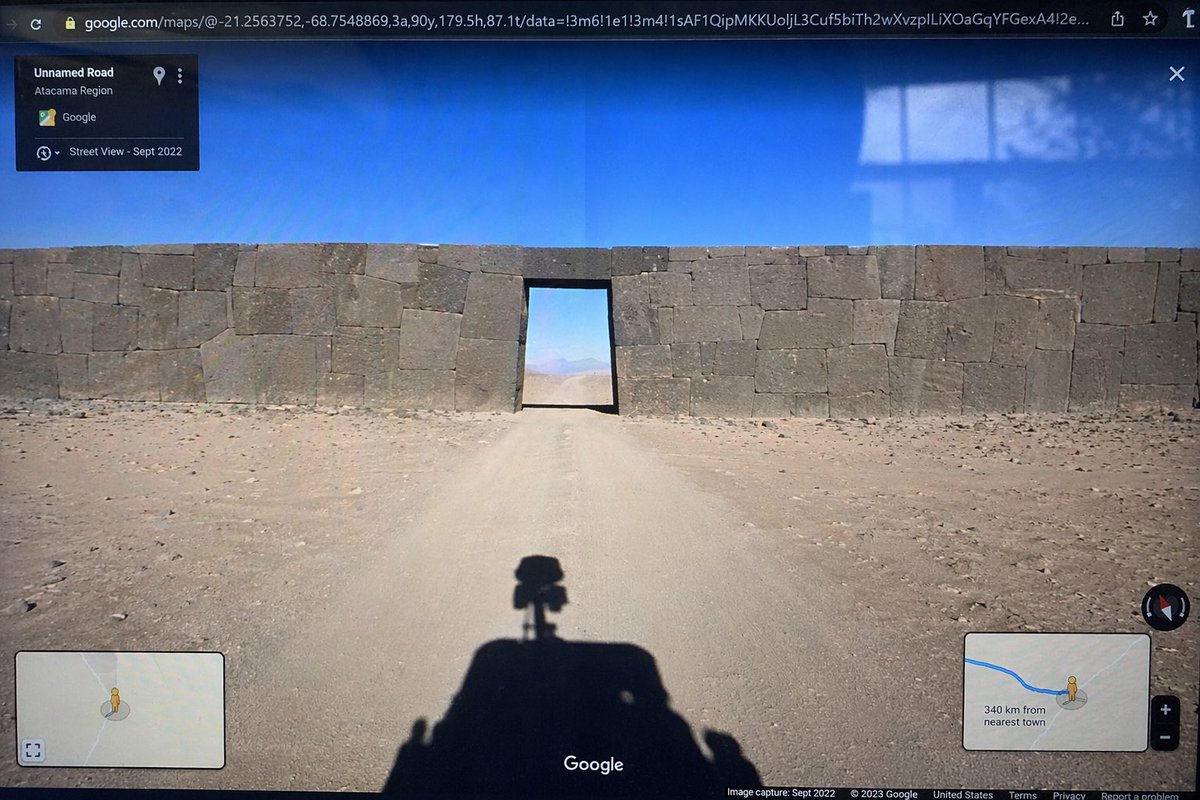
Generates a realistic photo of a computer screen showing a Google Street View interface featuring a surreal cyclopean wall blocking a desert road.
提示词 · EN
type
photograph of a computer monitor displaying a Google Maps Street View interfacescene
environment
{argument name="environment" default="barren desert landscape under a clear blue sky"}subject
{argument name="subject" default="massive ancient stone wall with perfectly fitted cyclopean masonry blocking a dirt road, with a rectangular doorway cut through the center"}foreground
shadow of a Google Street View car with a 360-degree camera mounted on top cast onto the dirt roadui_elements
browser_bar
URL bar at the top showing google.com/maps with latitude and longitude coordinatestop_left_panel
black semi-transparent info box with text 'Unnamed Road', '{argument name="region" default="Atacama Region"}', and 'Street View - Sept 2022'bottom_left_panel
minimap inset with a yellow Pegman iconbottom_right_panel
minimap inset showing a blue route line, Pegman, zoom controls, and text '{argument name="distance text" default="340 km from nearest town"}'bottom_bar
Google logo in the bottom center, compass icon on the right, and copyright/capture date text along the bottom edgestyle_details
visible screen glare and slight monitor distortion to simulate a photograph taken of a physical screen with a smartphone关于这个提示词
Generates a realistic photo of a computer screen showing a Google Street View interface featuring a surreal cyclopean wall blocking a desert road. 它更适合作为 GPT Image 2 的概念艺术起点:先保留画面结构、主体关系和风格约束,再替换成你的品牌、人物或场景。
这条提示词使用结构化 JSON 组织信息,包含 type、scene、ui elements、style details 等字段。保留这种层级能让模型更清楚地区分画面主题、布局、界面元素和细节约束。
使用时建议先小幅修改主体、场景、镜头和色调,再生成多个版本对比构图与细节。这样页面内容对用户有实际帮助,也避免把模型名或标签机械堆在正文里。
如何使用这个提示词
- Copy the full prompt JSON from Sora2Hub.com.
- Paste it into your preferred AI image generator that supports structured prompts (e.g., Sora 2, Midjourney).
- Customize variables like
environment,subject,region, anddistance textto create your own anomaly scene. - Generate the image and review the output for realism and UI accuracy.
- Iterate by adjusting style or subject details for the perfect uncanny screenshot.


