
GPT Image 2AI 提示词
Herbal Chicken Soup Mix — Product Label Design Prompt
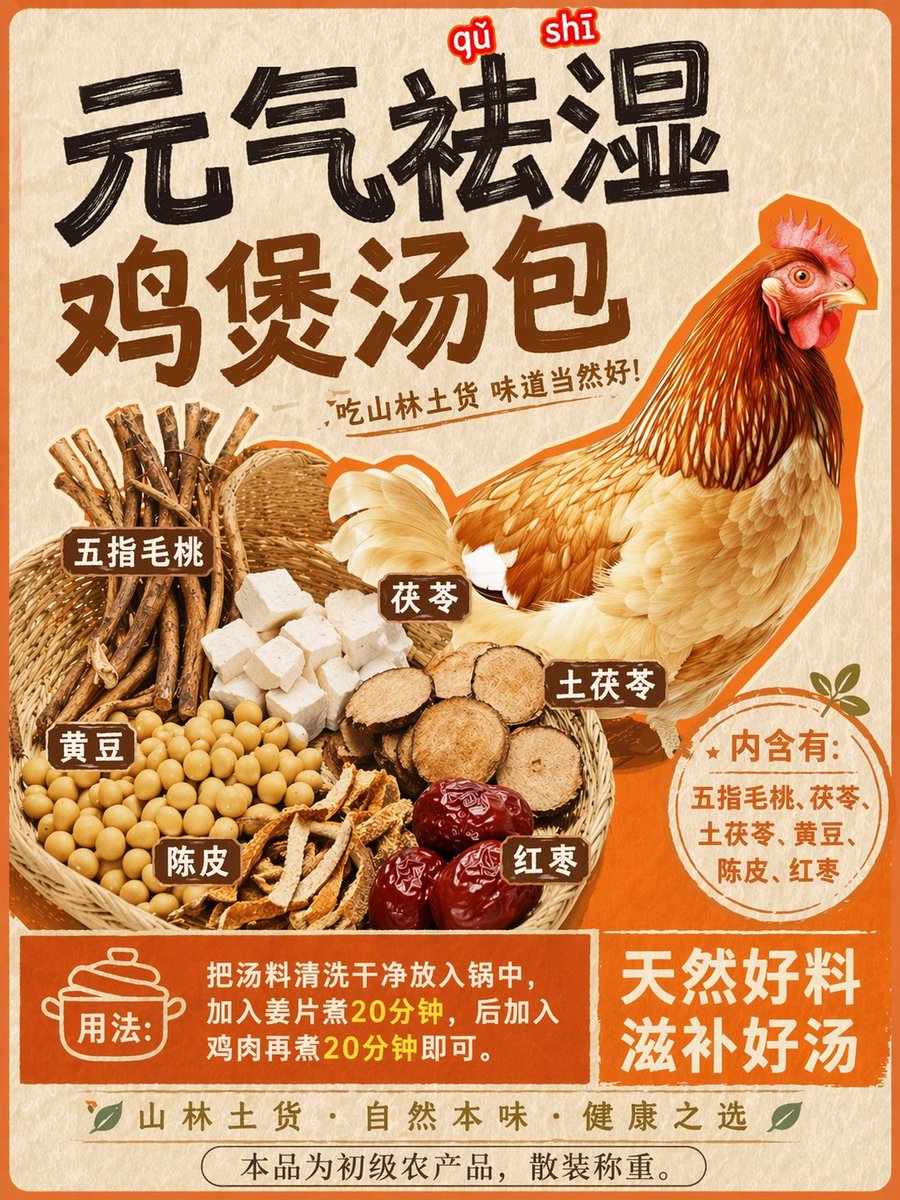
Transform a chicken poster into a professional product label with a basket of herbal ingredients, Chinese instructional text, and vibrant badges.
提示词 · EN
Using REFERENCE_0 as the base style and preserving the central chicken illustration, transform the image into a product packaging label for a herbal soup mix. Shift the chicken to the right side. Replace the top text with a large, bold black brush-stroke headline argmain headline: 元气祛湿 鸡煲汤包 and a smaller subtitle argsubtitle: 吃山林土货 味道当然好!. On the left side, add a new woven basket containing exactly 6 distinct piles of ingredients: woody root sticks, white square cubes, round sliced brown roots, yellow soybeans, dried orange peel strips, and dark red dates. Attach 6 small brown rectangular labels with white text to these ingredients. Below the chicken, add a circular orange badge containing the text argingredients list: 内含有:五指毛桃、茯苓、土茯苓、黄豆、陈皮、红枣. At the bottom, create a solid orange rectangular banner featuring a cooking pot icon, the text argusage instructions: 用法:把汤料清洗干净放入锅中,加入姜片煮20分钟,后加入鸡肉再煮20分钟即可。, and a secondary slogan argbottom slogan: 天然好料 滋补好汤.
关于这个提示词
Transform a chicken poster into a professional product label with a basket of herbal ingredients, Chinese instructional text, and vibrant badges. 它更适合作为 GPT Image 2 的概念艺术起点:先保留画面结构、主体关系和风格约束,再替换成你的品牌、人物或场景。
常见用途包括 gptimage2api prompts、gptimage2api、en。这些标签只作为创作方向参考,实际生成时仍应以提示词结构和预览图为准。
使用时优先替换 main headline、subtitle、ingredients list、usage instructions 等占位符,并保持镜头、构图和材质描述的顺序不变。这样更容易获得稳定的画面结果,也方便继续做多版本对比。
如何使用这个提示词
- Copy the entire prompt text below.
- Paste it into your preferred AI image generator that supports text and complex layouts.
- Replace the default Chinese text in the curly braces with your own product details.
- Generate the image and review the label's composition and text accuracy.
- Refine by adjusting ingredients or headline text as needed.


