
GPT Image 2AI 提示词
Futuristic KPI Dashboard Slide — Neon Data Visualization Prompt
Generate a sleek, dark-mode corporate slide with glowing charts and KPI cards for impactful business presentations.
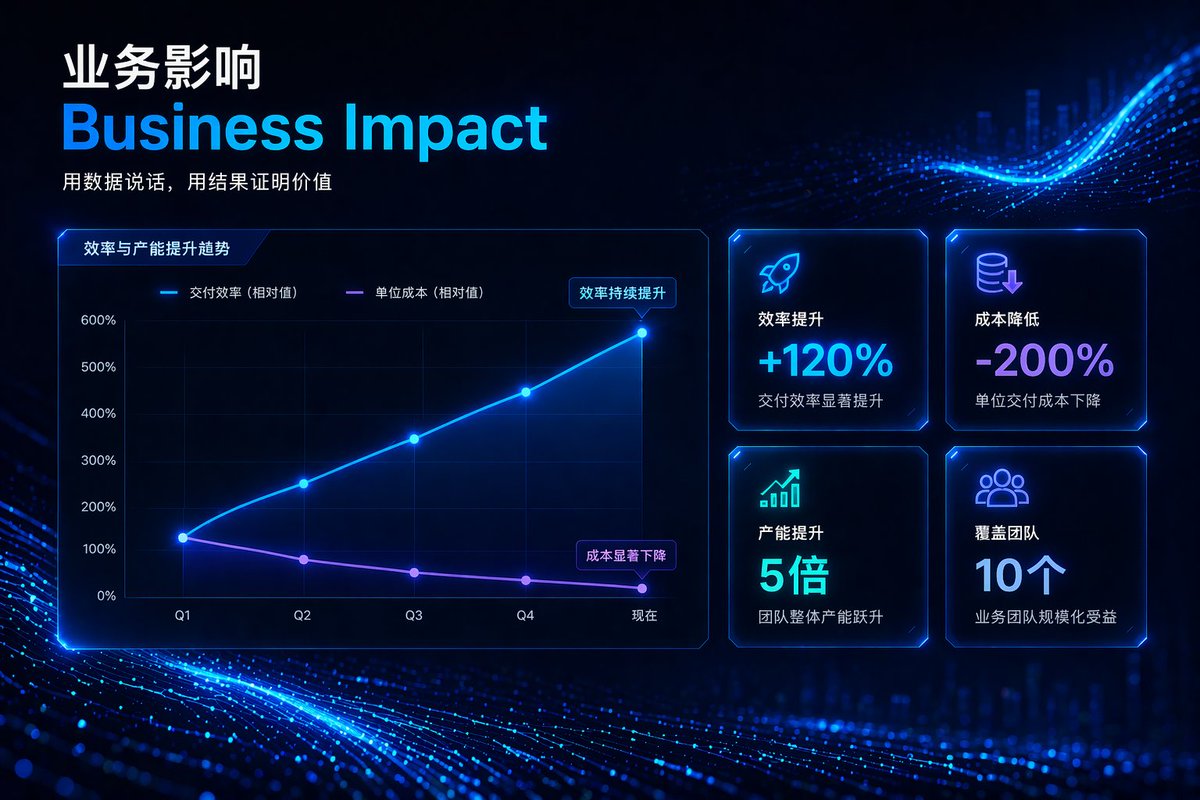
提示词 · EN
type
corporate presentation slidetheme
high-tech, futuristic, dark mode, glowing neon blue and purple accents, abstract digital particle wave backgroundheader
title_primary
{argument name="main chinese title" default="业务影响"}title_secondary
{argument name="main english title" default="Business Impact"}tagline
{argument name="tagline" default="用数据说话,用结果证明价值"}layout
left_section
type
line charttitle
效率与产能提升趋势y_axis
item 1
0%item 2
100%item 3
200%item 4
300%item 5
400%item 6
500%item 7
600%x_axis
item 1
Q1item 2
Q2item 3
Q3item 4
Q4item 5
现在lines
item 1
label
交付效率 (相对值)color
neon bluetrend
upward curveannotation
效率持续提升item 2
label
单位成本 (相对值)color
neon purpletrend
downward curveannotation
成本显著下降right_section
type
kpi gridcount
4arrangement
2x2 gridcards
item 1
icon
rockettitle
效率提升value
{argument name="kpi 1 value" default="+120%"}subtext
交付效率显著提升item 2
icon
coins with down arrowtitle
成本降低value
{argument name="kpi 2 value" default="-200%"}subtext
单位交付成本下降item 3
icon
bar chart with up arrowtitle
产能提升value
5倍subtext
团队整体产能跃升item 4
icon
people grouptitle
覆盖团队value
10个subtext
业务团队规模化受益关于这个提示词
Generate a sleek, dark-mode corporate slide with glowing charts and KPI cards for impactful business presentations. 它更适合作为 GPT Image 2 的概念艺术起点:先保留画面结构、主体关系和风格约束,再替换成你的品牌、人物或场景。
这条提示词使用结构化 JSON 组织信息,包含 type、theme、header、layout 等字段。保留这种层级能让模型更清楚地区分画面主题、布局、界面元素和细节约束。
使用时建议先小幅修改主体、场景、镜头和色调,再生成多个版本对比构图与细节。这样页面内容对用户有实际帮助,也避免把模型名或标签机械堆在正文里。
如何使用这个提示词
- Copy the entire prompt JSON.
- Choose an AI image generator that supports structured prompts (e.g., Midjourney, DALL-E 3).
- Tweak the
{argument}variables (e.g., main title, KPI values) to match your specific data. - Submit the prompt to generate your slide.
- Use the output directly or as a base for further editing.


