
GPT Image 2AI 提示词
Green Screen Dark Fantasy Game HUD — Sora 2 Prompt
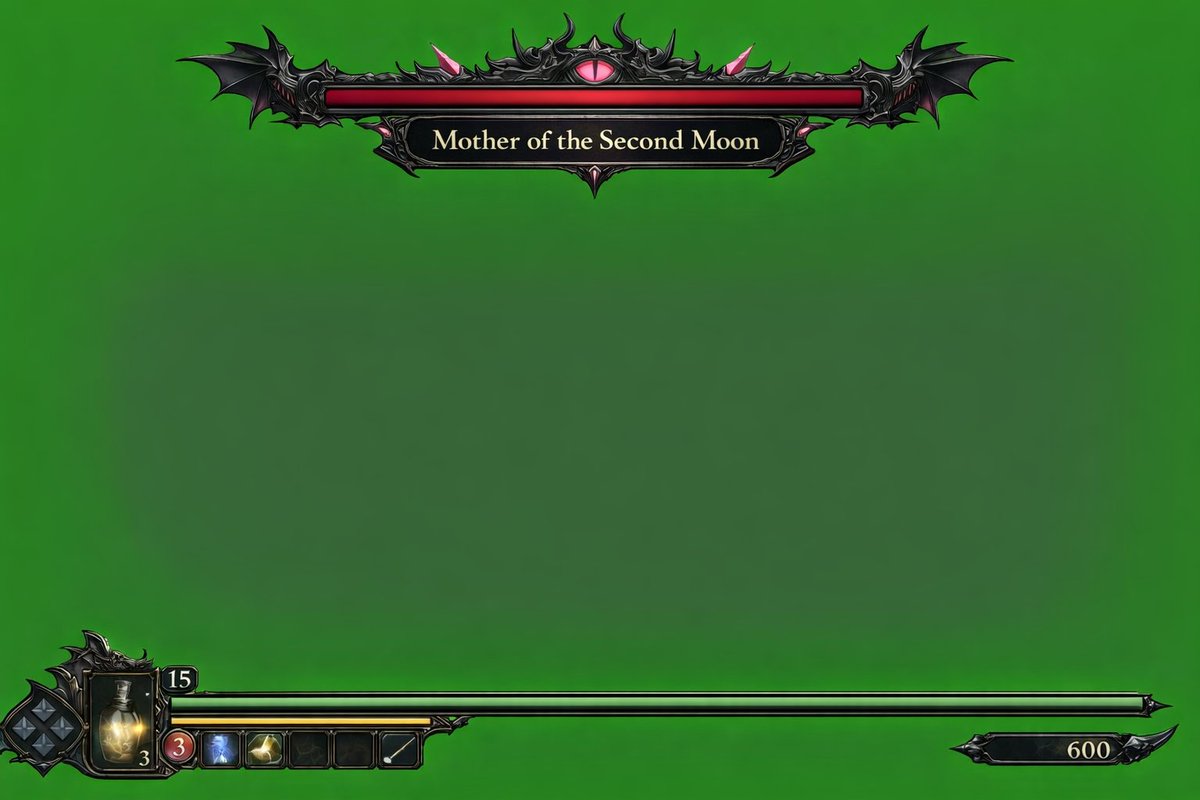
Generate a dark fantasy game HUD overlay on green screen, complete with boss health bar, player status, and inventory, ready for compositing in your projects.
提示词 · EN
type
电子游戏 HUD 叠加层background
{argument name="background color" default="纯色色度键绿"}theme
{argument name="UI theme" default="暗黑奇幻哥特风"}layout
top_center
component
Boss 血条design
华丽的黑色金属边框,边缘带有蝙蝠翅膀,顶部中心有一个发光的粉色眼睛bar_color
{argument name="boss health bar color" default="红色"}label
{argument name="boss name" default="第二月之母"}bottom_left
component
玩家状态 HUDdesign
复杂的暗色金属边框elements
item 1
菱形 D-pad 方向键指示器item 2
带有数字 '3' 的发光黄色药水瓶item 3
顶部小边框内的数字 '15'item 4
向右延伸的长条状 {argument name="player health bar color" default="绿色"} 血条item 5
绿色血条下方较短的黄色条item 6
5 个方形快速选择物品栏(第 1 格:带 '3' 的红色圆圈;第 2 格:蓝色图标;第 3 格:黄色图标;第 4 格:空;第 5 格:白色对角线)bottom_right
component
分数或货币指示器design
带有数字 '600' 的小型黑色装饰牌关于这个提示词
Generate a dark fantasy game HUD overlay on green screen, complete with boss health bar, player status, and inventory, ready for compositing in your projects. 它更适合作为 GPT Image 2 的概念艺术起点:先保留画面结构、主体关系和风格约束,再替换成你的品牌、人物或场景。
这条提示词使用结构化 JSON 组织信息,包含 type、background、theme、layout 等字段。保留这种层级能让模型更清楚地区分画面主题、布局、界面元素和细节约束。
使用时建议先小幅修改主体、场景、镜头和色调,再生成多个版本对比构图与细节。这样页面内容对用户有实际帮助,也避免把模型名或标签机械堆在正文里。
如何使用这个提示词
- Copy the prompt from this page.
- Paste it into Sora 2 or any AI video/image generator that supports green screen overlays.
- Customize variables like
background color,boss health bar color, orplayer health bar colorto match your game. - Generate the HUD overlay and key out the green screen in your editing software for seamless integration.


