
GPT Image 2AI 提示词
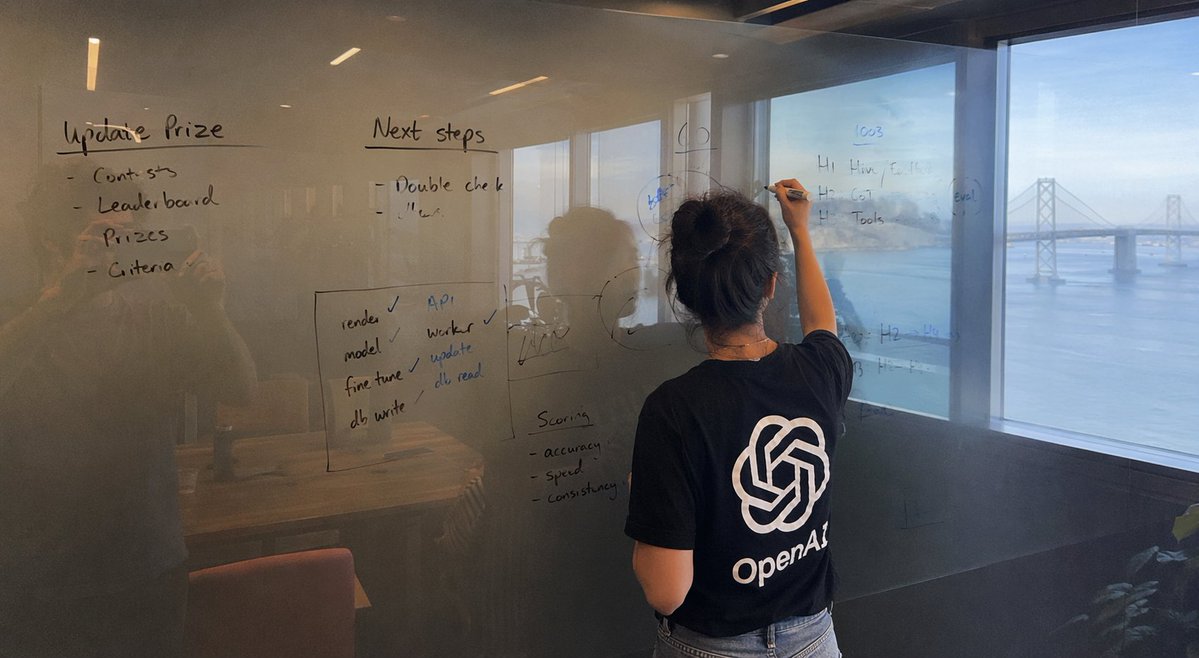
iPhone Photo: Woman Writing with Custom Logo — Sora 2
Generate iPhone-style photos of a woman writing by the Bay Bridge, with a customizable logo tee and lifelike reflections. Ideal for branding and ads.
提示词 · EN
一张由 iPhone 拍摄的宽幅照片,画面主体为一块玻璃项目,背景是 arglocation: 一个可以俯瞰海湾大桥的房间。视野中展示了 argsubject action: 一名正在书写的女性,她身穿一件印有醒目 arglogo: OpenAl 标志的 T 恤。字迹看起来自然且略显凌乱,我们还可以看到摄影师的倒影。
关于这个提示词
Generate iPhone-style photos of a woman writing by the Bay Bridge, with a customizable logo tee and lifelike reflections. Ideal for branding and ads. 它更适合作为 GPT Image 2 的概念艺术起点:先保留画面结构、主体关系和风格约束,再替换成你的品牌、人物或场景。
使用时优先替换 location、subject action、logo 等占位符,并保持镜头、构图和材质描述的顺序不变。这样更容易获得稳定的画面结果,也方便继续做多版本对比。
如何使用这个提示词
- Copy the provided prompt template.
- Open Sora 2 (or another AI image tool with photorealistic capabilities).
- Modify the placeholders: set your desired location, subject action, and logo.
- Paste the full prompt and generate the image.
- If needed, tweak the prompt details or reroll to refine reflections and lighting.


