
GPT Image 2AI 提示词
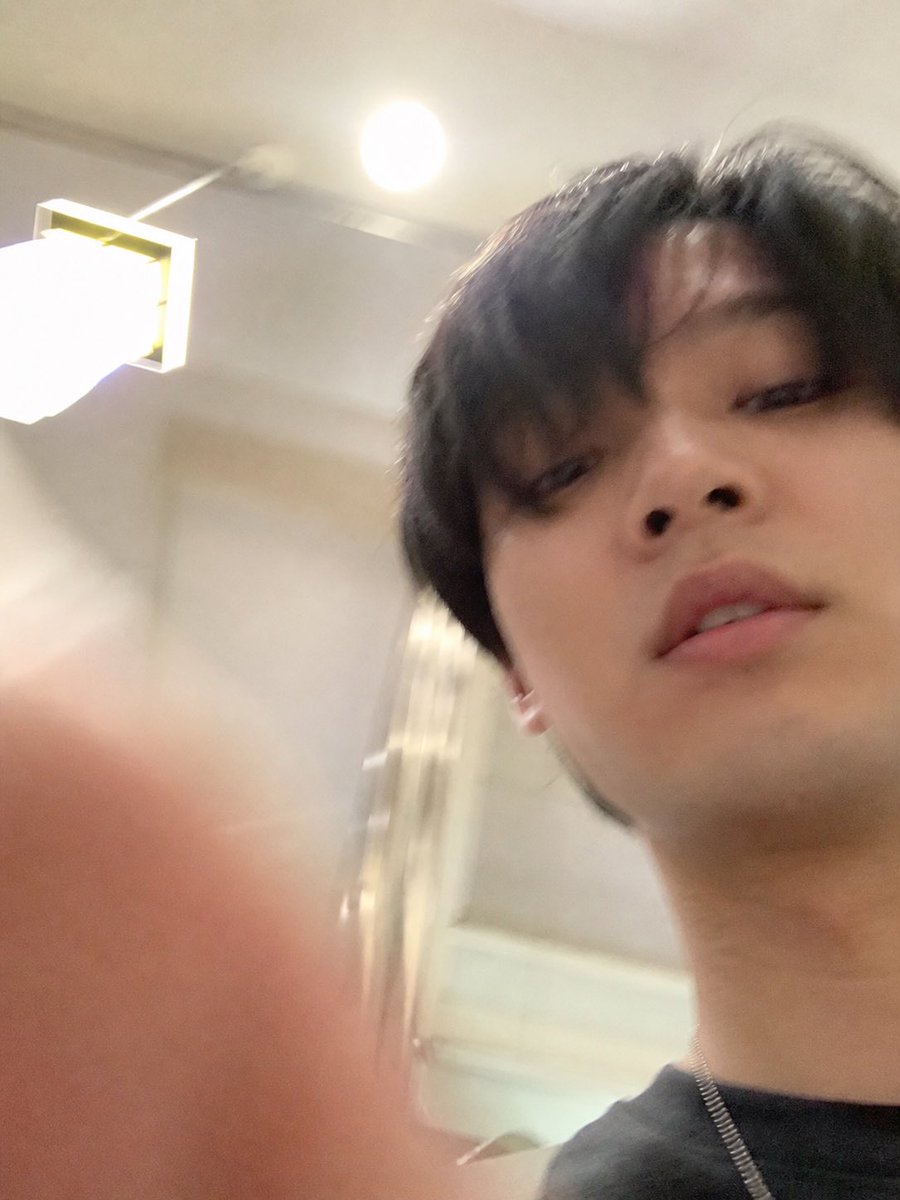
Accidental Selfie Extraction — Realistic iPhone Snapshot Prompt
Extract and expand a candid, 'failed' selfie from a screenshot, removing all UI to create a standalone, authentically flawed iPhone-style portrait.
提示词 · EN
以 REFERENCE_1 为素材源,提取下方意外拍摄的自拍照片并将其转化为最终的独立图像:彻底移除 ChatGPT 界面、文本气泡、下载图标和输入栏,然后对快照进行反裁剪/扩展,使其填满整个画面,呈现为竖屏 iPhone 风格的照片。遵循 REFERENCE_0 中描述的意图:使其看起来像是一张从口袋里掏出手机时无意间拍下的、略显失败的随意自拍,带有随意的低角度、杂乱的构图、轻微的运动模糊、不均匀的灯光、室内灯光造成的轻微过曝,以及非常真实的手机摄像头质感。保留下方照片中的室内环境、吸顶灯、壁灯和主体,但要展示出更多的面部、颈部、深色衬衫和细链项链,并在左下角前景处加入模糊的手指遮挡效果。避免使其看起来像是有意摆拍、经过精修、具有电影感或刻意构图的作品。
关于这个提示词
Extract and expand a candid, 'failed' selfie from a screenshot, removing all UI to create a standalone, authentically flawed iPhone-style portrait. 它更适合作为 GPT Image 2 的概念艺术起点:先保留画面结构、主体关系和风格约束,再替换成你的品牌、人物或场景。
使用时建议先小幅修改主体、场景、镜头和色调,再生成多个版本对比构图与细节。这样页面内容对用户有实际帮助,也避免把模型名或标签机械堆在正文里。
如何使用这个提示词
- Copy the full prompt text into your chosen AI image generator.
- Ensure you select a model capable of complex image editing and outpainting (e.g., Sora 2, advanced DALL·E, or similar).
- Provide the required reference images: REFERENCE_0 for style intent and REFERENCE_1 as the source material.
- Adjust minor variables like 'depth of blur' or 'exposure level' if desired, but maintain the core 'accidental' aesthetic.
- Generate the image; you may need a few iterations to perfect the unposed, chaotic composition.


