
GPT Image 2AI 提示词
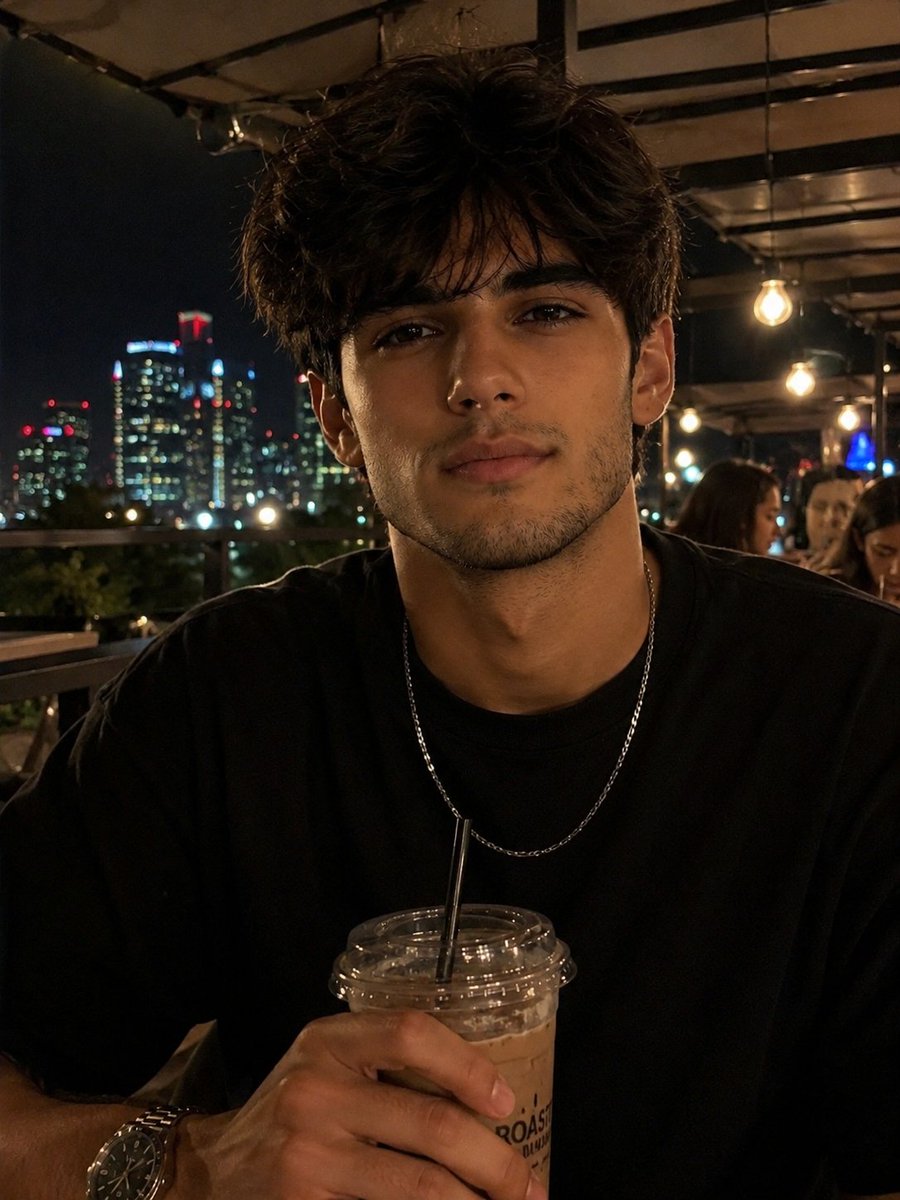
Rooftop iPhone Portrait — Cinematic Nighttime Sora 2 Prompt
Create authentic, cinematic iPhone-style nighttime portraits with natural, candid energy and warm, ambient lighting on a city rooftop.
提示词 · EN
{"age": "argage: 年轻成人", "shot_style": "业余 iPhone 摄影,紧凑中景特写,自然的抓拍感,电影级夜间氛围,轻微动态模糊,平视视角", "framing": "紧凑中景特写,居中构图,上半身和面部入镜", "background": "arglocation: 夜晚的城市天台咖啡馆,温暖的悬挂灯饰,远处闪烁的城市天际线,柔和的背景虚化", "skin_tone": "中等暖棕色皮肤,带有自然纹理,细微的高光", "hair_style": "短发,有质感,略显凌乱", "hair_color": "黑色", "eyes": "深棕色眼睛,视线略微偏离镜头", "brows": "浓密的自然眉毛", "nose": "轮廓分明的鼻子", "lips": "放松的中性唇形", "makeup": "无", "top": "argoutfit: 黑色宽松 T 恤", "headwear": "无", "accessories": "银色链条项链,手表", "props": "带吸管的塑料杯冰咖啡", "pose": "身体微微前倾,随意地拿着饮料", "expression": "平静,自信", "lighting": "温暖的天台环境光,带有柔和的阴影", "environment": "夜晚休闲的天台聚会"}关于这个提示词
Create authentic, cinematic iPhone-style nighttime portraits with natural, candid energy and warm, ambient lighting on a city rooftop. 它更适合作为 GPT Image 2 的概念艺术起点:先保留画面结构、主体关系和风格约束,再替换成你的品牌、人物或场景。
使用时优先替换 age、location、outfit 等占位符,并保持镜头、构图和材质描述的顺序不变。这样更容易获得稳定的画面结果,也方便继续做多版本对比。
如何使用这个提示词
- Copy the entire prompt JSON object.
- Select your preferred video generation model (e.g., Sora 2).
- Customize the
{argument}variables likeage,location, andoutfitto match your vision. - Generate the video to produce a cinematic, handheld-style portrait clip.


