
GPT Image 2AI 提示词
Generate a Mascot J.Crew Fashion Catalog — Sora 2 Prompt
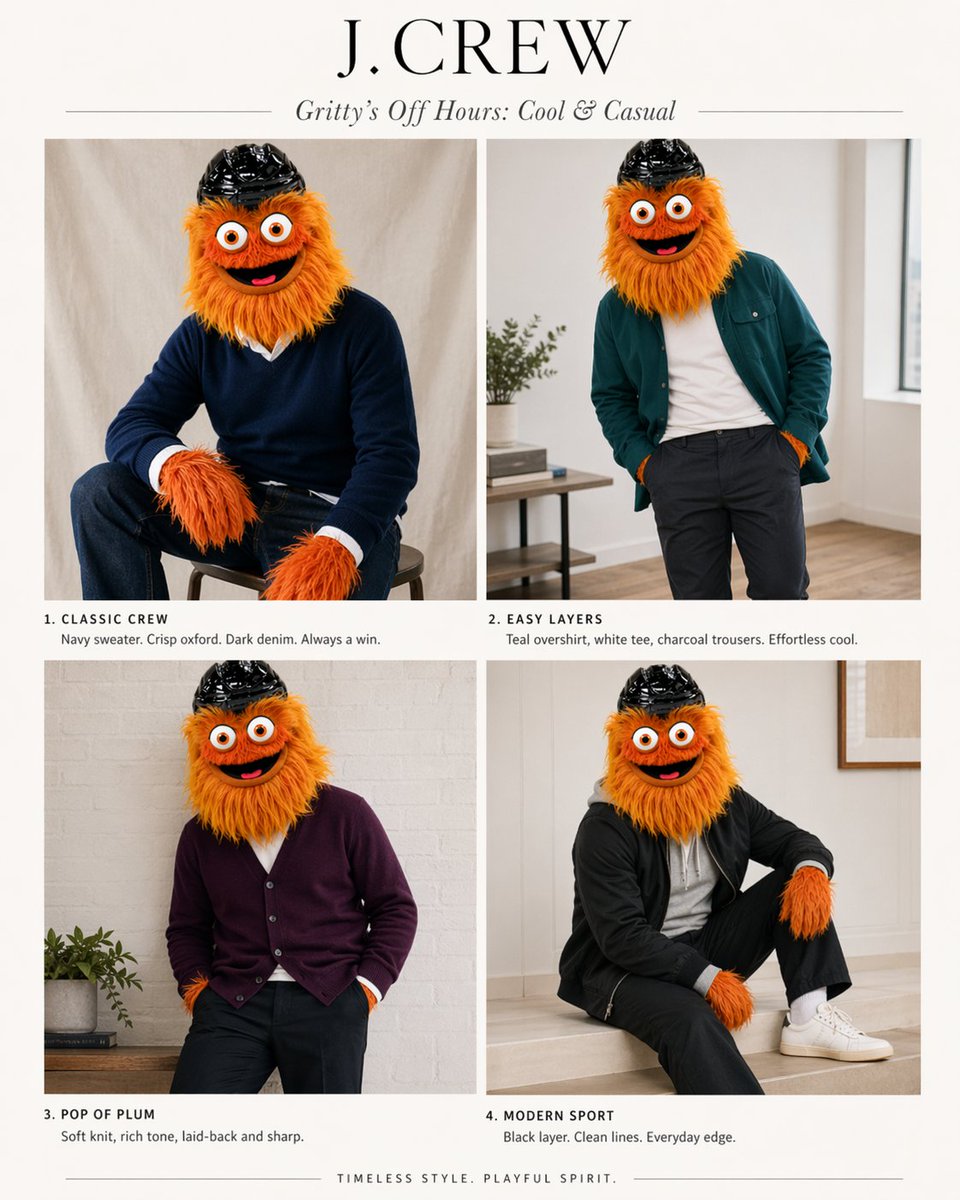
Transform any mascot into a stylish J.Crew catalog model with 4 classic preppy outfits, soft lighting, and magazine layout.
提示词 · EN
以提供的参考图作为角色和配色指南,将其转化为一套由该吉祥物担任主角的精致 J.Crew 风格时尚画册。将信息图/图表布局替换为米白色背景下的简洁 2x2 杂志排版。添加一个大型衬线字体品牌标题 argheadline text: J.CREW 以及一个斜体副标题 argsubhead text: Gritty’s Off Hours: Cool & Casual。展示 4 张该角色的造型照片,保留其毛茸茸的橙色皮毛、大眼睛和黑色头盔,但让吉祥物穿上灵感源自参考图中“最佳”配色的现代男装:1) “CLASSIC CREW” — 坐在凳子上,身穿海军蓝毛衣,内搭清爽的白色牛津衬衫,下穿深色牛仔裤;2) “EASY LAYERS” — 随意站立,身穿青色外搭衬衫,内搭白色 T 恤,下穿炭灰色长裤;3) “POP OF PLUM” — 姿态放松,身穿李子色开衫,搭配深色长裤;4) “MODERN SPORT” — 坐着,身穿黑色运动外套,搭配黑色长裤、白色袜子和白色运动鞋。为每个板块下方添加一段简短的目录风格说明,与上述 4 个标题相匹配,并配以简洁的时尚文案。使用柔和的室内自然光,采用极简的家居室内专题布景、高级目录摄影风格以及高雅的学院风美学。在底部居中添加一行简短的结束语:argfooter text: TIMELESS STYLE. PLAYFUL SPIRIT.
关于这个提示词
Transform any mascot into a stylish J.Crew catalog model with 4 classic preppy outfits, soft lighting, and magazine layout. 它更适合作为 GPT Image 2 的概念艺术起点:先保留画面结构、主体关系和风格约束,再替换成你的品牌、人物或场景。
使用时优先替换 headline text、subhead text、footer text 等占位符,并保持镜头、构图和材质描述的顺序不变。这样更容易获得稳定的画面结果,也方便继续做多版本对比。
如何使用这个提示词
- Copy the prompt text and paste it into your preferred AI image generator (e.g., Sora 2, Midjourney, DALL·E).
- Replace the
{headline text},{subhead text}, and{footer text}placeholders with your own branding copy or keep the defaults. - Upload a reference image of your mascot to guide the character’s appearance (orange fur, big eyes, black helmet).
- Choose a model that supports high-quality photorealistic or editorial style generation, and generate the image.
- Review and tweak prompt variables like color palettes or poses to perfect the lookbook.


