
GPT Image 2AI 提示词
Localized Google Homepage Screenshot — Sora 2 Prompt
Generate a pixel-perfect, editable Chrome-style screenshot of any country's Google homepage for UI mockups and localized design visuals.
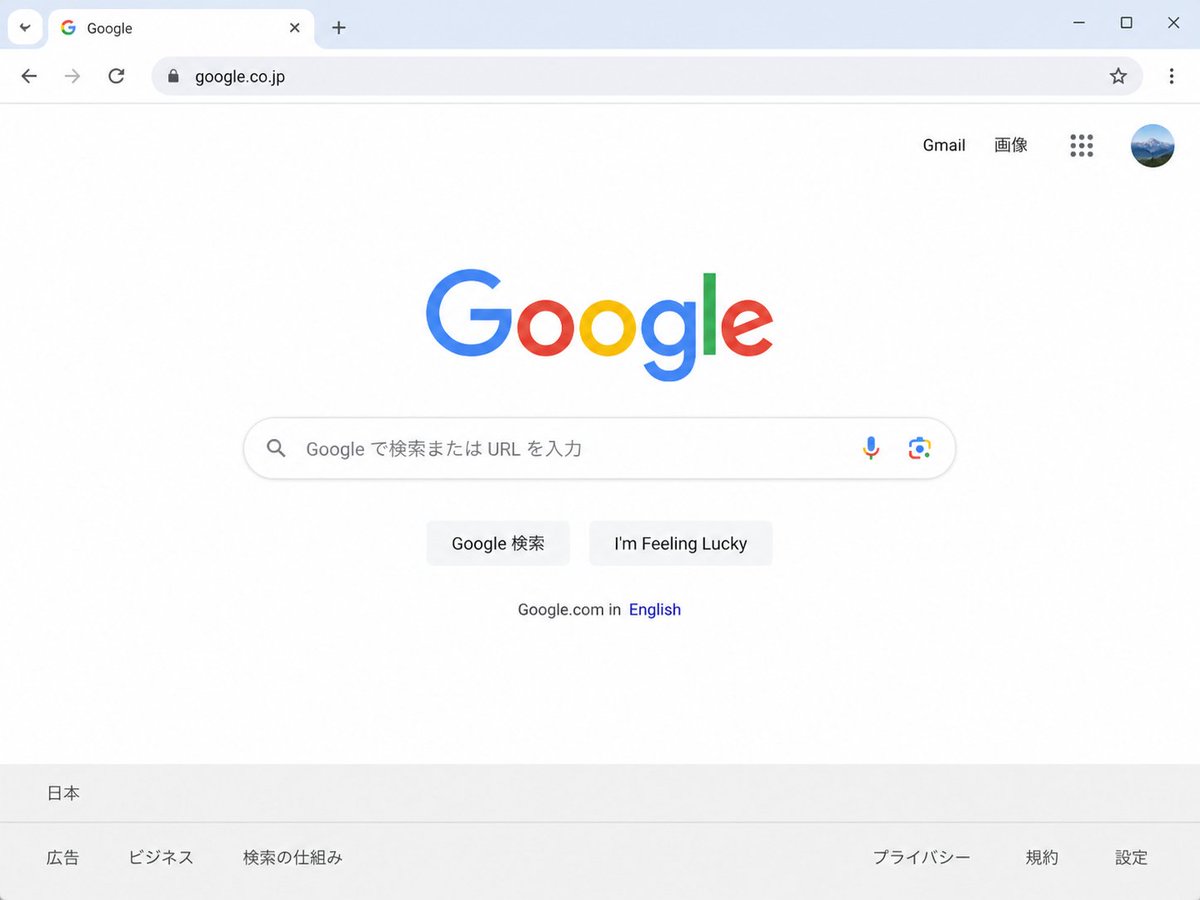
提示词 · EN
Create a clean, realistic desktop browser screenshot of the argcountry version: Japanese Google homepage in a Chrome-like window, viewed straight on at 4:3 aspect ratio. The browser UI shows one active tab labeled Google with the Google favicon, a plus button for a new tab, back and forward arrows, reload, a lock icon, and the address bar containing argwebsite URL: google.co.jp; at the far right are a star bookmark icon, three-dot menu, and window controls. The webpage is mostly white with the multicolor Google logo centered high on the page. In the top-right of the page are exactly 4 items: the text link “Gmail”, the text link “画像”, a 3-by-3 Google apps grid icon, and a circular user profile avatar showing a small blue mountain landscape. Centered beneath the logo is one rounded search bar with a magnifying glass icon on the left, placeholder text argsearch placeholder: Google で検索または URL を入力, and exactly 2 icons on the right: a microphone and Google Lens. Below it are exactly 2 light-gray buttons labeled argfirst button text: Google 検索 and argsecond button text: I'm Feeling Lucky. Under the buttons is a small language line reading “Google.com in English,” with “English” in blue. At the bottom is a pale gray footer with the location “日本” on the first row and exactly 6 footer links on the second row: “広告”, “ビジネス”, “検索の仕組み”, “プライバシー”, “規約”, and “設定”. Use accurate Google colors, crisp sans-serif typography, subtle shadows, soft gray browser chrome, lots of empty white space, and photorealistic UI rendering.
关于这个提示词
Generate a pixel-perfect, editable Chrome-style screenshot of any country's Google homepage for UI mockups and localized design visuals. 它更适合作为 GPT Image 2 的概念艺术起点:先保留画面结构、主体关系和风格约束,再替换成你的品牌、人物或场景。
使用时优先替换 country version、website URL、search placeholder、first button text 等占位符,并保持镜头、构图和材质描述的顺序不变。这样更容易获得稳定的画面结果,也方便继续做多版本对比。
如何使用这个提示词
- Copy the prompt text into your Sora 2 or other AI image generator.
- Edit the
{country version}and{website URL}variables to match your desired region (e.g., German, google.de). - Optionally tweak
{search placeholder}and{button text}to match the local language. - Generate the image to receive a clean, realistic browser mockup.


