
GPT Image 2AI 提示词
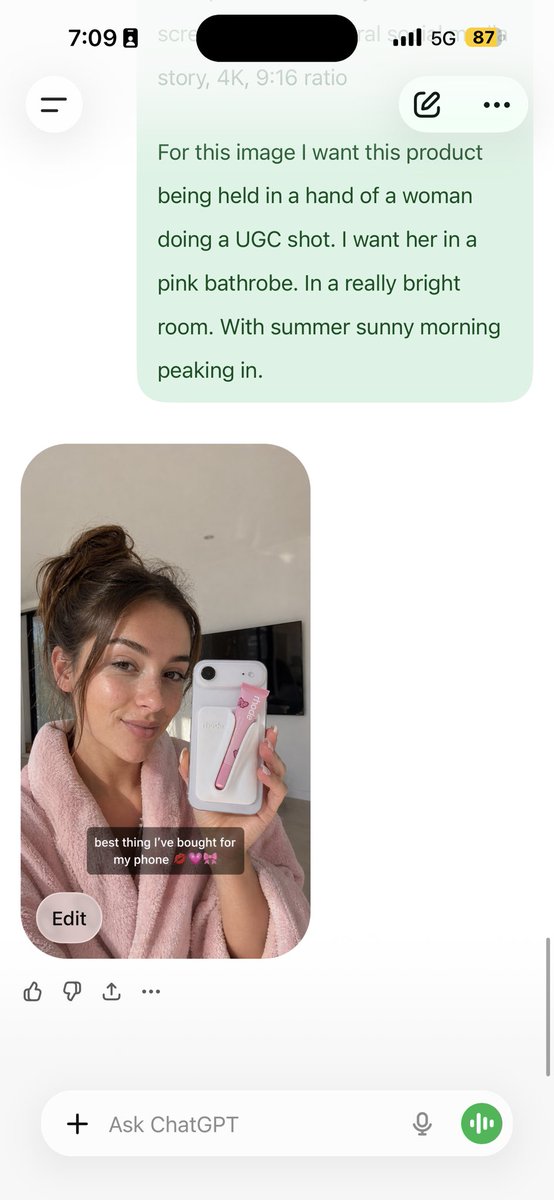
JSON Color Grading UGC: Consistent Character & Product Shots
Transform any photo into a detailed JSON color grading prompt and generate on-brand UGC photos with a consistent character holding your product — perfect for e-commerce.
提示词 · EN
Analyze this photo and give me a detailed JSON prompt that recreates it. Break down the color grading and every exact color in the photo. Then use that JSON as a reference to generate a person holding the product. Save the generated photo as a character reference and attach it to every future generation for facial consistency. The JSON controls the lighting and color grading while the model handles the character.
关于这个提示词
Transform any photo into a detailed JSON color grading prompt and generate on-brand UGC photos with a consistent character holding your product — perfect for e-commerce. 它更适合作为 GPT Image 2 的概念艺术起点:先保留画面结构、主体关系和风格约束,再替换成你的品牌、人物或场景。
常见用途包括 portraits、advanced、portrait、product photography。这些标签只作为创作方向参考,实际生成时仍应以提示词结构和预览图为准。
使用时建议先小幅修改主体、场景、镜头和色调,再生成多个版本对比构图与细节。这样页面内容对用户有实际帮助,也避免把模型名或标签机械堆在正文里。
如何使用这个提示词
- Copy this prompt and paste it into your AI image generator (e.g., Sora 2) along with your product photo.
- Review the output JSON that breaks down the photo’s color grading and lighting into exact values.
- Create a new prompt for “a person holding [your product]” and attach the JSON as a style reference.
- Save the generated character image and upload it as a reference in future prompts for facial consistency.


