
GPT Image 2AI 提示词
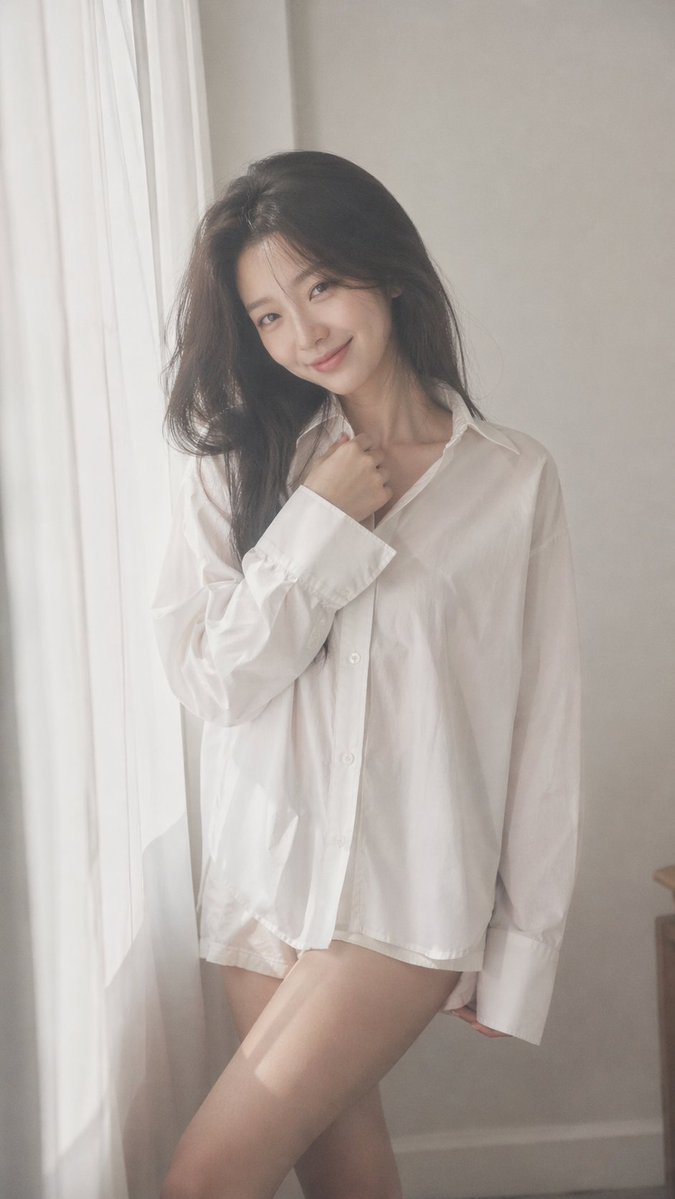
Dreamy Korean Idol Portrait — Soft Film Photography Prompt
Generate intimate, soft-focus Korean idol portraits with natural light, film grain, and customizable outfits for authentic K-pop aesthetic results.
提示词 · EN
argaspect ratio: 9:16 vertical — argsubject: Korean idol portrait photography, single subject soft black mist filter effect, lowered contrast, gentle highlight bloom, subtle glow, soft diffusion, slightly faded blacks minimal indoor setting near window, white curtains, clean light-toned background young Korean female idol, natural minimal makeup, dewy realistic skin texture, subtle imperfections outfit: argoutfit: oversized white button-up shirt + short bottoms, slightly loose fit, soft and casual styling, no revealing elements hair: long dark hair, slightly messy, natural volume, softly flowing pose: relaxed standing or slight lean, body subtly angled, one leg slightly forward, shoulders relaxed; one hand lightly touching collar or resting near neckline, the other relaxed; gentle body curve without exaggeration expression: soft cute smile, slightly playful eyes, direct or slightly off-camera gaze camera: close to mid-body framing, eye-level, intimate distance, slight handheld feel lighting: diffused natural daylight, soft shadows, gentle light wrapping around face and body mood: cute yet subtly sensual, intimate, everyday softness, quiet romantic atmosphere quality: ultra-realistic, fine film grain, slight softness at edges, natural imperfections, dreamy understated tone
关于这个提示词
Generate intimate, soft-focus Korean idol portraits with natural light, film grain, and customizable outfits for authentic K-pop aesthetic results. 它更适合作为 GPT Image 2 的概念艺术起点:先保留画面结构、主体关系和风格约束,再替换成你的品牌、人物或场景。
常见用途包括 gptimage2api prompts、gptimage2api、ko。这些标签只作为创作方向参考,实际生成时仍应以提示词结构和预览图为准。
使用时优先替换 aspect ratio、subject、outfit 等占位符,并保持镜头、构图和材质描述的顺序不变。这样更容易获得稳定的画面结果,也方便继续做多版本对比。
如何使用这个提示词
- Copy the entire prompt text above.
- Choose a compatible AI image/video model (e.g., Sora 2, Stable Diffusion, Midjourney).
- Customize the variables in curly braces — aspect ratio, subject description, and outfit — to match your creative vision.
- Paste the modified prompt into your model's input field.
- Generate and iterate — adjust variables like hair, expression, or lighting keywords if needed to refine the mood.


