
GPT Image 2AI 提示词
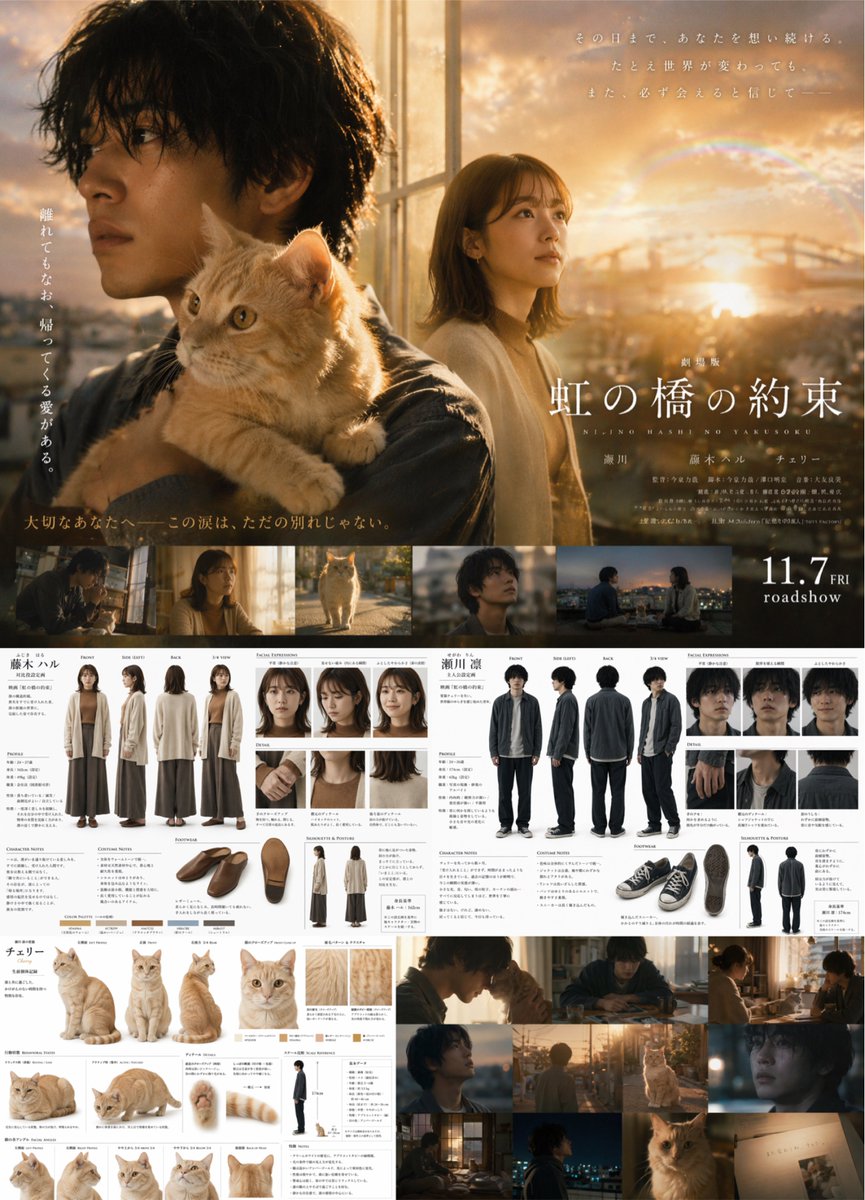
Live-Action Movie Poster & Character Sheet Generator
Create a professional movie poster with film strip and detailed character reference sheets for two protagonists and a pet.
提示词 · EN
type
live-action movie poster and comprehensive character reference sheetlayout
top_half
type
cinematic movie postervisuals
Young Japanese man holding an orange tabby cat in foreground, young Japanese woman looking right in background, golden hour city skyline with bridge and faint rainbow.typography
title
{argument name="movie title" default="虹の橋の約束"}subtitle
NIJI NO HASHI NO YAKUSOKUrelease_date
{argument name="release date" default="11.7 FRI roadshow"}taglines
Multiple vertical and horizontal Japanese text blocks.middle_band
type
film stripcount
5description
Horizontal row of 5 cinematic stills showing characters in various scenes.bottom_half
type
character design sheetssections
item 1
subject
Female Charactername
{argument name="female character name" default="藤木 ハル"}full_body_poses
4pose_labels
item 1
FRONTitem 2
SIDE (LEFT)item 3
BACKitem 4
3/4 VIEWfacial_expressions
3detail_shots
3footwear_angles
3silhouette_postures
2color_swatches
5item 2
subject
Male Charactername
{argument name="male character name" default="瀬川 凛"}full_body_poses
4pose_labels
item 1
FRONTitem 2
SIDE (LEFT)item 3
BACKitem 4
3/4 VIEWfacial_expressions
3detail_shots
3footwear_angles
3silhouette_postures
2item 3
subject
Orange Tabby Catname
{argument name="cat name" default="チェリー"}full_body_poses
3large_headshot
1small_headshots
4detail_shots
3color_swatches
4scale_reference
1item 4
subject
Additional Stillscount
6description
Grid of 6 cinematic shots featuring the characters and cat.关于这个提示词
Create a professional movie poster with film strip and detailed character reference sheets for two protagonists and a pet. 它更适合作为 GPT Image 2 的概念艺术起点:先保留画面结构、主体关系和风格约束,再替换成你的品牌、人物或场景。
这条提示词使用结构化 JSON 组织信息,包含 type、layout 等字段。保留这种层级能让模型更清楚地区分画面主题、布局、界面元素和细节约束。
使用时建议先小幅修改主体、场景、镜头和色调,再生成多个版本对比构图与细节。这样页面内容对用户有实际帮助,也避免把模型名或标签机械堆在正文里。
如何使用这个提示词
- Copy the prompt and paste it into a compatible AI image generator.
- Choose a model that handles complex, multi-element layouts well.
- Edit the 'argument' variables for movie title, character names, and release date to match your story.
- Adjust the number of stills or expression counts if needed.
- Generate and review the composite image for consistency.


