
GPT Image 2AI 提示词
Live Stream App Screenshot — Customizable AI Prompt
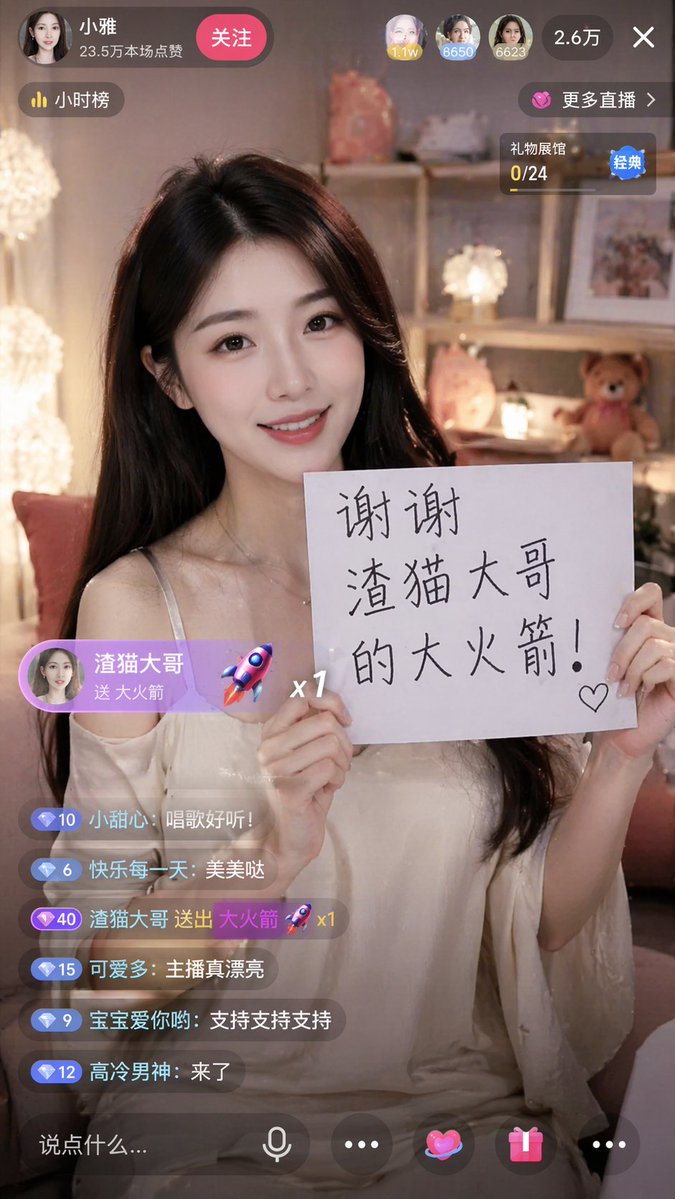
Create a hyper-realistic mobile live stream interface screenshot featuring a customizable streamer, thank-you sign, chat, and gift overlays for Sora 2.
提示词 · EN
type
mobile live stream app screenshotaspect_ratio
9:16subject
description
{argument name="subject description" default="beautiful young Asian woman with long dark hair wearing an off-the-shoulder white top"}action
smiling warmly at the camera, holding up a white paper sign with both handssign_content
{argument name="sign text" default="谢谢 渣猫大哥 的大火箭!"} with a small hand-drawn heartbackground
cozy softly lit bedroom, warm fairy lights, shelves with a teddy bear and decorative lampsui_elements
top_header
broadcaster_profile
avatar
female portraitname
{argument name="broadcaster name" default="小雅"}subtitle
23.5万本场点赞follow_button
关注top_viewers_count
3total_viewers
2.6万close_button
Xfloating_badges
item 1
小时榜item 2
更多直播 >item 3
礼物展馆 0/24gift_overlay
position
middle leftstyle
purple pill shapecontent
{argument name="gift sender name" default="渣猫大哥"} 送 {argument name="gift name" default="大火箭"}icon
3D rocketmultiplier
x1chat_area
position
bottom leftmessage_count
6messages
item 1
小甜心: 唱歌好听!item 2
快乐每一天: 美美哒item 3
{argument name="gift sender name" default="渣猫大哥"} 送出 {argument name="gift name" default="大火箭"} 🚀 x1item 4
可爱多: 主播真漂亮item 5
宝宝爱你哟: 支持支持支持item 6
高冷男神: 来了bottom_toolbar
input_placeholder
说点什么...icon_count
5icons
item 1
microphoneitem 2
ellipsisitem 3
heartitem 4
gift boxitem 5
ellipsis关于这个提示词
Create a hyper-realistic mobile live stream interface screenshot featuring a customizable streamer, thank-you sign, chat, and gift overlays for Sora 2. 它更适合作为 GPT Image 2 的概念艺术起点:先保留画面结构、主体关系和风格约束,再替换成你的品牌、人物或场景。
这条提示词使用结构化 JSON 组织信息,包含 type、aspect ratio、subject、background、ui elements 等字段。保留这种层级能让模型更清楚地区分画面主题、布局、界面元素和细节约束。
使用时建议先小幅修改主体、场景、镜头和色调,再生成多个版本对比构图与细节。这样页面内容对用户有实际帮助,也避免把模型名或标签机械堆在正文里。
如何使用这个提示词
- Copy the entire prompt JSON structure.
- Paste it into your preferred AI image or video model that supports detailed prompts.
- Customize the variables in the prompt to change the streamer's appearance, sign text, gift sender, and broadcaster name.
- Generate the image. The model will produce a realistic 9:16 mobile live stream UI screenshot.


