
GPT Image 2AI 提示词
Japanese Tech Company Logo Concept Board — Sora 2 Prompt
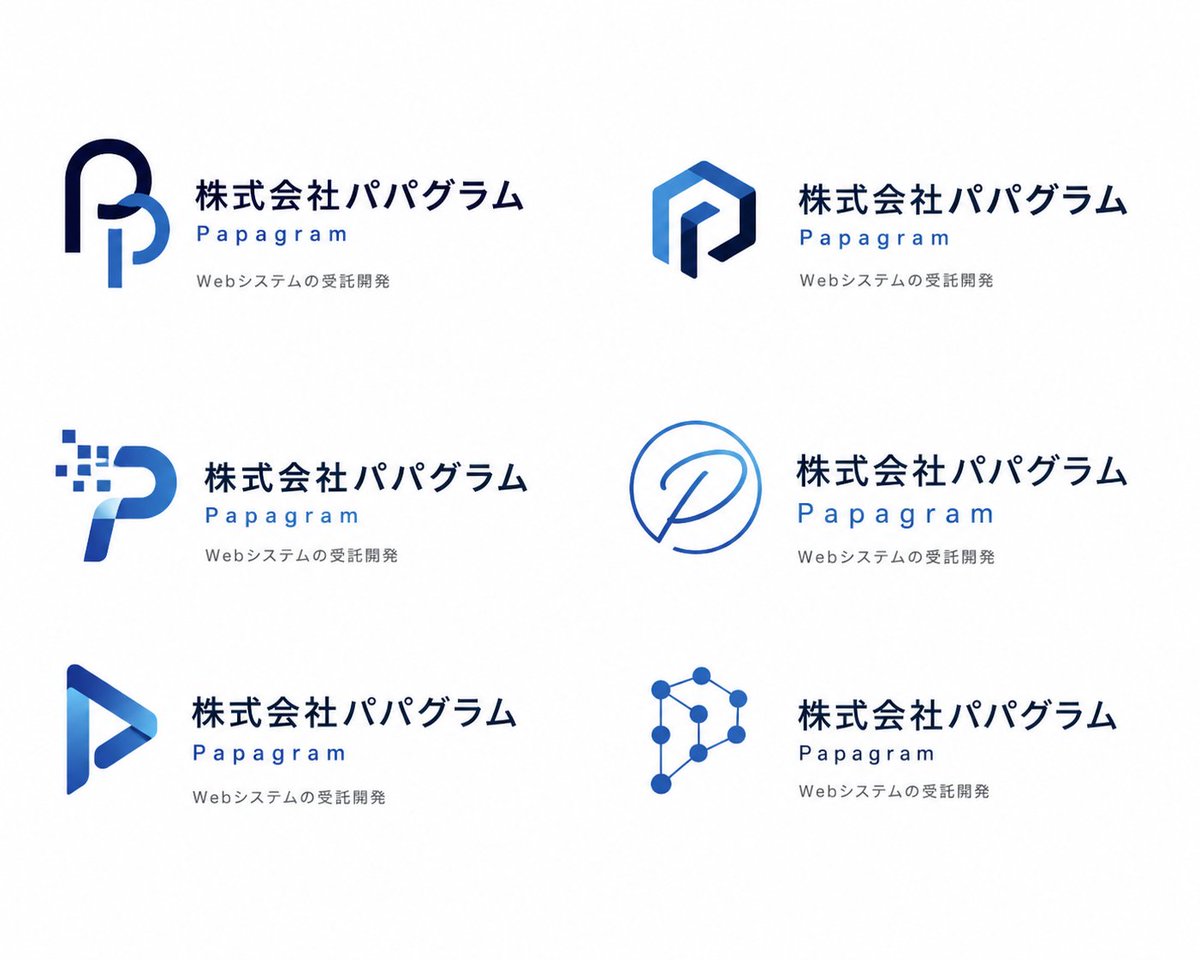
Generate a clean, six-logo concept presentation board for a Japanese tech brand, perfect for client pitches and brand exploration.
提示词 · EN
type
logo 概念展示项目style
纯白背景下简洁的现代企业品牌展示页brand
company_name_japanese
{argument name="company name in Japanese" default="株式会社パパグラム"}brand_name_english
{argument name="brand name in English" default="Papagram"}tagline_japanese
{argument name="tagline text" default="Webシステムの受託開発"}visual_direction
mood
冷静、专业、极简、科技感、精致palette
item 1
深海军蓝item 2
宝蓝色item 3
浅天蓝色typography
公司名称使用粗体日文无衬线字体,英文品牌名称使用宽间距几何无衬线字体,标语使用小型浅灰色无衬线字体layout
grid
columns
2rows
3count
6sections
item 1
title
左上角 Logoposition
top-leftcount
1labels
item 1
由两条粗丝带状笔触构成的圆形字母 P 组合,深海军蓝外弧线与浅蓝色内垂直曲线item 2
title
右上角 Logoposition
top-rightcount
1labels
item 1
多面六边形字母 P,带有蓝色渐变面和深海军蓝内描边的棱角几何图形item 3
title
左中 Logoposition
middle-leftcount
1labels
item 1
数字像素 P,弯曲的蓝色字母形状,左上方有 8 个向外扩散的小方块像素item 4
title
右中 Logoposition
middle-rightcount
1labels
item 1
单线圆形徽标,细蓝色轮廓构成类似对话气泡的圆形,内部包含手写体 Pitem 5
title
左下 Logoposition
bottom-leftcount
1labels
item 1
三角形播放键风格 P,带有蓝色渐变和空心中心的折叠丝带形状item 6
title
右下 Logoposition
bottom-rightcount
1labels
item 1
网络节点 P,由 8 个圆形节点通过细线连接成多边形科技符号text_placement
对于 6 个概念中的每一个,图标位于左侧,文本块位于右侧spacing
宽边距,留白充裕,概念分布均匀且对齐一致repeated_text_block
count
6structure
item 1
第一行显示大型日文公司名称item 2
下方以蓝色显示宽字间距的英文品牌名称item 3
第三行显示小型灰色日文标语rendering
finish
扁平化矢量 Logo 样机lighting
无,摄影棚级扁平图形展示shadows
无detail
边缘清晰,高分辨率品牌提案页关于这个提示词
Generate a clean, six-logo concept presentation board for a Japanese tech brand, perfect for client pitches and brand exploration. 它更适合作为 GPT Image 2 的概念艺术起点:先保留画面结构、主体关系和风格约束,再替换成你的品牌、人物或场景。
这条提示词使用结构化 JSON 组织信息,包含 type、style、brand、visual direction、layout、repeated text block、rendering 等字段。保留这种层级能让模型更清楚地区分画面主题、布局、界面元素和细节约束。
使用时建议先小幅修改主体、场景、镜头和色调,再生成多个版本对比构图与细节。这样页面内容对用户有实际帮助,也避免把模型名或标签机械堆在正文里。
如何使用这个提示词
- Copy the entire prompt body into your Sora 2 interface. 2. Select the Sora 2 model or your preferred video generation model. 3. Customize the variables like 'company name in Japanese' and 'brand name in English' to fit your project. 4. Adjust the visual style by tweaking the 'palette' or 'typography' fields if desired. 5. Generate the video to see your animated logo concept board.


