
GPT Image 2AI 提示词
Mac Terminal World Simulation TUI — Sora 2 Prompt
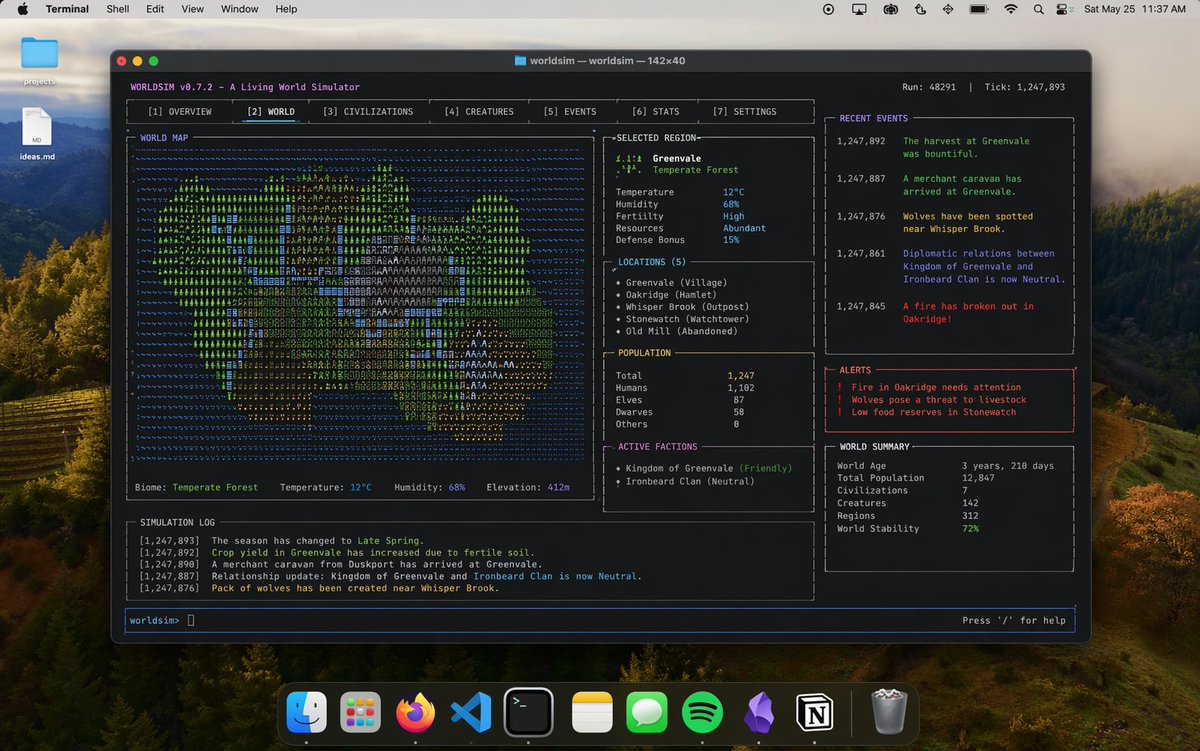
Easily generate hyper-realistic Mac desktop screenshots featuring a full-screen terminal with expressive TUI for world simulation.
提示词 · EN
展示一张 argoperating system: mac 桌面截图,显示一个大型终端窗口,正在终端中进行操作,并呈现出与 argtopic: world sim 相关的富有表现力的 arginterface type: TUI 布局
关于这个提示词
Easily generate hyper-realistic Mac desktop screenshots featuring a full-screen terminal with expressive TUI for world simulation. 它更适合作为 GPT Image 2 的概念艺术起点:先保留画面结构、主体关系和风格约束,再替换成你的品牌、人物或场景。
使用时优先替换 operating system、topic、interface type 等占位符,并保持镜头、构图和材质描述的顺序不变。这样更容易获得稳定的画面结果,也方便继续做多版本对比。
如何使用这个提示词
- Copy the prompt from above.
- Open your preferred AI image generator (like Sora 2, Midjourney, DALL·E).
- Paste the prompt and replace
{operating system},{topic}, and{interface type}with your desired values (e.g., "linux", "network monitor", "CLI"). - Generate the image and review the result.
- Optionally, tweak the variables for different visual styles.


