
GPT Image 2AI 提示词
Mecha Base Technical Specs Infographic — Sora 2 Prompt
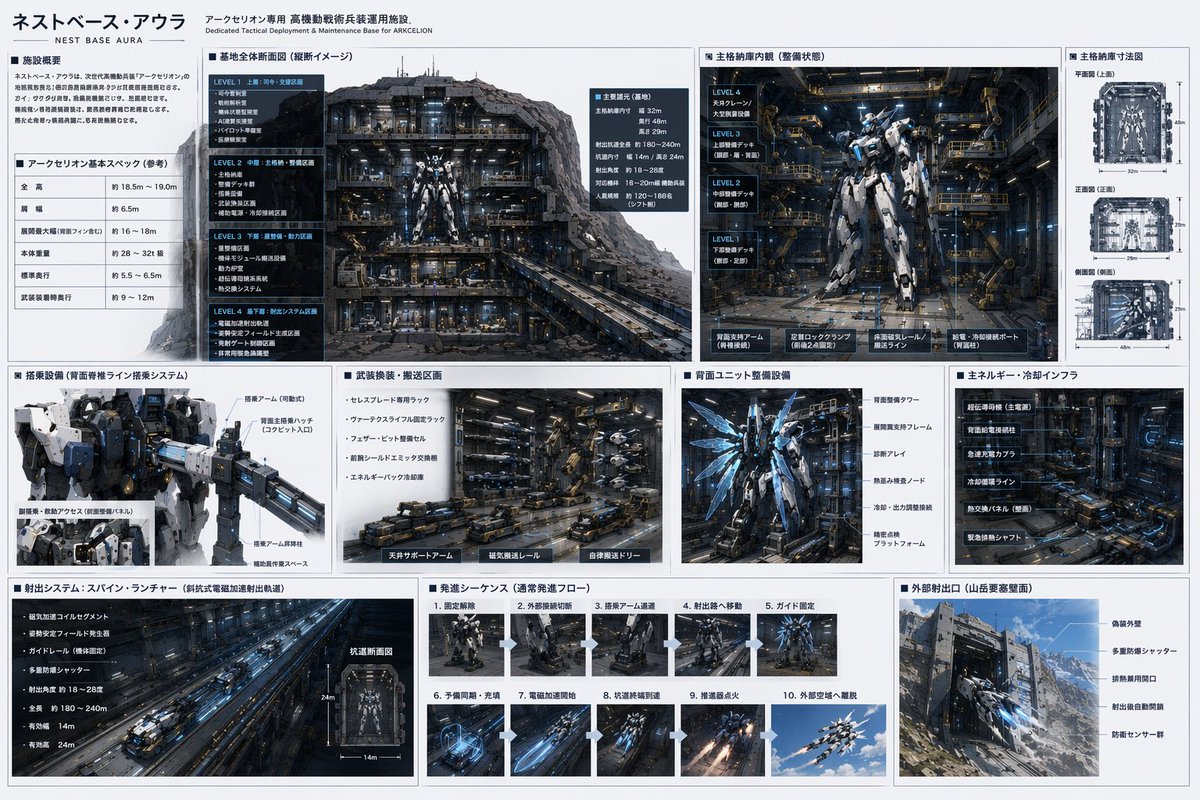
Create a hyper-detailed mecha base infographic featuring hangar cutaways, maintenance systems, and a 10-step launch sequence. Fully customizable with variable parameters.
提示词 · EN
type
mecha base 技术规格表header
title
{argument name="base name" default="ネストベース・アウラ"}subtitle
{argument name="mecha name" default="アークセリオン"} 专用战术部署与维护基地mecha_design
高度精细的人形机甲,采用 {argument name="mecha color scheme" default="白蓝配色"} 装甲,配有 {argument name="accent color" default="发光蓝色"} 能量点缀,机械关节结构复杂。layout
structure
基于网格的信息图,包含 3 行面板,采用深色工业美学风格,深色背景配白色文字或浅灰色面板。sections
item 1
row
1panels
item 1
title
设施概览type
text blockitem 2
title
基础规格type
data tableitem 3
title
基地整体剖面图type
illustrationdescription
大型详细剖面图,展示了 4 层地下机库及位于中心的机甲。item 4
title
主机库内部type
illustrationdescription
机甲伫立在细节丰富的工业维护舱内,配有走道。item 5
title
主机库尺寸type
diagramcount
3labels
item 1
顶视图item 2
前视图item 3
侧视图description
机库的正投影蓝图。item 2
row
2panels
item 1
title
登机设备type
illustrationdescription
机甲躯干特写,连接着飞行员登机臂。item 2
title
武器更换/运输区type
illustrationdescription
工业地面,配有自动化运输车和武器架。item 3
title
背部组件维护设备type
illustrationdescription
机甲后视图,展示正在维护的推进器机翼。item 4
title
主能源/冷却基础设施type
illustrationdescription
重型工业管道、发电机和冷却罐。item 3
row
3panels
item 1
title
发射系统:脊柱弹射器type
illustrationdescription
电磁弹射隧道的长透视镜头。item 2
title
发射序列type
sequencecount
10description
连续缩略图,展示机甲启动、沿轨道移动及发射的过程。item 3
title
外部发射口type
illustrationdescription
外部视角,展示嵌入 {argument name="environment" default="山地地形"} 中的重型加固防爆门,机甲正从中飞出。关于这个提示词
Create a hyper-detailed mecha base infographic featuring hangar cutaways, maintenance systems, and a 10-step launch sequence. Fully customizable with variable parameters. 它更适合作为 GPT Image 2 的概念艺术起点:先保留画面结构、主体关系和风格约束,再替换成你的品牌、人物或场景。
这条提示词使用结构化 JSON 组织信息,包含 type、header、mecha design、layout 等字段。保留这种层级能让模型更清楚地区分画面主题、布局、界面元素和细节约束。
使用时建议先小幅修改主体、场景、镜头和色调,再生成多个版本对比构图与细节。这样页面内容对用户有实际帮助,也避免把模型名或标签机械堆在正文里。
如何使用这个提示词
- Copy the prompt from the code block.
- Customize the variables (mecha name, base name, color scheme) to match your vision.
- Paste into an AI image generator such as Sora 2, Midjourney, or DALL-E.
- Generate the image and refine if needed by adjusting variable values or re-running.
- Use the output for worldbuilding, concept art, or game design.


