
GPT Image 2AI 提示词
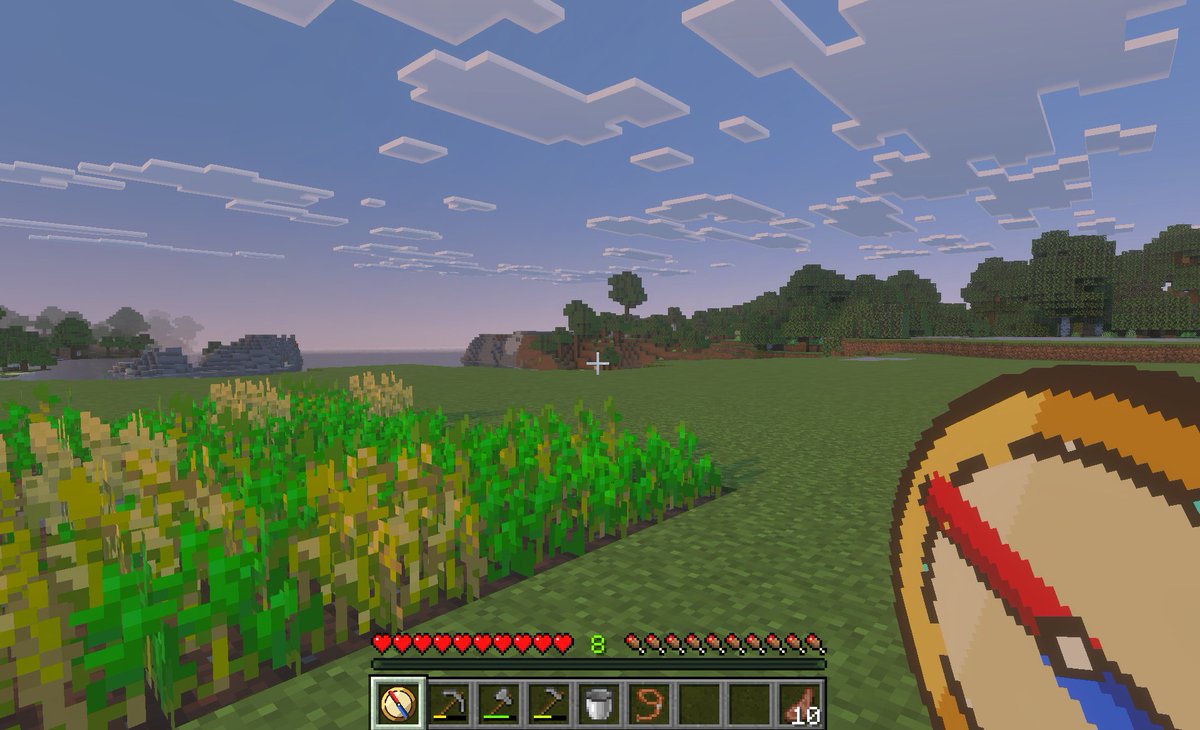
Minecraft Teleport Compass HUD Screenshot — Sora 2 Prompt
Generate a first-person Minecraft Bedrock screenshot with a custom teleport compass overlay, ideal for showcasing fast travel mods or location save concepts.
提示词 · EN
一张 Minecraft Bedrock Edition 风格的黄昏时分第一人称游戏截图,展示了一个宁静的草地平原生物群系。左侧前景有一个小型长方形小麦农场,部分作物已成熟,部分仍呈绿色;中心是一片开阔的草地,远处是树林和低矮的方块状山丘,天空呈现出从浅蓝到粉色的晚霞,点缀着扁平的方形云朵。在画面中心附近放置一个白色小准星。在底部显示完整的生存模式 HUD:10 颗红心、10 个饥饿鸡腿、绿色的经验等级 argexperience level: 8 以及 9 格快捷栏。快捷栏必须包含 9 个格子,从左到右依次为:1 个选中的自定义指南针图标、1 把锄头、1 把镐、1 把斧头、1 个桶、1 个拴绳或绳索物品、2 个空位,以及 1 组标记为 argitem stack count: 10 的熟肉。在右下角前景处,叠加一张手持 argtool name: teleport compass 的超大自定义物品图形,绘制成简洁的像素艺术风格指南针,具有棕褐色表盘、深棕色边缘、奶油色中心,以及呈对角线倾斜的红蓝粗指针。选中的快捷栏位也应显示相同的自定义指南针图标。使图像看起来像是在平板电脑或 PC 上拍摄的游戏内截图,具有柔和的大气雾感、真实的体素纹理,以及适合儿童的快速旅行和位置保存导航模组氛围。
关于这个提示词
Generate a first-person Minecraft Bedrock screenshot with a custom teleport compass overlay, ideal for showcasing fast travel mods or location save concepts. 它更适合作为 GPT Image 2 的概念艺术起点:先保留画面结构、主体关系和风格约束,再替换成你的品牌、人物或场景。
使用时优先替换 experience level、item stack count、tool name 等占位符,并保持镜头、构图和材质描述的顺序不变。这样更容易获得稳定的画面结果,也方便继续做多版本对比。
如何使用这个提示词
- Copy the prompt text above.
- Paste it into a text-to-image AI model like Sora, DALL·E 3, or Midjourney.
- Adjust the optional variables (experience level, item count, tool name) as needed.
- Generate the image and iterate if required. For best results, use a model that handles pixel art and HUD details.


