
GPT Image 2AI 提示词
Minecraft Ender Dragon Speedrun Screenshot — Sora 2 Prompt
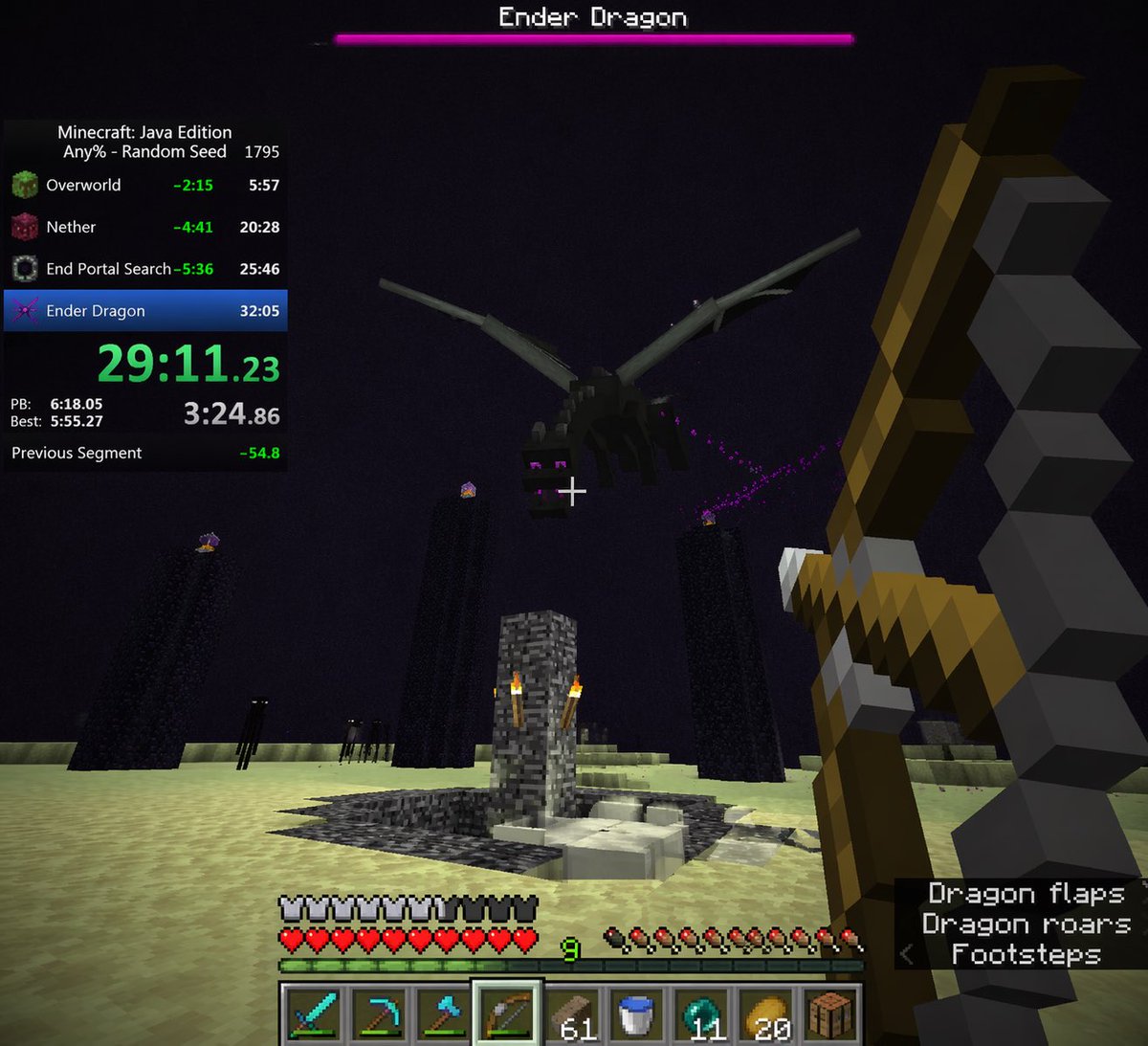
Create a hyper-realistic first-person Minecraft boss fight screenshot with an integrated speedrun timer and detailed gameplay HUD overlay.
提示词 · EN
type
first-person video game screenshotsetting
The End dimension in Minecraftscene
environment
pale yellow end stone ground, dark purple sky, tall obsidian pillars with end crystals on top, central bedrock exit portal structure with torches, dark endermen figures in the backgroundsubject
a large black dragon flying overheadplayer_view
first-person perspective, holding a {argument name="held weapon" default="drawn bow"} in the right hand, white crosshair in the centerui_overlay
top
boss_bar
pink health bar with text '{argument name="boss name" default="Ender Dragon"}'left
speedrun_timer
header
Minecraft: Java Edition, {argument name="speedrun category" default="Any% - Random Seed"} 1795splits_count
4splits_labels
item 1
Overworlditem 2
Netheritem 3
End Portal Searchitem 4
Ender Dragonmain_time
{argument name="current time" default="29:11.23"} in bright greenstats
PB, Best, and Previous Segment timesbottom
status_bars
full armor bar, full heart health bar, green experience bar at level {argument name="experience level" default="9"}, full hunger barhotbar
slots_count
9items
item 1
diamond sworditem 2
diamond pickaxeitem 3
diamond axeitem 4
bow (highlighted)item 5
61 wood planksitem 6
water bucketitem 7
11 ender pearlsitem 8
20 golden applesitem 9
crafting tablebottom_right
subtitles
lines_count
3text
item 1
Dragon flapsitem 2
Dragon roarsitem 3
< Footsteps关于这个提示词
Create a hyper-realistic first-person Minecraft boss fight screenshot with an integrated speedrun timer and detailed gameplay HUD overlay. 它更适合作为 GPT Image 2 的概念艺术起点:先保留画面结构、主体关系和风格约束,再替换成你的品牌、人物或场景。
这条提示词使用结构化 JSON 组织信息,包含 type、setting、scene、ui overlay 等字段。保留这种层级能让模型更清楚地区分画面主题、布局、界面元素和细节约束。
使用时建议先小幅修改主体、场景、镜头和色调,再生成多个版本对比构图与细节。这样页面内容对用户有实际帮助,也避免把模型名或标签机械堆在正文里。
如何使用这个提示词
- Copy the prompt body above into your Sora 2 interface.
- Replace the
{argument}placeholders with your desired values (e.g.,held weapon= "diamond sword",boss name= "Ender Dragon"). - Select a compatible video or image generation model that supports structured UI overlays.
- Generate the image and review the output for accuracy.
- Adjust the prompt variables (e.g., time, weapon, experience level) and regenerate for a custom look.


