
GPT Image 2AI 提示词
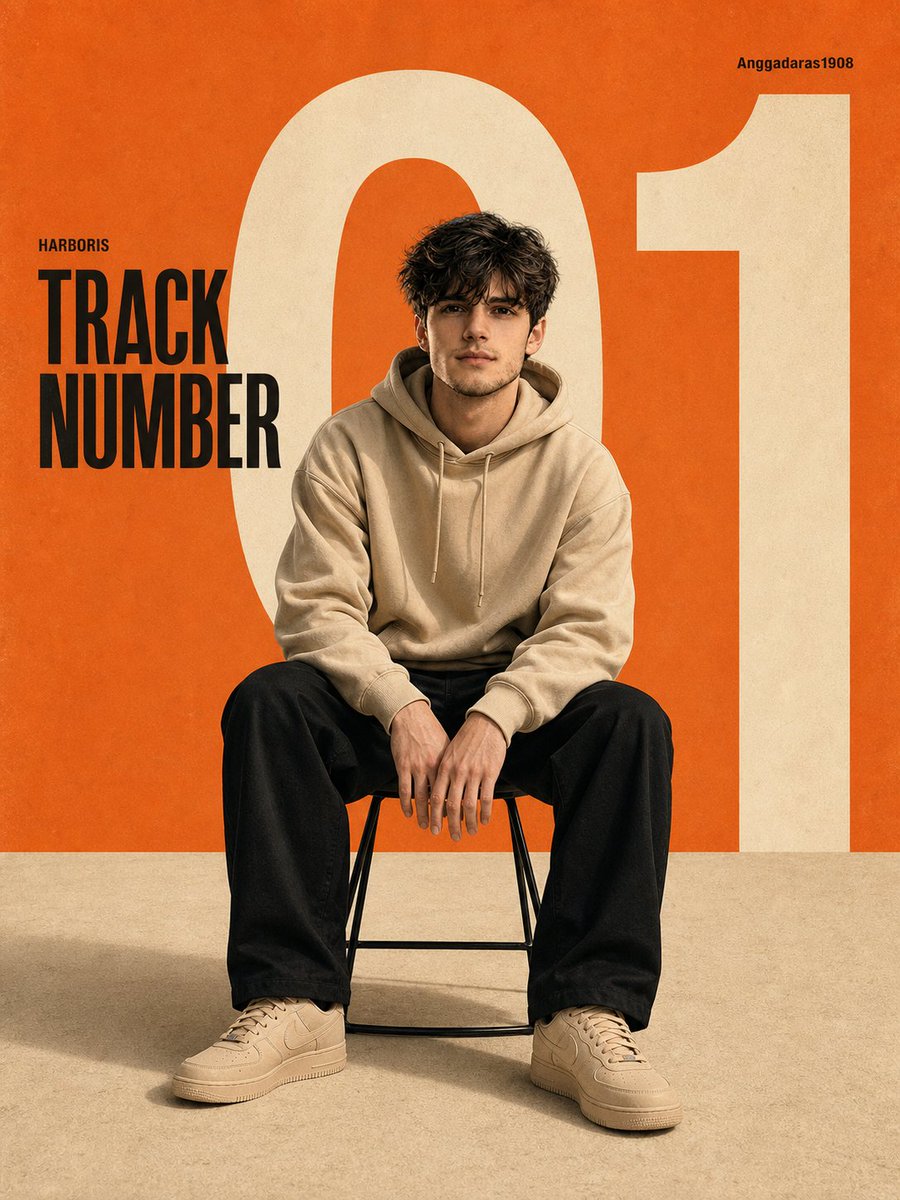
Minimalist Fashion Editorial Poster — Sora 2 Prompt
Create a professional, Swiss-style editorial poster with bold typography, soft studio lighting, and clean graphic design perfect for portfolios.
提示词 · EN
A modern, minimalist editorial poster featuring argsubject: an Asian man sitting on a simple stool, centered in the composition. He is wearing argoutfit: a beige hoodie, loose-fitting black trousers, and beige sneakers. His pose is casual and confident, leaning slightly forward with his hands resting on his knees. Background: A clean studio setting with a bold, retro graphic design. argprimary color: Warm orange dominates the upper portion, contrasting with the soft, textured beige floor. A large, ivory-white "01" sits behind the subject, partially cropped and extending across the canvas. Text elements: - "TRACK NUMBER" in bold black sans-serif font positioned on the left side - Small caption "HARBORIS" above it - Small caption in the upper right: "Anggadaras1908" Style: Modern graphic design, editorial layout, Swiss-style typography, clean negative space, balanced composition. Lighting: Soft studio lighting, subtle shadows under the chair, a cinematic yet clean look, without harsh contrasts. Camera: Eye-level, medium-range full-body shot, centered framing, sharp focus, high resolution. Color palette: Orange, cream, off-white, black accents. Texture: Slight grain, poster paper texture, vintage print feel. --ar 9:16 --v 6 --style raw --q 2 --hd. Face and body exactly same as uploaded image. Make the aspect ratio 3:4
关于这个提示词
Create a professional, Swiss-style editorial poster with bold typography, soft studio lighting, and clean graphic design perfect for portfolios. 它更适合作为 GPT Image 2 的概念艺术起点:先保留画面结构、主体关系和风格约束,再替换成你的品牌、人物或场景。
使用时优先替换 subject、outfit、primary color 等占位符,并保持镜头、构图和材质描述的顺序不变。这样更容易获得稳定的画面结果,也方便继续做多版本对比。
如何使用这个提示词
- Copy the full prompt text from the page.
- Open your preferred AI image generator (e.g., Sora 2, Midjourney, or DALL-E).
- Replace the
{argument}variables with your own subject details, outfit, and color preferences. - Generate the image and iterate by adjusting lighting or text elements for your ideal result.


