
GPT Image 2AI 提示词
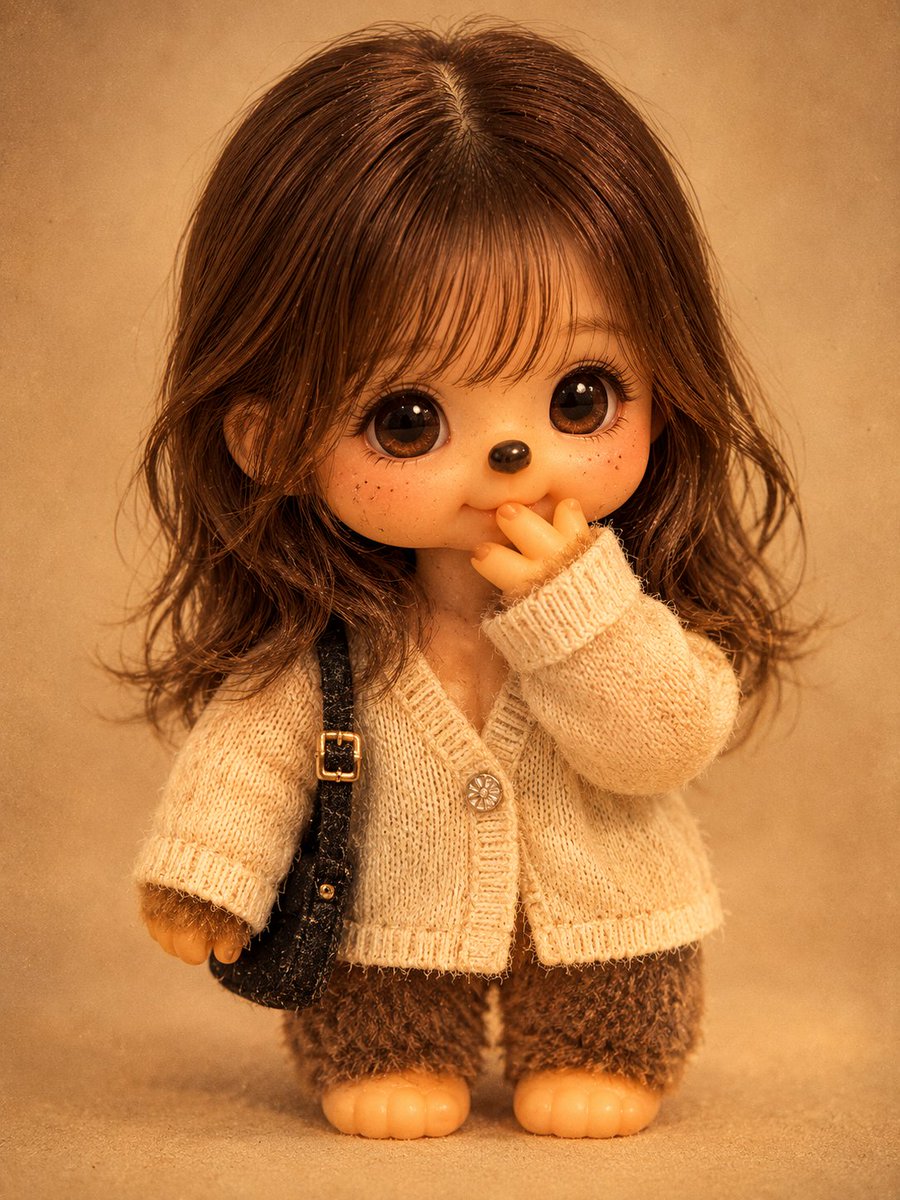
Vintage Monchhichi Doll Photo Converter — Realistic 1970s Style
Transform any portrait into a collectible, retro Monchhichi doll photo, preserving the subject's features with authentic vintage toy aesthetics and film grain.
1 / 2
提示词 · EN
请将照片中的人物转换为逼真的复古 Monchhichi 玩偶,风格为 argdoll style: 1970-80 年代 Sekiguchi 风格。请准确保留原图人物的面部结构、发型、发色、表情、姿势、构图和拍摄角度,确保人物在玩偶形态下依然具有辨识度。遵循经典的 Monchhichi 设计,即大头、短小结实的毛绒身体(比例约为 1:1)以及简化的四肢。面部应呈现哑光乙烯基材质,并带有细微划痕和褪色等岁月痕迹,配以明亮的小黑眼睛、光泽感鼻头和柔和的微笑。身体覆盖着浓密且略显褪色的 argfur color: 棕色人造毛皮。使用 argoutfit material: 褪色的简约棉布 重现原图中的服装。场景设定在温暖的室内灯光下,带有复古胶片颗粒感和泛黄的色调,呈现为一张背景干净、居中的全身收藏级玩偶照片。不要包含任何文字。
关于这个提示词
Transform any portrait into a collectible, retro Monchhichi doll photo, preserving the subject's features with authentic vintage toy aesthetics and film grain. 它更适合作为 GPT Image 2 的概念艺术起点:先保留画面结构、主体关系和风格约束,再替换成你的品牌、人物或场景。
使用时优先替换 doll style、fur color、outfit material 等占位符,并保持镜头、构图和材质描述的顺序不变。这样更容易获得稳定的画面结果,也方便继续做多版本对比。
如何使用这个提示词
- Copy the prompt, replacing the variables (doll style, fur color, outfit material) with your preferences.
- Paste it into an AI image generator like Sora 2, ChatGPT with DALL-E, or Midjourney.
- Upload your reference portrait when the model or interface requests an image.
- Generate the image. For best results, use a high-quality, well-lit photo with a clear view of the subject's face.


