
GPT Image 2AI 提示词
Open Notebook with 3D Model Analysis — AI Image Prompt
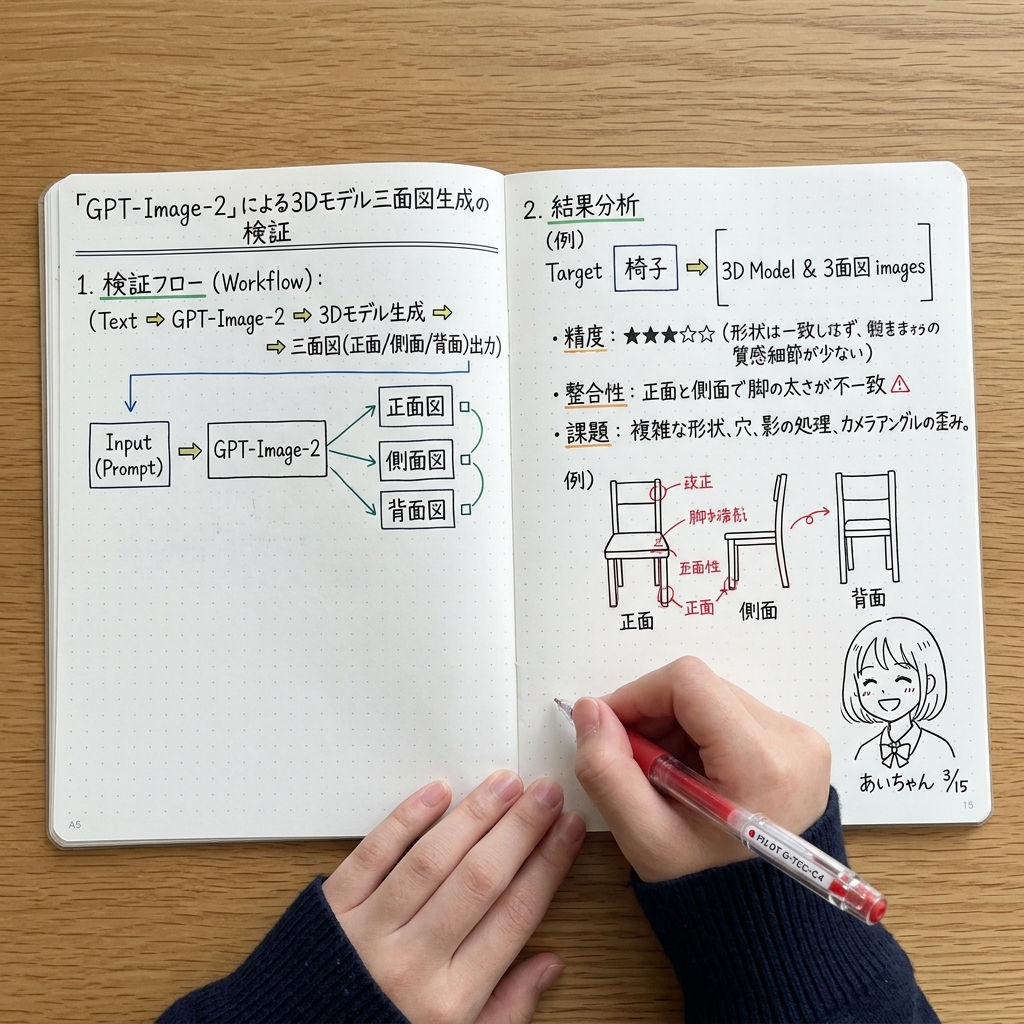
Create a realistic top-down photo of an open notebook filled with flowcharts, diagrams, and handwritten notes analyzing 3D model generation for technical mockups.
提示词 · EN
type
photograph of an open notebooksetting
wooden desk surface, top-down anglesubject
hands
two hands visible at the bottom, wearing a dark blue ribbed sweater, right hand holding a red pen labeled {argument name="pen brand" default="PILOT G-TEC-C4"} writing on the pagenotebook
open A5 dot-grid notebook with handwritten notes and diagrams in black, blue, green, and red inklayout
left_page
header
{argument name="main title" default="「GPT-Image-2」による3Dモデル三面図生成の検証"}sections
item 1
title
1. 検証フロー (Workflow):content
text flow and a flowchart diagramflowchart_elements
5flowchart_labels
item 1
Input (Prompt)item 2
GPT-Image-2item 3
正面図item 4
側面図item 5
背面図right_page
sections
item 1
title
2. 結果分析target_box
Target [{argument name="target object" default="椅子"}] => [3D Model & 3面図 images]bullet_points_count
3bullet_point_topics
item 1
精度: ★★★☆☆item 2
整合性item 3
課題diagram_count
3diagram_labels
item 1
正面item 2
側面item 3
背面diagram_description
sketches of chairs with red correction notes on the front viewbottom_right_corner
doodle
cute anime-style line drawing of a smiling girl with short hairlabel
{argument name="character name" default="あいちゃん"} {argument name="date" default="3/15"}关于这个提示词
Create a realistic top-down photo of an open notebook filled with flowcharts, diagrams, and handwritten notes analyzing 3D model generation for technical mockups. 它更适合作为 GPT Image 2 的概念艺术起点:先保留画面结构、主体关系和风格约束,再替换成你的品牌、人物或场景。
这条提示词使用结构化 JSON 组织信息,包含 type、setting、subject、layout 等字段。保留这种层级能让模型更清楚地区分画面主题、布局、界面元素和细节约束。
使用时建议先小幅修改主体、场景、镜头和色调,再生成多个版本对比构图与细节。这样页面内容对用户有实际帮助,也避免把模型名或标签机械堆在正文里。
如何使用这个提示词
- Copy the full prompt and paste it into your preferred AI image generator like Sora 2 or Midjourney.
- Choose a model that excels at detailed, photorealistic renders with text.
- Use the
<pen brand>variable to swap in your favorite pen brand name. - Modify the
<target object>variable (e.g., change "椅子" to "桌子") to analyze a different 3D subject. - Generate the image and use it for study note mockups, tech journal visuals, or social media posts.


