
GPT Image 2AI 提示词
OOTD Korean Street Fashion Infographic — Sora 2 Prompt
Create a clean 4:5 fashion editorial infographic with a full-body outfit on the left and four product cards with prices on the right, perfect for social media style projects and shopping posts.
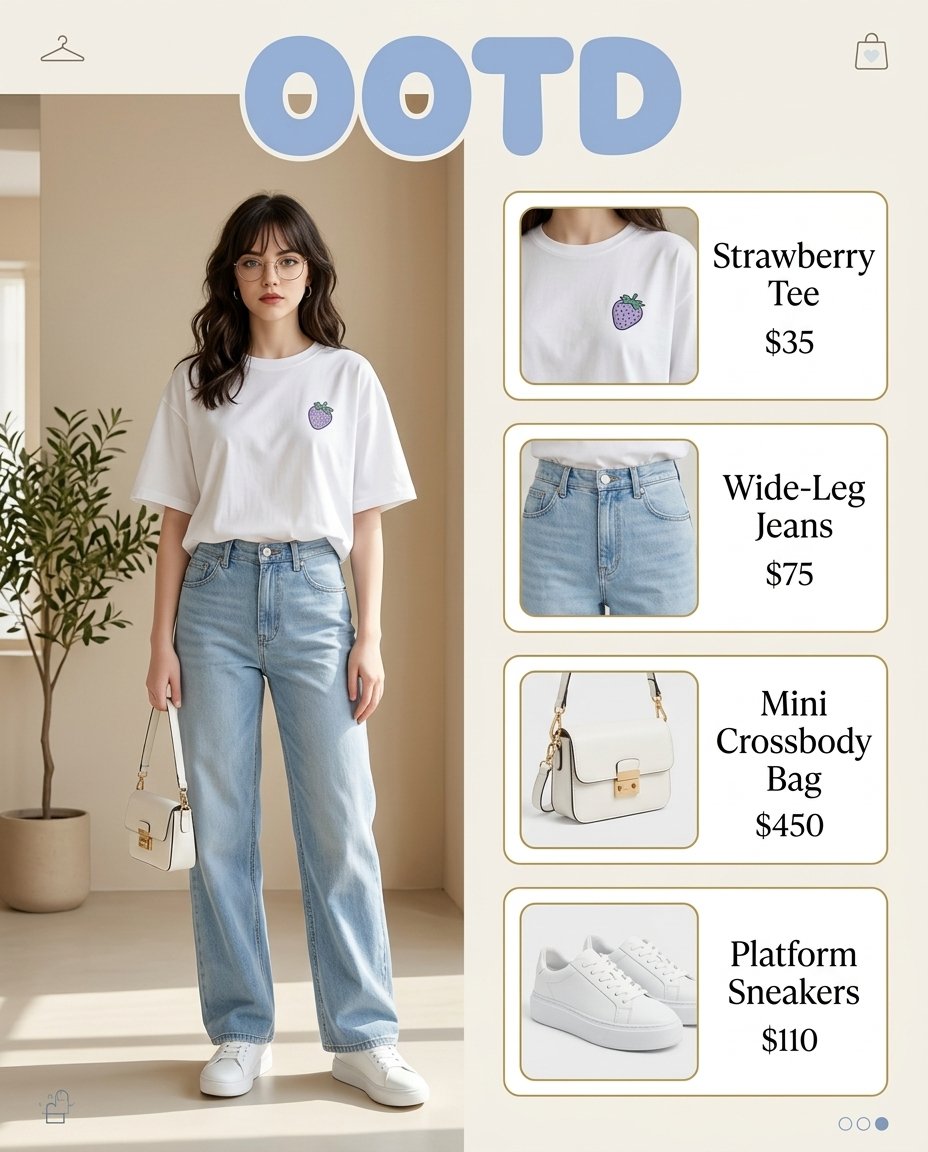
提示词 · EN
type
时尚穿搭信息图aspect_ratio
4:5style
简洁的编辑风格产品项目,韩系街头时尚美学,明亮柔和的自然光,米色与粉蓝色调,极简室内场景title_text
{argument name="headline text" default="OOTD"}layout
background
暖米白色,带有微妙的米色室内建筑感split
左侧模特人像,右侧垂直产品堆叠sections
item 1
title
模特造型position
左侧count
1labels
item 1
全身穿搭照item 2
title
产品卡片position
右侧count
4labels
item 1
草莓 T 恤item 2
阔腿牛仔裤item 3
迷你斜挎包item 4
厚底运动鞋scene
setting
极简室内摄影棚角落,柔和的米色墙面,浅奶油色地板,柔和的阳光与阴影,最左侧有一棵盆栽橄榄树decor
count
4items
item 1
左上角小衣架图标item 2
右上角小购物袋图标item 3
右下角三个分页点item 4
左下角微型购物袋图标subject
type
年轻女性pose
站姿自然,面向前方,一只手下垂拿着小包,双脚微张hair
{argument name="hair style" default="深棕色中长款自然卷发,中分"}face
弱化面部细节,柔和的时尚编辑风格outfit
count
4pieces
item 1
超大款白色 T 恤,胸前带有小巧的淡紫色草莓图案item 2
浅色水洗高腰阔腿牛仔裤item 3
白色迷你结构感斜挎包,配有金色五金件item 4
白色厚底运动鞋product_cards
item 1
name
{argument name="shirt label" default="草莓 T 恤"}price
$35image
白色 T 恤领口和胸部区域特写,展示小巧的紫色草莓图案card_style
圆角白色卡片,带有细暖金色轮廓,左侧为图片区域,右侧为衬线字体item 2
name
阔腿牛仔裤price
$75image
浅蓝色牛仔裤腰部和大腿上部的裁剪特写card_style
圆角白色卡片,带有细暖金色轮廓,左侧为图片区域,右侧为衬线字体item 3
name
迷你斜挎包price
$450image
白色结构感迷你包特写,带有顶部提手、肩带和金色扣环card_style
圆角白色卡片,带有细暖金色轮廓,左侧为图片区域,右侧为衬线字体item 4
name
{argument name="shoe label" default="厚底运动鞋"}price
$110image
白色低帮厚底运动鞋特写,略微侧向角度card_style
圆角白色卡片,带有细暖金色轮廓,左侧为图片区域,右侧为衬线字体typography
headline
顶部居中的大号粉蓝色气泡字体product_text
优雅的黑色衬线字体,名称与价格垂直排列rendering
quality
高分辨率精致时尚图形composition
平衡且通透,留白充裕,具有目录般的清晰度关于这个提示词
Create a clean 4:5 fashion editorial infographic with a full-body outfit on the left and four product cards with prices on the right, perfect for social media style projects and shopping posts. 它更适合作为 GPT Image 2 的概念艺术起点:先保留画面结构、主体关系和风格约束,再替换成你的品牌、人物或场景。
这条提示词使用结构化 JSON 组织信息,包含 type、aspect ratio、style、title text、layout、scene、subject 等字段。保留这种层级能让模型更清楚地区分画面主题、布局、界面元素和细节约束。
使用时建议先小幅修改主体、场景、镜头和色调,再生成多个版本对比构图与细节。这样页面内容对用户有实际帮助,也避免把模型名或标签机械堆在正文里。
如何使用这个提示词
- Copy the prompt and paste into Sora 2 or your preferred AI image generator.
- Choose the 4:5 aspect ratio and adjust variables like headline text, hair style, or product labels as needed.
- For best layout results, use a model that supports cinematic composition and editorial styling.
- Generate and review; tweak the scene or outfit details if the output needs refinement.


