
GPT Image 2AI 提示词
Real-to-Pixar Avatar Prompt — Studio Portrait with Style Transfer
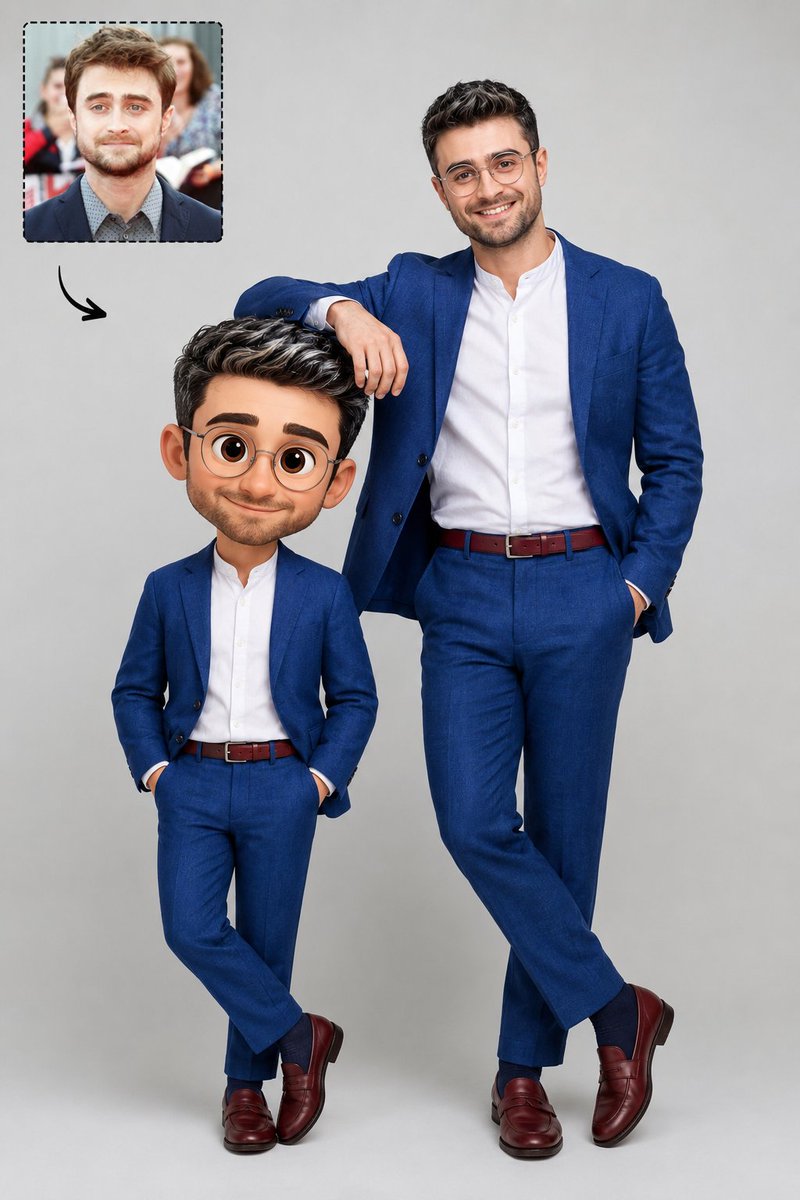
Generate a professional studio photo comparing a realistic man with his own 3D Pixar-style cartoon avatar, perfectly matching outfits.
提示词 · EN
一张摄影棚照片,背景为 argbackground: 中性浅灰色背景。右侧是一位现实中的男士,戴着透明圆框眼镜,深棕色眼睛,黑色短发带有白色挑染,面部剃须干净。他身着 argoutfit: 宝蓝色亚麻西装、白色无领衬衫、酒红色腰带、宝蓝色袜子和酒红色乐福鞋。他面带微笑,右手随意地搭在左侧人物的头部。该人物是他自己的 argstyle: 3D Pixar 风格动画头像,穿着与该男士完全相同的服饰,但具有卡通比例、大头和富有表现力的大眼睛。在图像的左上角,有一个带有虚线边框的内嵌框,展示了同一位男士的肖像 (@ img1)。从这个内嵌框中,有一个小的黑色弯曲箭头指向中心的人物。专业、清晰的摄影棚灯光。
关于这个提示词
Generate a professional studio photo comparing a realistic man with his own 3D Pixar-style cartoon avatar, perfectly matching outfits. 它更适合作为 GPT Image 2 的概念艺术起点:先保留画面结构、主体关系和风格约束,再替换成你的品牌、人物或场景。
使用时优先替换 background、outfit、style 等占位符,并保持镜头、构图和材质描述的顺序不变。这样更容易获得稳定的画面结果,也方便继续做多版本对比。
如何使用这个提示词
- Copy the entire prompt template.
- Choose an AI image generator like Sora 2 or similar.
- Edit the customizable variables (
background,outfit,style) to fit your concept. - Upload a reference portrait image for the
@img1section if desired. - Generate and refine until the real-to-cartoon pairing is perfect.


