
GPT Image 2AI 提示词
Poster-to-Trailer Cinematic Visual — Sora 2 Prompt
Transform any movie poster into a dramatic, widescreen trailer keyframe with cinematic lighting, film grain, and anamorphic lens effects.
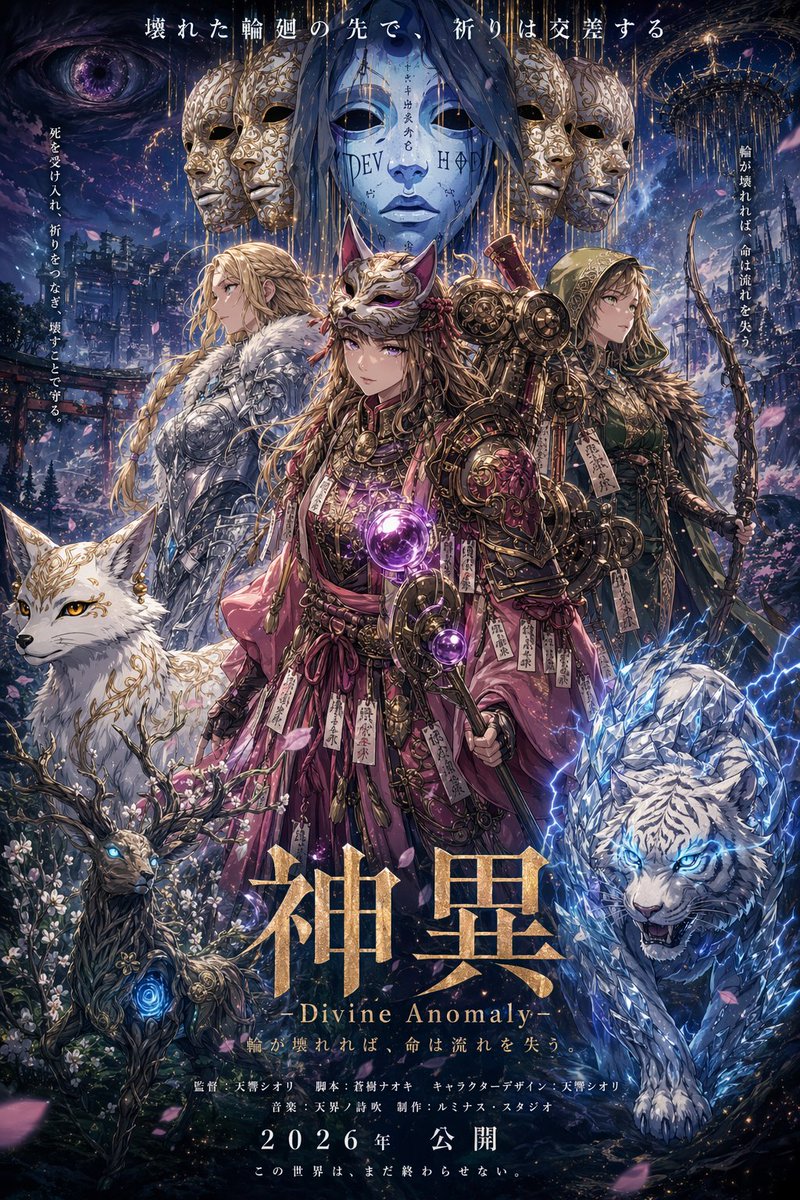
提示词 · EN
Look at this poster, imagine it yourself, and create a trailer-style visual for it. Extrapolate the world, characters, and narrative from the poster's visual cues, then compose a cinematic key frame that could serve as a movie trailer screenshot 鈥?complete with dramatic lighting, action or emotional peak moment, widescreen composition, and the epic scale that trailer moments demand. Include subtle film grain and anamorphic lens effects.
关于这个提示词
Transform any movie poster into a dramatic, widescreen trailer keyframe with cinematic lighting, film grain, and anamorphic lens effects. 它更适合作为 GPT Image 2 的概念艺术起点:先保留画面结构、主体关系和风格约束,再替换成你的品牌、人物或场景。
常见用途包括 community showcase、intermediate、concept art、cinematic。这些标签只作为创作方向参考,实际生成时仍应以提示词结构和预览图为准。
使用时建议先小幅修改主体、场景、镜头和色调,再生成多个版本对比构图与细节。这样页面内容对用户有实际帮助,也避免把模型名或标签机械堆在正文里。
如何使用这个提示词
- Copy the full prompt text above.
- Open Sora, Runway Gen-3, or another AI video generator.
- Upload your poster image and paste the prompt as the instruction.
- Adjust model settings for widescreen composition, film grain, and anamorphic effects if available.
- Generate and iterate to capture the perfect cinematic trailer moment.


