
GPT Image 2AI 提示词
Corporate Boardroom Meeting — Sora 2 Prompt
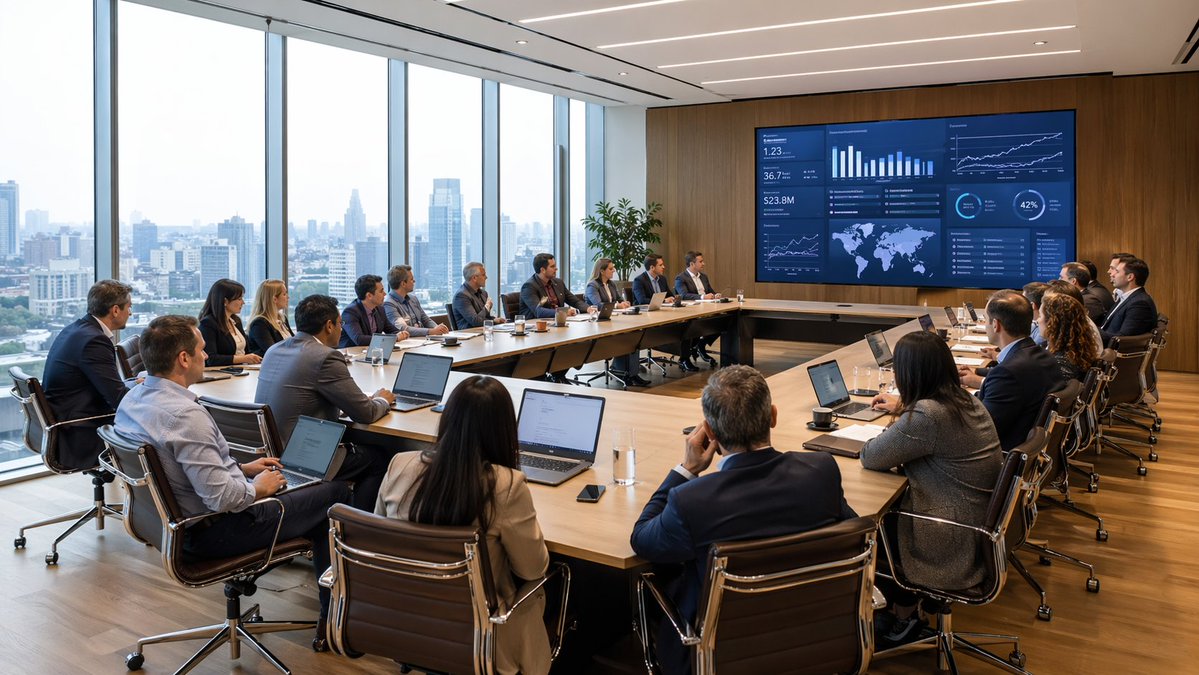
Generate a photorealistic executive boardroom scene with a diverse team reviewing a data dashboard, perfect for business and corporate strategy visuals.
提示词 · EN
一张广角照片级真实的企业董事会场景,展示了一场高层商务会议,视角位于房间后角。约 argnumber of attendees: 18 位身着商务正装的专业人士围坐在大型 U 型浅色木质会议桌旁,大多数人面前放着打开的笔记本电脑、笔记本、咖啡杯、水杯和智能手机。团队成员包括不同族裔的男女,他们都专注于墙上巨大的数字演示屏幕,屏幕安装在温暖的木镶板墙面上。屏幕显示着一个深蓝色的分析仪表盘,包含多个图表和数据面板,如柱状图、折线图、KPI 平铺图、世界地图、百分比圆环和趋势图,暗示着财务、运营或高管汇报场景。一位演讲者坐在中右侧面向屏幕,其余团队成员在正式的战略会议中专注地观看。这间办公室是现代化的行政会议室,左侧整面墙均为落地窗,展现出白昼下朦胧的城市高层建筑天际线。配备带有铬合金框架的时尚黑色真皮办公椅、抛光木地板、嵌入式线性天花板灯,以及展示墙旁的一盆高大绿植。自然光充满整个房间,并与整洁的建筑室内照明相平衡。强调真实感、专业氛围、清晰细节、微妙的反射、可信的肤色以及高端的企业室内设计。采用电影级建筑摄影风格拍摄,超精细,高分辨率,广角构图。
关于这个提示词
Generate a photorealistic executive boardroom scene with a diverse team reviewing a data dashboard, perfect for business and corporate strategy visuals. 它更适合作为 GPT Image 2 的概念艺术起点:先保留画面结构、主体关系和风格约束,再替换成你的品牌、人物或场景。
使用时优先替换 number of attendees 等占位符,并保持镜头、构图和材质描述的顺序不变。这样更容易获得稳定的画面结果,也方便继续做多版本对比。
如何使用这个提示词
- Copy the full prompt text including the variable placeholder for attendee count.
- Choose a compatible AI image generation model that supports detailed, photorealistic outputs.
- Adjust the
{number of attendees}variable to match your desired team size, and optionally tweak details like screen content or lighting. - Generate the image and review the result, refining prompts if needed for sharper details or layout changes.


