
GPT Image 2AI 提示词
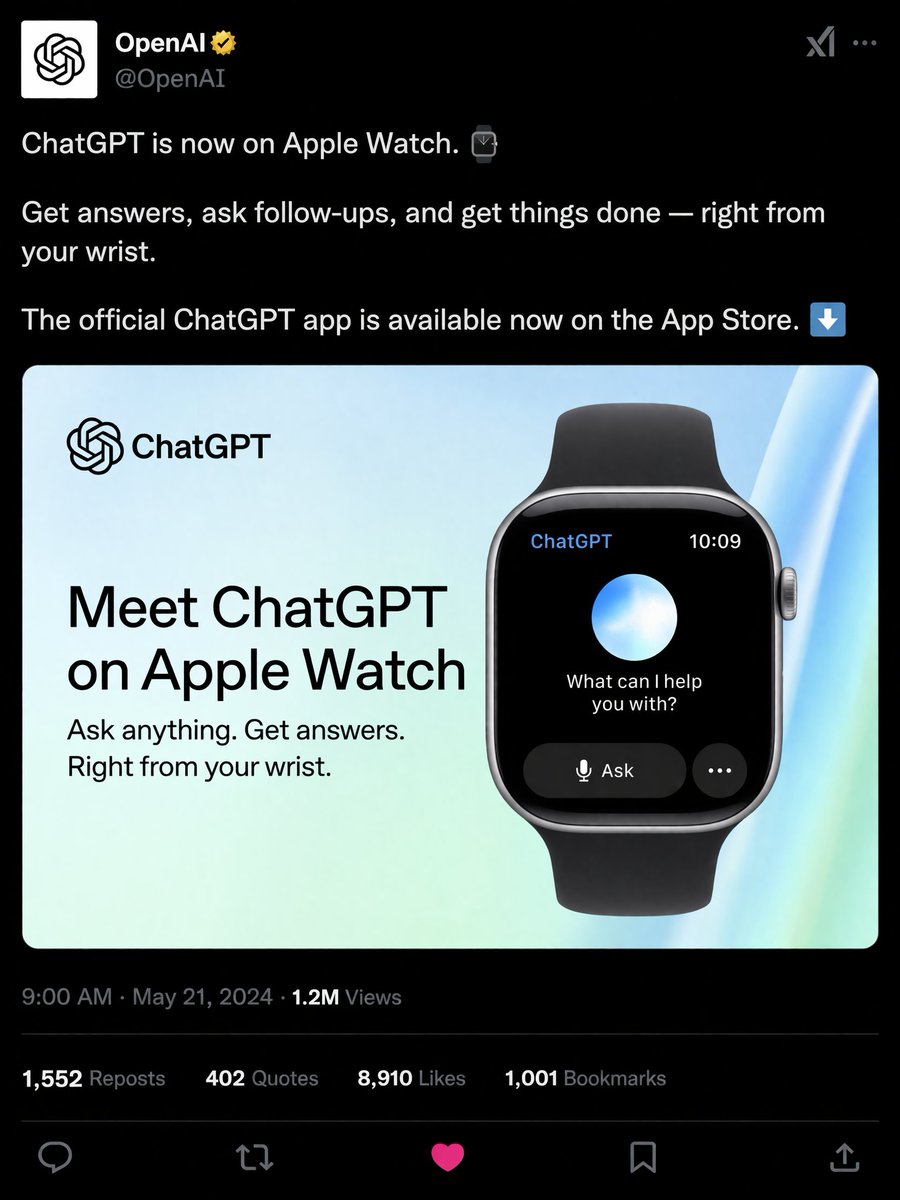
Dark Mode Social Post Generator — ChatGPT Apple Watch
Easily generate a customizable dark-mode social media post to promote ChatGPT on Apple Watch, complete with realistic engagement metrics and a sleek embedded card.
提示词 · EN
type
社交媒体帖子模拟图theme
深色模式header
avatar
OpenAI 标志account_name
{argument name="account name" default="OpenAI"}badge
金色认证徽章handle
@OpenAIpost_text
item 1
{argument name="post text" default="ChatGPT 现已登陆 Apple Watch。"}item 2
随时随地提问、追问并处理事务——一切尽在腕间。item 3
ChatGPT 官方应用现已在 App Store 上架。embedded_card
background
浅蓝色与绿色渐变left_column
logo
ChatGPTheadline
{argument name="card headline" default="体验 Apple Watch 版 ChatGPT"}subheadline
随时提问。获取解答。一切尽在腕间。right_column
device
配有黑色表带的智能手表screen_elements
top_bar
2top_bar_labels
item 1
ChatGPTitem 2
10:09center
发光的蓝白球体text
{argument name="watch screen text" default="有什么我可以帮您的吗?"}buttons
2button_labels
item 1
提问item 2
...footer
metadata
上午 9:00 · 2024 年 5 月 21 日 · 120 万次浏览engagement_stats
count
4labels
item 1
1,552 次转发item 2
402 次引用item 3
{argument name="likes count" default="8,910"} 次点赞item 4
1,001 次书签action_icons
count
5types
item 1
回复item 2
转发item 3
点赞item 4
书签item 5
分享关于这个提示词
Easily generate a customizable dark-mode social media post to promote ChatGPT on Apple Watch, complete with realistic engagement metrics and a sleek embedded card. 它更适合作为 GPT Image 2 的概念艺术起点:先保留画面结构、主体关系和风格约束,再替换成你的品牌、人物或场景。
这条提示词使用结构化 JSON 组织信息,包含 type、theme、header、post text、embedded card、footer 等字段。保留这种层级能让模型更清楚地区分画面主题、布局、界面元素和细节约束。
使用时建议先小幅修改主体、场景、镜头和色调,再生成多个版本对比构图与细节。这样页面内容对用户有实际帮助,也避免把模型名或标签机械堆在正文里。
如何使用这个提示词
- Copy the prompt template to your AI image generator (e.g., DALL·E 3, Midjourney, Sora).
- Choose a model with strong text rendering and layout capabilities.
- Customize the variables (account name, post text, card headline, watch screen text, likes count) to match your brand.
- Paste the modified prompt and generate the social post mockup.
- Review the output; if needed, tweak the prompt to refine details or fix any text inaccuracies.


