
GPT Image 2AI 提示词
Quiet Luxury Camel Coat Portrait — Sora 2 Prompt
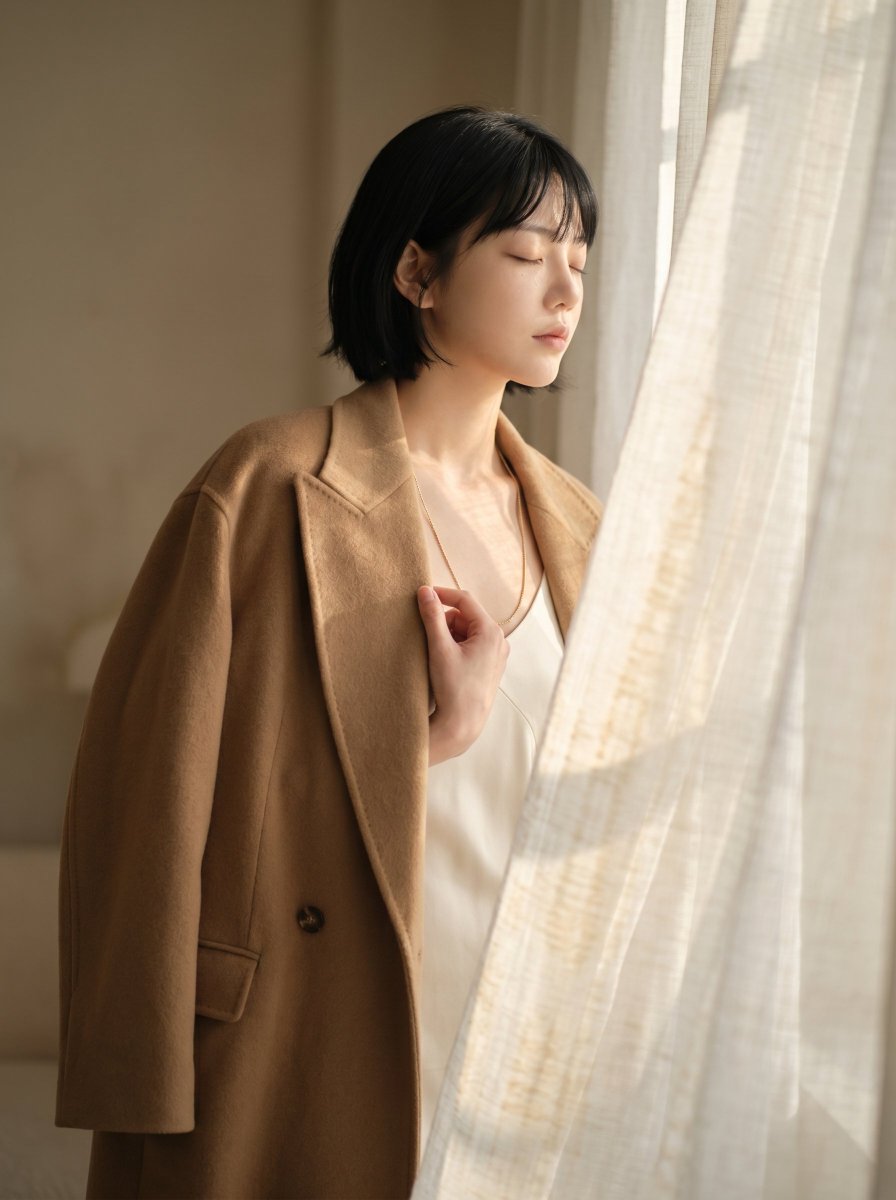
Generate a minimalist fashion portrait with soft natural light, draped fabric textures, and a sophisticated The Row-inspired quiet luxury aesthetic.
1 / 2
提示词 · EN
创作一张写实风格的时尚编辑人像,主体为 argsubject: 一位留着黑色短波波头的女性,她站在室内一扇高大的窗户旁,半掩在透着暖色日光、半透明的亚麻窗帘后。她身穿一件极简主义 argcoat color: 驼色 羊毛大衣,大衣松散地披在肩上,采用柔和的廓形剪裁,配有宽翻领、单颗深色纽扣和翻盖口袋,内搭一件简约的 arginner garment: 象牙白丝绸吊带衫。她的面部被平滑的矩形模糊处理以保持匿名,一只手轻轻抓着胸前的衣领。强调静奢风格,展现受 The Row 启发的克制感,无 Logo,无配饰,无包袋,无珠宝,仅呈现优雅的织物垂坠感与精致的比例。采用暖米色室内背景,柔和阴影,浅景深,自然窗光,细腻胶片颗粒,柔和中性色调,高端杂志摄影质感,竖构图,半身取景,营造宁静沉思的氛围。
关于这个提示词
Generate a minimalist fashion portrait with soft natural light, draped fabric textures, and a sophisticated The Row-inspired quiet luxury aesthetic. 它更适合作为 GPT Image 2 的概念艺术起点:先保留画面结构、主体关系和风格约束,再替换成你的品牌、人物或场景。
使用时优先替换 subject、coat color、inner garment 等占位符,并保持镜头、构图和材质描述的顺序不变。这样更容易获得稳定的画面结果,也方便继续做多版本对比。
如何使用这个提示词
- Copy the full prompt and paste it into your Sora 2 or preferred AI image generator input field.
- Select a model optimized for photorealistic or editorial-style image generation for best results.
- Customize the variables in curly braces such as
{subject},{coat color}, and{inner garment}to match your creative vision. - Generate the image and review the output. Adjust lighting or background details in the prompt if needed for finer control.
- Iterate by modifying the mood descriptors or camera framing keywords to explore different editorial looks.


