
GPT Image 2AI 提示词
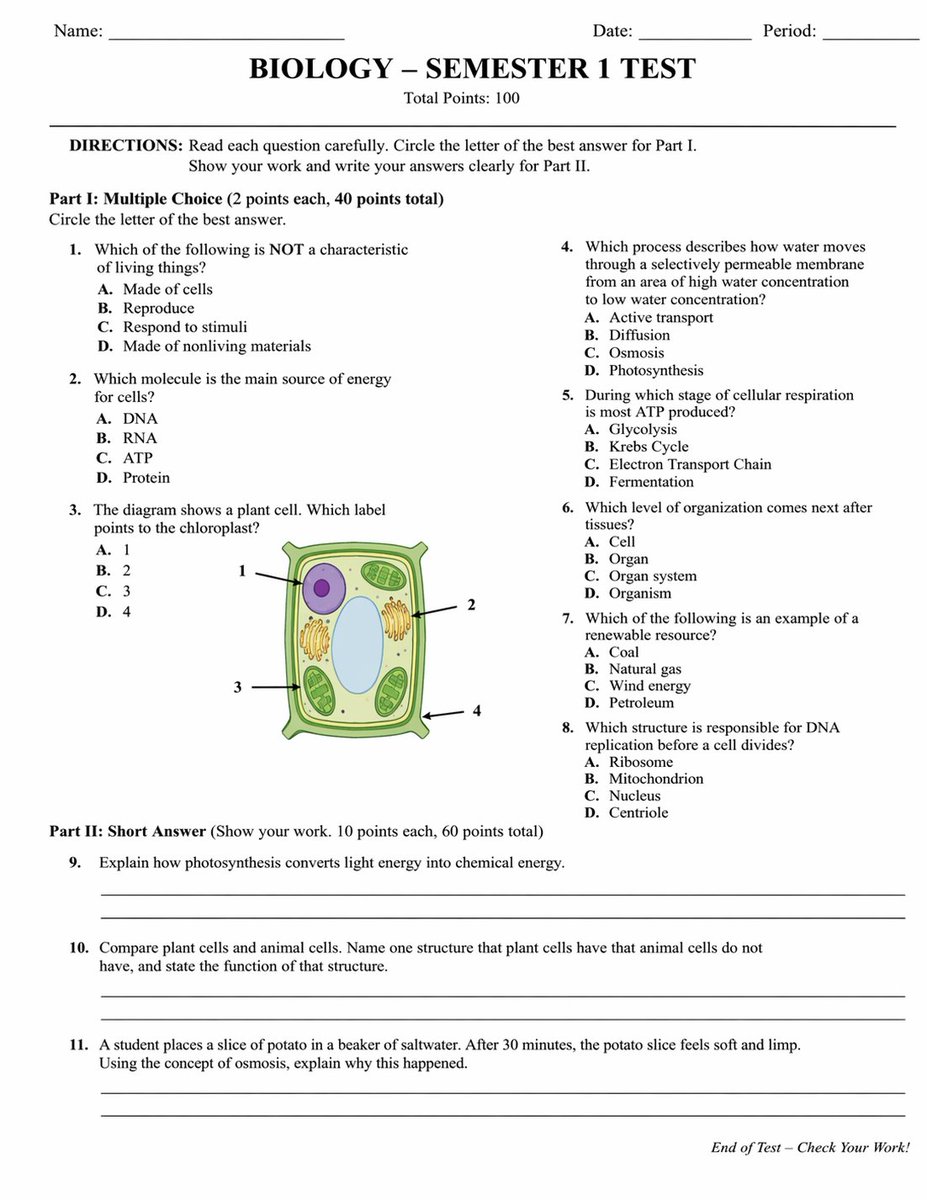
Custom Academic Test Generator — Biology & Science Exams
Generate structured academic tests with multiple-choice, diagram-labeled, and short-answer sections—fully customizable for any subject.
提示词 · EN
type
学术试卷header
student_info
item 1
姓名:item 2
日期:item 3
课时:title
{argument name="subject" default="生物学"} - {argument name="test title" default="第一学期测试"}subtitle
总分:100 分instructions
说明:请仔细阅读每一道题。第一部分请圈出最佳答案的字母。第二部分请展示解题过程并清晰书写答案。sections
item 1
title
第一部分:{argument name="part 1 type" default="选择题"}(每题 2 分,共 40 分)layout
双栏question_count
8format
编号 1 至 8 题,每题包含 A、B、C、D 四个选项diagram
location
第 3 题description
{argument name="diagram subject" default="植物细胞"} 插图labels
item 1
1item 2
2item 3
3item 4
4item 2
title
第二部分:{argument name="part 2 type" default="简答题"}(请展示解题过程。每题 10 分,共 60 分)layout
单栏question_count
3format
编号 9 至 11 题,每题后附两条空白横线footer
试卷结束 - 请检查你的答案!关于这个提示词
Generate structured academic tests with multiple-choice, diagram-labeled, and short-answer sections—fully customizable for any subject. 它更适合作为 GPT Image 2 的概念艺术起点:先保留画面结构、主体关系和风格约束,再替换成你的品牌、人物或场景。
这条提示词使用结构化 JSON 组织信息,包含 type、header、instructions、sections、footer 等字段。保留这种层级能让模型更清楚地区分画面主题、布局、界面元素和细节约束。
使用时建议先小幅修改主体、场景、镜头和色调,再生成多个版本对比构图与细节。这样页面内容对用户有实际帮助,也避免把模型名或标签机械堆在正文里。
如何使用这个提示词
- Copy the prompt and paste it into your AI model (e.g., ChatGPT, Claude).
- Customize the variables: subject, test title, question types, and diagram subject (e.g., "植物细胞" for plant cell).
- Optionally adjust scoring or question count by modifying the JSON structure.
- Generate the exam and review the output for accuracy.
- Use as-is or refine questions for your specific curriculum.


