
GPT Image 2AI 提示词
Fun Cartoon Sketch Transformation — Sora 2 Prompt
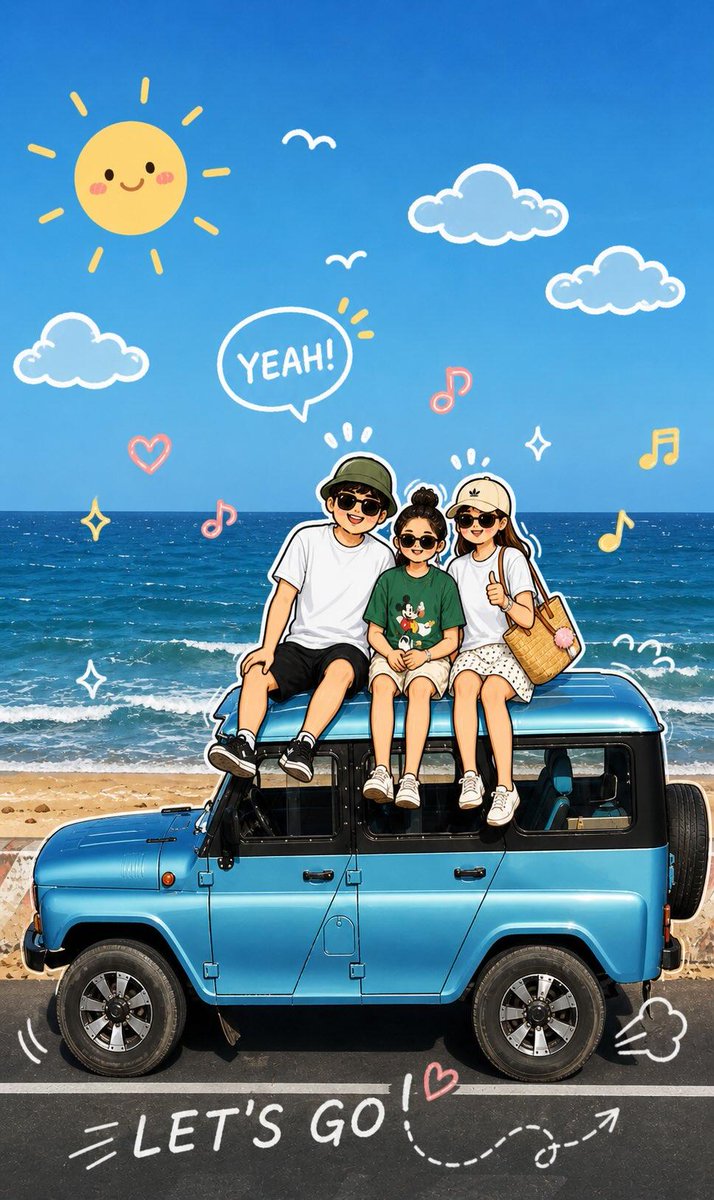
Transforms your photo into a lively, hand-drawn cartoon illustration with playful, interactive graphic elements that follow your subject's pose.
1 / 4
提示词 · EN
分析上传的图像,并保持原始主体、构图和光影。请勿更改主角的身份或面部结构。添加与图像中主体直接互动的趣味手绘图形元素。绘图应模仿、跟随或夸大现有的形状、姿势或动作——例如在姿势周围绘制线条、延伸手臂或腿部、添加运动线条,或创建与主体“互动”的虚构元素。 第 2 步:
将整张图像转换为柔和、生动且充满趣味的卡通插画风格。在应用生动、可爱且俏皮的卡通外观的同时,保持原始场景和角色细节。
关于这个提示词
Transforms your photo into a lively, hand-drawn cartoon illustration with playful, interactive graphic elements that follow your subject's pose. 它更适合作为 GPT Image 2 的概念艺术起点:先保留画面结构、主体关系和风格约束,再替换成你的品牌、人物或场景。
使用时建议先小幅修改主体、场景、镜头和色调,再生成多个版本对比构图与细节。这样页面内容对用户有实际帮助,也避免把模型名或标签机械堆在正文里。
如何使用这个提示词
- Copy the full prompt text from the page.
- Choose a compatible image generation model like Sora 2 or Midjourney.
- Upload your source photo when prompted by the AI model.
- Generate the image and adjust style keywords if you want a different cartoon feel.


