
GPT Image 2AI 提示词
Cinematic Portrait with Monochrome Eye Background — Sora 2 Prompt
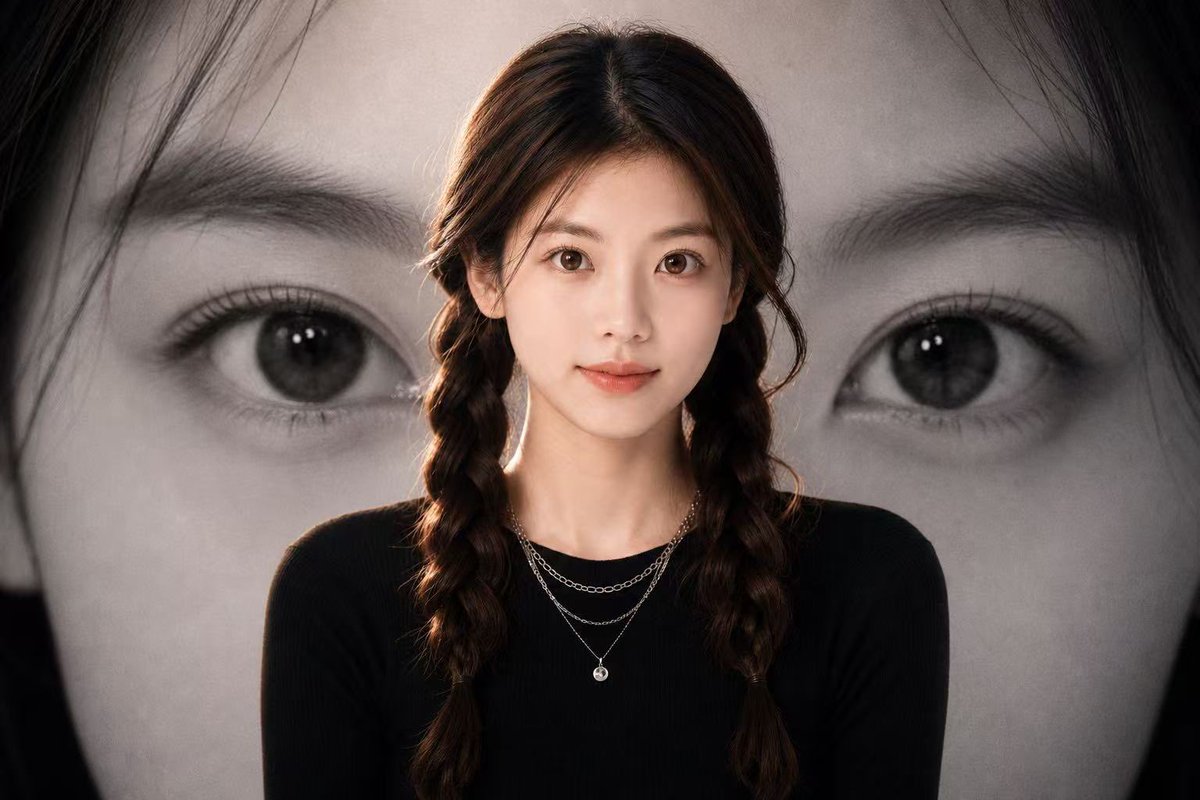
Create a stunning, high-contrast fashion poster with a realistic subject in the foreground and a dramatic, enlarged black-and-white eye behind them.
提示词 · EN
创作一张电影感人像海报,前景中心位置为 argsubject: 年轻女性 的半身像,身穿修身的 argoutfit color: 黑色 长袖上衣,佩戴精致的叠层银色项链。主体留着深棕色长发,中分并编成两条松散的辫子,采用柔和的摄影棚灯光,头发和肩部带有微妙的暖色轮廓光。主体后方的整个背景填充一张巨大的黑白人脸特写照片,聚焦于一只大眼睛、眉毛、睫毛和部分鼻梁,进行戏剧性的裁剪,使眼睛位于画面右侧,深色头发环绕边缘。使用情绪化的单色背景,前景主体采用柔和的自然色彩,高对比度,浅景深,编辑时尚海报构图,16:9 横向比例,写实摄影,简洁现代美学,无文字,无 Logo。在左侧添加一个柔和的矩形覆盖区域作为暗灰棕色块,并在主体面部覆盖一个较小的暖肤色矩形,营造出匿名海报样机效果。
关于这个提示词
Create a stunning, high-contrast fashion poster with a realistic subject in the foreground and a dramatic, enlarged black-and-white eye behind them. 它更适合作为 GPT Image 2 的概念艺术起点:先保留画面结构、主体关系和风格约束,再替换成你的品牌、人物或场景。
使用时优先替换 subject、outfit color 等占位符,并保持镜头、构图和材质描述的顺序不变。这样更容易获得稳定的画面结果,也方便继续做多版本对比。
如何使用这个提示词
- Copy the prompt and paste it into your preferred AI image generator like Sora 2 or Midjourney.
- Replace the subject and outfit color variables (in curly braces) with your desired description.
- Adjust the aspect ratio or lighting details in the prompt text for different creative effects.
- Generate the image and review the composition of the foreground subject and background eye.


