
GPT Image 2AI 提示词
Custom Branded Black Garbage Bag — Sora 2 Product Shot Prompt
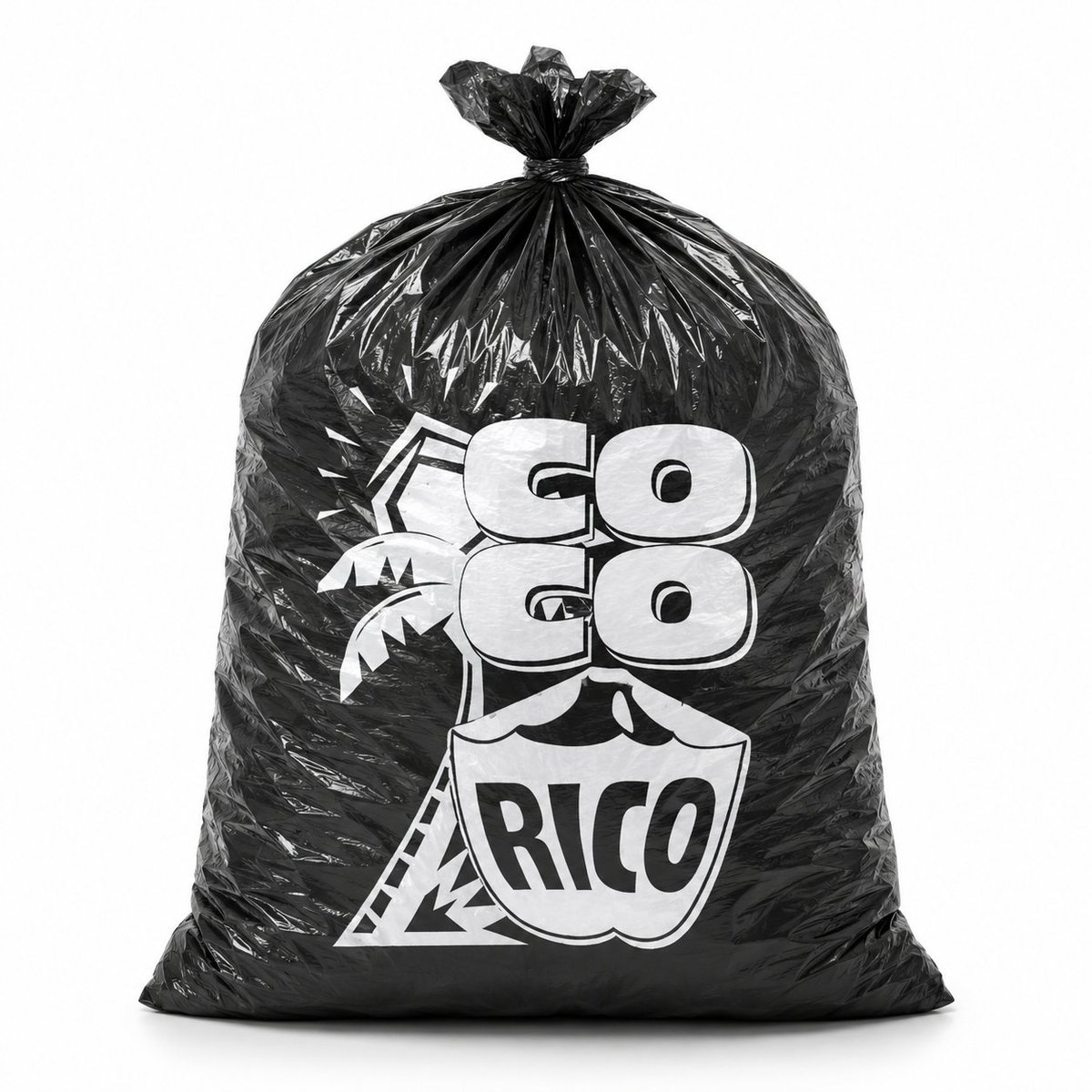
Generate a photorealistic studio product photo of a glossy black plastic bag with a custom white logo, perfect for packaging mockups and brand presentations.
提示词 · EN
创作一张逼真的摄影级产品照,展示一个直立在干净白色无缝背景上的大型黑色塑料垃圾袋。袋子被撑得鼓鼓的,呈圆角矩形,底部平坦厚实,具有亮面褶皱聚乙烯质感,带有清晰的镜面高光,布满褶皱和折痕,顶部紧紧收拢并打成一个小结。袋子正面居中印有醒目的白色定制 Logo:argbrand text: GO GO RICO,采用厚实的圆角块状字体,两行“GO”字样位于盾牌形状的徽章上方,徽章内写有“RICO”;文字后方包含简单的热带棕榈树图形和几何轮廓。让印刷效果看起来像是在黑色塑料上真实的白色油墨,并因袋子的褶皱和弧度产生轻微变形。采用正面构图,完整展示袋子,使用柔和的摄影棚灯光,带有微妙的地面阴影,高对比度的黑白品牌设计,极简商业模型风格,无多余物品,无人物。
关于这个提示词
Generate a photorealistic studio product photo of a glossy black plastic bag with a custom white logo, perfect for packaging mockups and brand presentations. 它更适合作为 GPT Image 2 的概念艺术起点:先保留画面结构、主体关系和风格约束,再替换成你的品牌、人物或场景。
使用时优先替换 brand text 等占位符,并保持镜头、构图和材质描述的顺序不变。这样更容易获得稳定的画面结果,也方便继续做多版本对比。
如何使用这个提示词
- Copy the full prompt text and paste it into your Sora 2 or other compatible AI image generator.
- Replace the
{brand text}variable with your desired brand name or logo text. - Select a high-resolution or photorealistic model setting for best results.
- Adjust the prompt by adding lighting or background details if needed.
- Generate the image and review; refine the logo text or bag shape by re-running with tweaked parameters.


